Configure
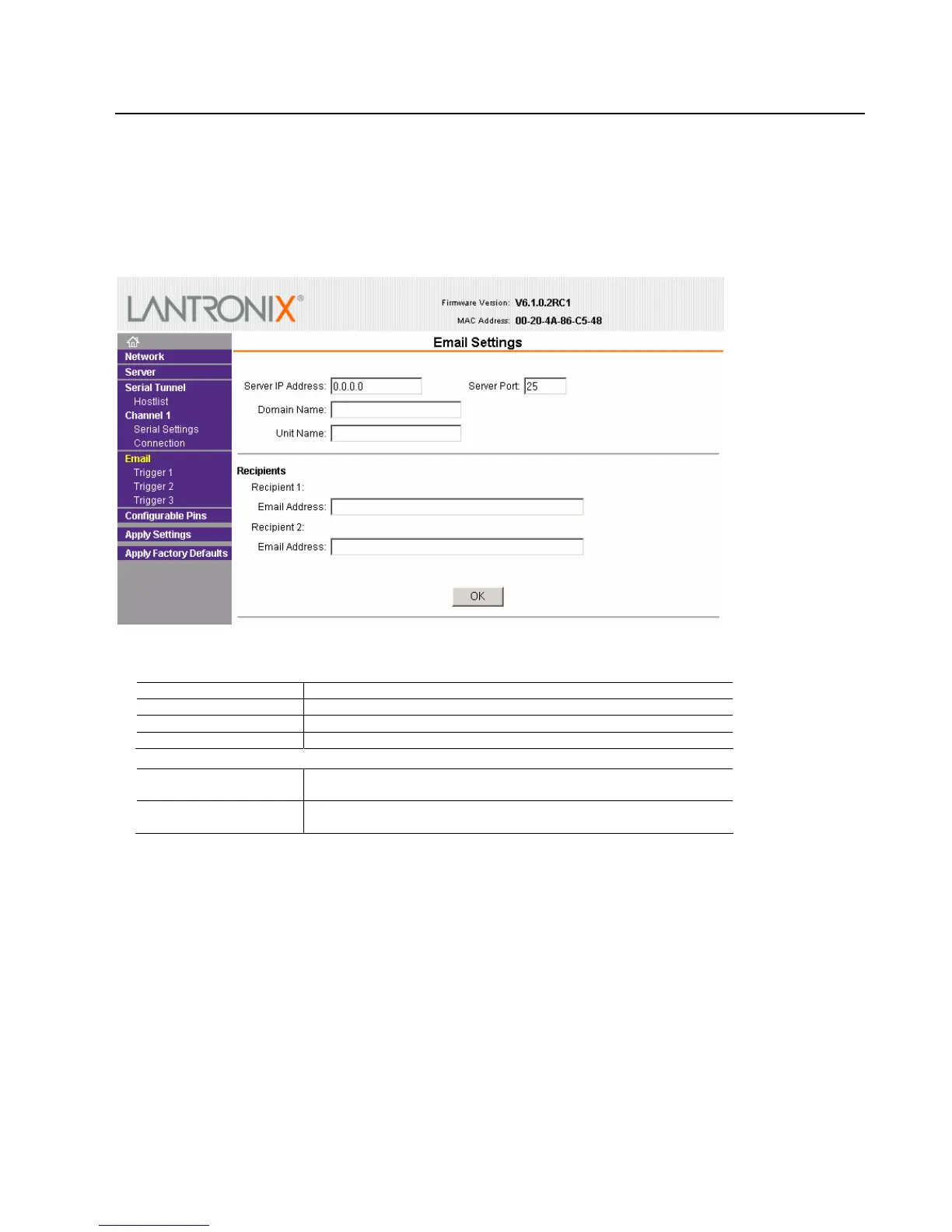
3.7 Email Settings
The unit sends an email to multiple recipients when a specific trigger event occurs. You can use a two-byte
serial string to initiate a trigger.
Note: Using configurable pins for Email is not supported on the NET232. See also E-mail Settings on page 3-31.
To configure the NET232’s email settings:
1. On the main menu, select Email. The Email Settings window opens.
2. Configure the following fields:
Server IP Address
Enter the IP address of the mail server.
Server Port
Enter the port number on the email server.
Domain Name
Enter the email server’s domain name.
Unit Name
Enter the user name used by the XPort to send email messages.
Recipients
Recipient 1: Email
Address
Enter the email address designated to receive email notifications
Recipient 2: Email
Address
Enter an additional email address designated to receive email
notifications.
3. When you are finished, click the OK button.
4. On the main menu, click Apply Settings.
NET232/NETUSB User Guide 3-11



 To Next Page