Introduction
2-4 NET485 User Guide
2.6 Ethernet Interface
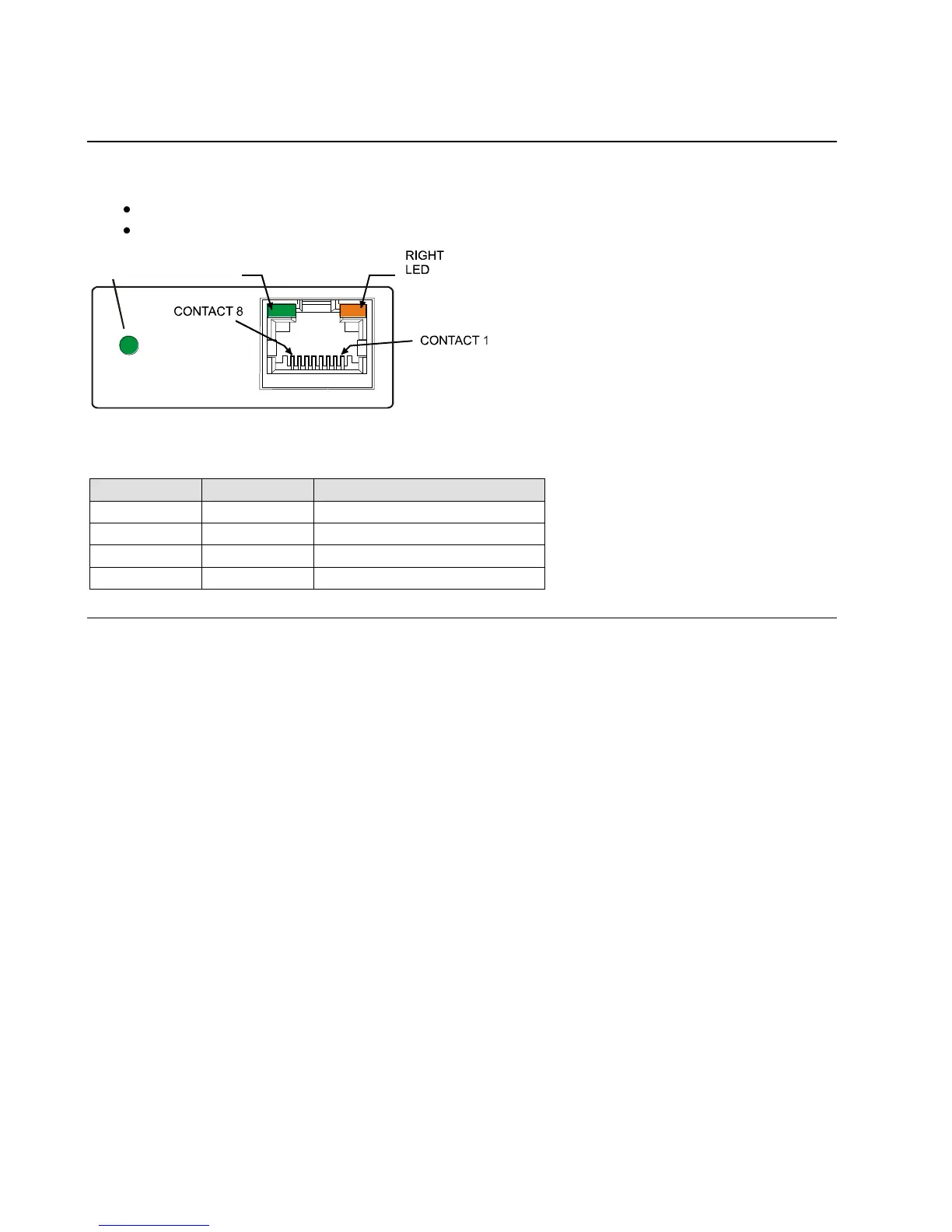
The NET485 device contains the following LEDs:
10BaseT/100BaseTX (Bi-color, Left LED)
Full/Half Duplex (Bi-color, Right LED)
Figure 9 - Ethernet Jack
Table 2 - NET485 LED Functions
2.7 Product CD
The CD sent with the NET485 contains software and technical manuals to support the NET485. Device
Installer is one of the main software utilities that allows for fast and easy configuration of the NET485.
1. Insert the CD into your CD-ROM drive. The CD will automatically start and display the main window.
If the CD does not launch automatically:
a) Click the Start button on the Task Bar and select Run.
b) Enter your CD drive letter, colon, backslash, autorun.exe (e.g., D:\autorun.exe).
To view the Quick Start Guide, click on NET485 Quick Start button.
The technical manuals are in PDF format. If you do not have Acrobat Reader installed, you can install it
from the Adobe website.
To install Device Installer, click the Go to Software Page button, then select Device Installer button.



 To Next Page