Device Installer
3-4 NET485 User Guide
3. When you are finished, click the OK button.
4. On the main menu, click Apply Settings.
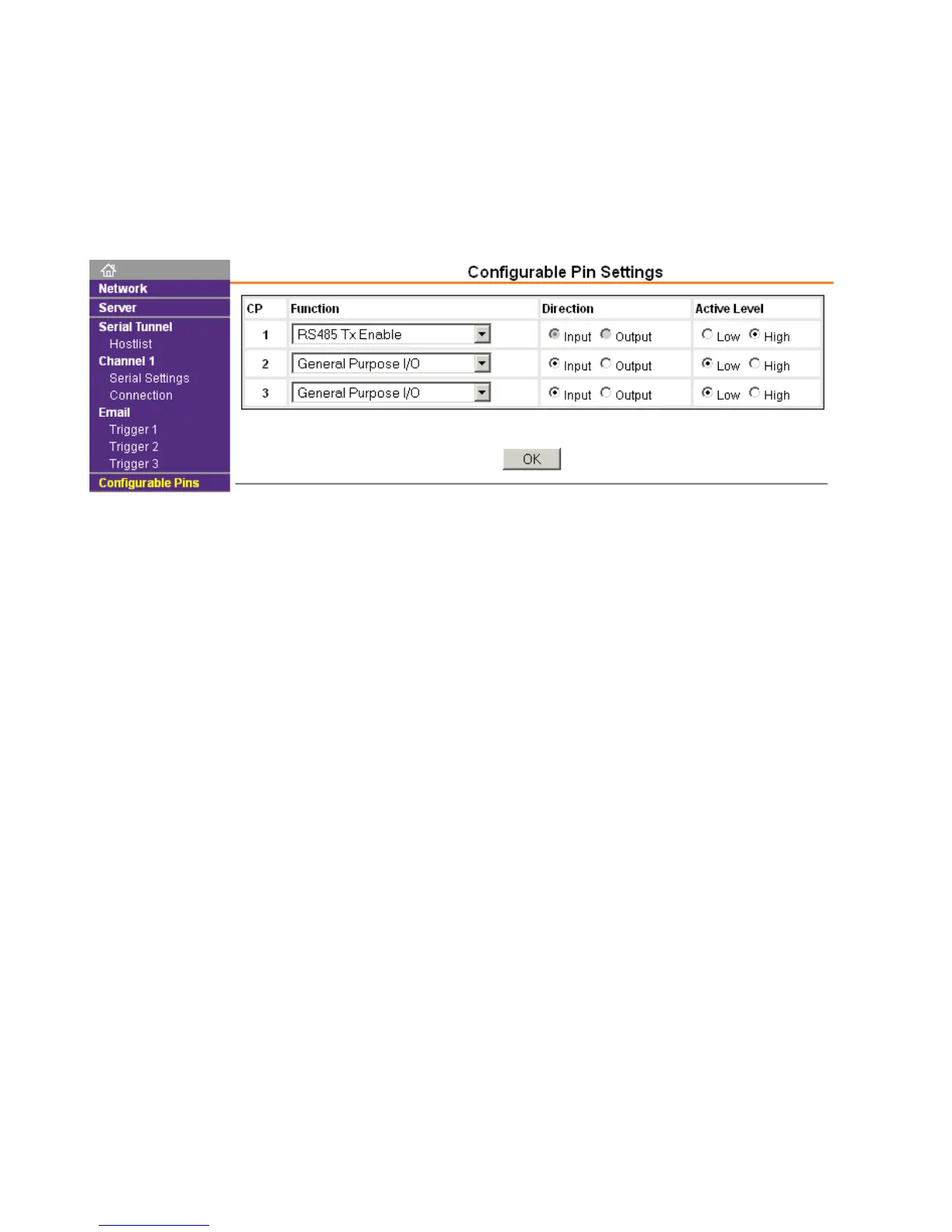
3.4.2 Configurable Pin Settings
There are three configurable hardware pins on the NET485. See the notes in The RS485 Enable Signal on
page 1-2.
To configure the NET485 for RS485 Tx Enable:
1. On the main menu, click Configurable Pins. The Configurable Pins page opens.
2. Set CP1 to RS485 TxEnable and Active level HIGH.
3. When you are finished, click the OK button.
4. On the main menu, click Apply Settings.



 To Next Page