9
INSTALLATION
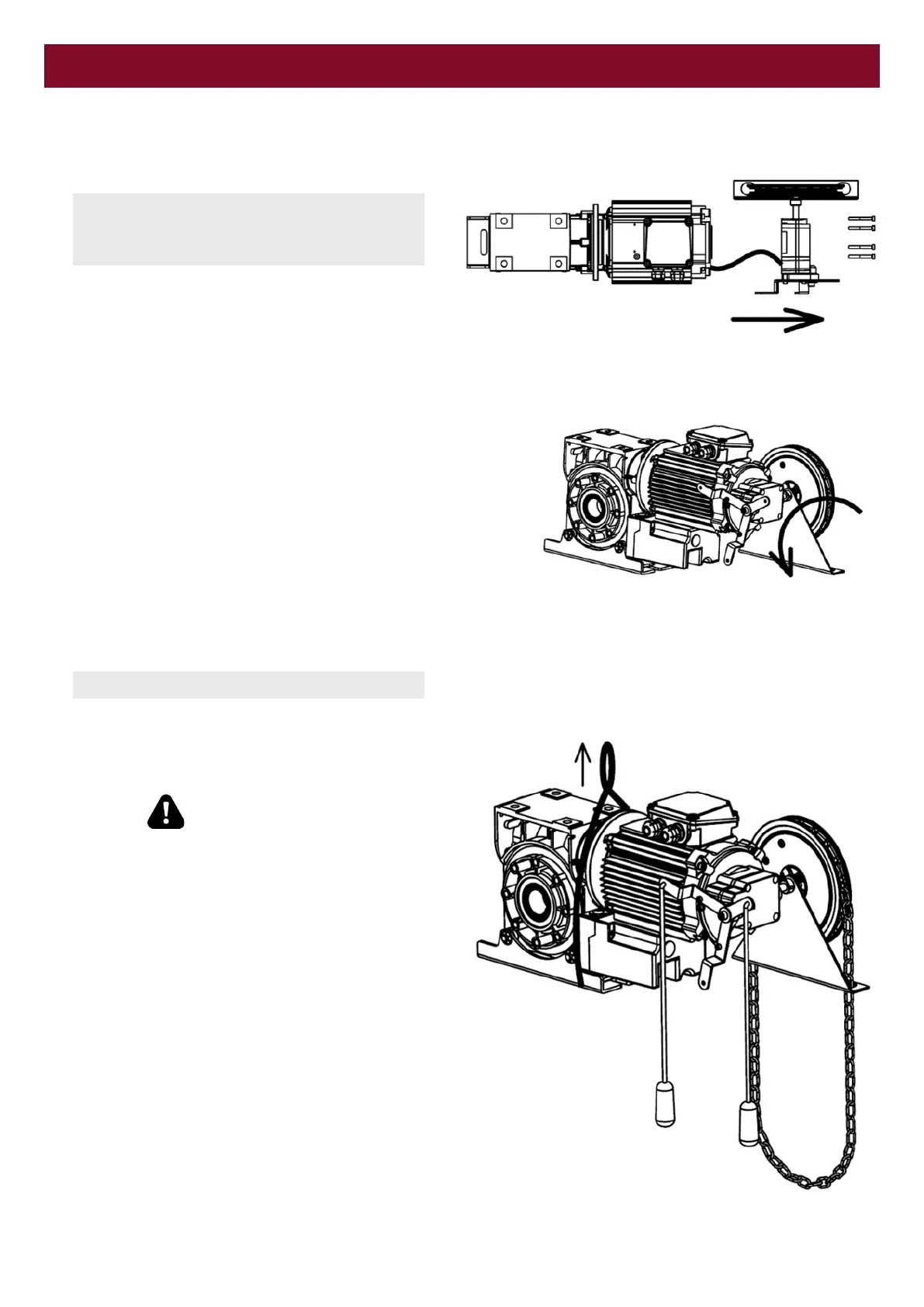
CHANGE THE SIDE OF THE HAND CHAIN
ASSEMBLY:
NOTE: ONLY PERFORM THIS STEP IF REQUIRED
• Remove 4 bolts fixing the assembly to the back of the
motor.
• Rotate the assembly 180 degrees and replace bolts.
• Rotate the hand chain guide piece and pull cord housing to
re-align in the down position
LIFTING POINTS
• Use sling as shown for all models.
WARNING
Mechanical
OPERATORS ARE HEAVY.
TAKE CARE WHEN LIFTING.
OPERATOR



 To Next Page