-16-
G9742 Metal Cutting Bandsaw (Mfg. Since 11/06
Chip Tray & Cast
Iron Stop
The chip tray directs small workpieces into a buck-
et when the cut is complete. The cast iron stop
allows you to repeat cuts at the same length.
To install the chip tray and cast iron stop:
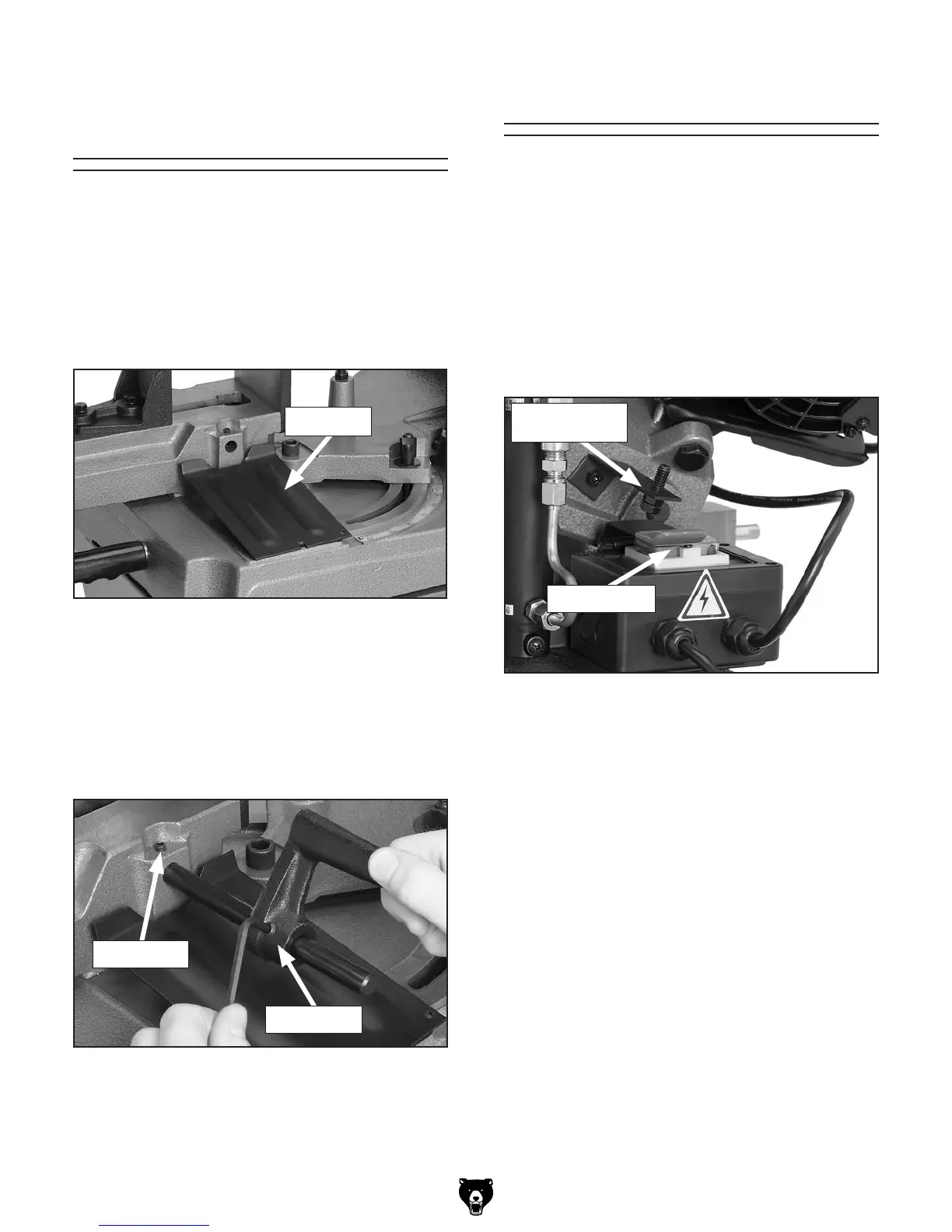
1. Position the chip tray as shown in Figure 14
if you choose to use this accessory.
Figure 14. Chip tray installed.
Chip tray
2. Insert the stop rod approximately
3
⁄4" into the
saw until the end of the rod is just flush with
the inside casting surface.
3. Using the 4mm hex wrench, tighten the set
screw shown in Figure 15.
4. Slide the cast iron stop onto the stop rod
and tighten the set screw.
Figure 16. OFF button lever and stop bolt.
OFF Button Lever
After you have removed the shipping strap and
have adjusted the headstock stop bolt, you must
adjust the OFF button lever stop bolt, so the
bandsaw shuts OFF automatically when a cut is
complete.
To set the OFF button lever stop bolt:
1. With the headstock in the complete down
position, loosen the 12mm stop bolt and jam
nut (see Figure 16).
OFF Button
Stop Bolt and
Jam Nut
2. Push down on the OFF button lever so the
button is completely depressed.
3. While keeping the lever depressed, use your
fingertips to turn the stop bolt until the head
touches the lever.
4. Back off the stop bolt
1
⁄3 turn and tighten the
jam nut.
Figure 15. Installing stop rod.
Set Screw
Set Screw


 To Next Page