Toughsat Users Manual Ground Control
- 19 -
How To Adjust The Reference Satellite
1. Power on the unit
2. Connect to the GC Controller
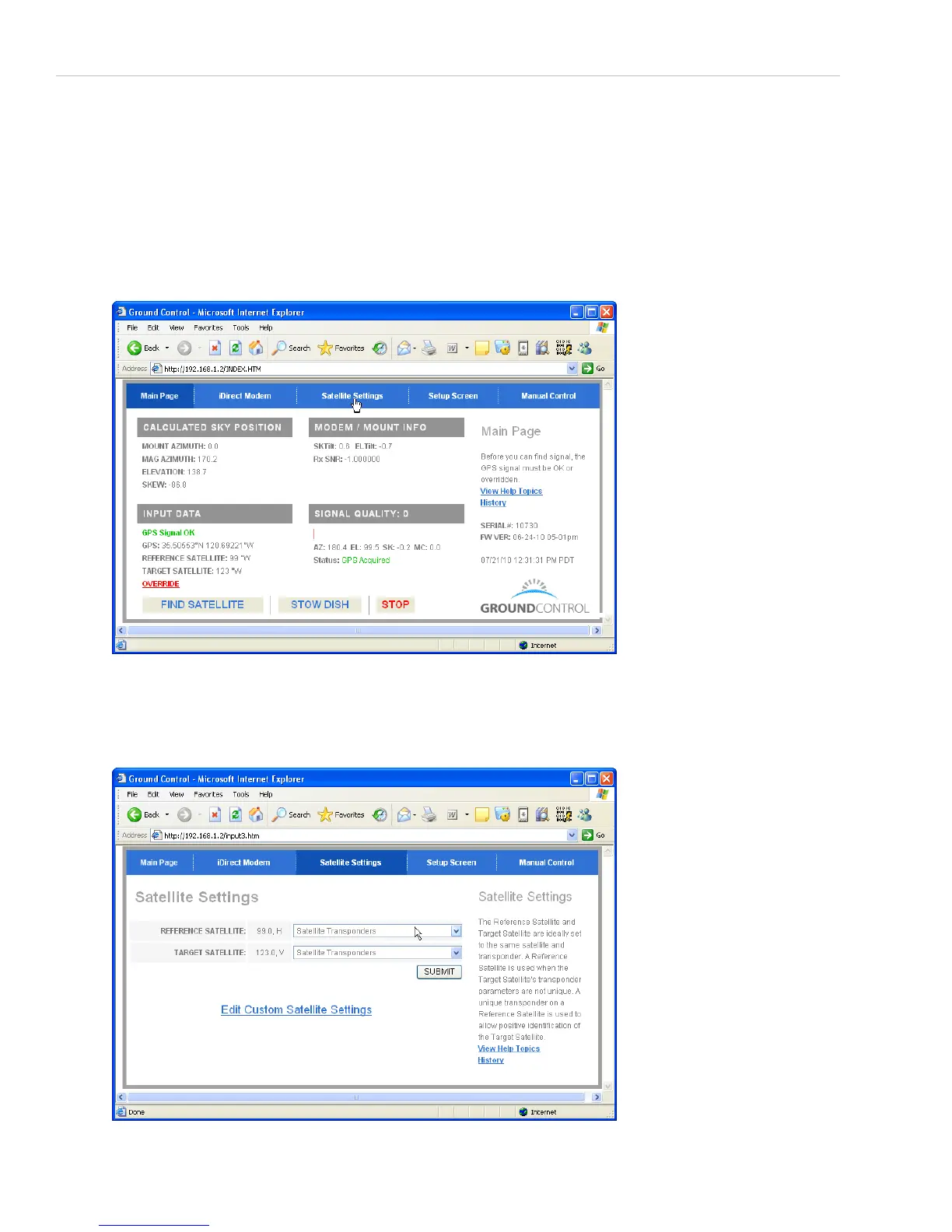
3. Bring up the dish control page at 192.168.1.2
4. In the top center, there will be a blue button that says “Satellite Settings”. Click on it.
5. There will be two drop-down menus. One says “Target Satellite” and should be set to G18 123w. The second
says “Reference Satellite” and should be set to G16 99w. Click on “Submit” at the bottom, which will return you
to the main page.


 To Next Page