Toughsat Users Manual Ground Control
- 9 -
Using The Toughsat
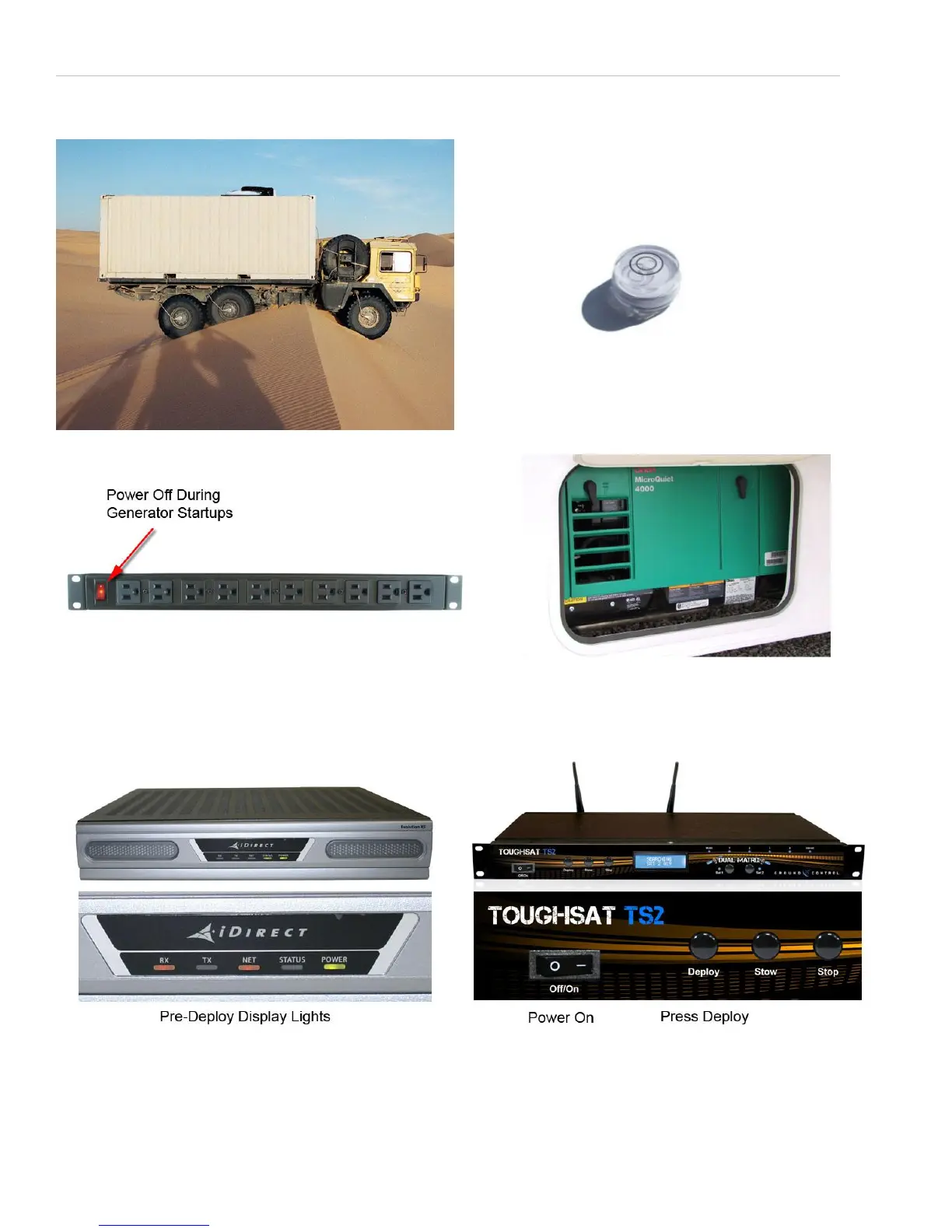
Find A Level Area
If the Toughsat is within three degrees of level, it will
normally find satellite within 3.5 minutes, otherwise
the time to find satellite may be a few minutes longer.
A bullseye level in the driving cab will help. Also make
sure to park in an open sky area where line-of-sight to
the orbiting satellite is possible. (High in the Southern
Sky in the USA). Avoid parking next to trees or tall
structures & carry a compass to help park a rig.
STEP 2 – POWER OFF - Check to see that power to STEP 3 – START THE GENERATOR, or connect to
the electronics is turned off before starting the generator. any power source you may be using.
This is a good practice to avoid any power spikes or low
voltage issues.
STEP 4 – TURN POWER ON for the electronics STEP 5 – PRESS “Deploy” button to deploy the
(using power bar switch) and wait 2 minutes for the dish. It will take about 3.5 minutes for the system to
iDirect gateway to boot up and GPS to be found. automatically find satellite and create a wireless
The iDirect will front display will show solid amber network. There is no other interaction required.
RX (receive) and NET (Network) lights when ready.


 To Next Page