
 Need help?
Do you have a question about the Growatt GroBoost and is the answer not in the manual?
Lists all accessories included with the GroBoost unit, with quantities.
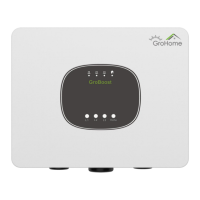
Explains the GroBoost's architecture and function in managing household energy.
Describes the device's indicator lights, function buttons, and connectors.
Advises reading instructions, using safety equipment, and protecting from elements.
Details wire harness routing, wire gauge, and stripping for terminals.
Explains various wiring configurations for different load types and sensors.
Clarifies phase output modes and temperature sensor connections.
Lists essential checks after wiring to ensure correct installation and safety.
Describes Smart, PV Linkage, and Mandatory operational modes of the device.
Details LED indicators and button functions for monitoring and device control.
Step-by-step guide for pairing the GroBoost with the ShineLanBox.
How to confirm load working mode and switch status when indicator lights are abnormal.
Troubleshooting steps for LED3 flashing every 5 seconds, checking antenna and pairing.
Checks for RS485 wiring and communication parameters to resolve communication failures.
Guides the user through the initial account registration process for the ShinePhone APP.
Details on adding a power station, including name, address, and PV capacity.
Instructions for adding a datalogger by entering its serial and check codes.
Steps to add the GroBoost device to the Grohome page after datalogger setup.
Configuring load information and binding for the GroBoost device.
Explains setting the operating mode to Smart or PV Linkage.
Steps to configure PV linkage, including priority, meter, and execution time.
How to set the effective time for linkage tasks, including cycle options.
Explains the backup heating function for ensuring temperature during low solar production.
How to reset and overwrite the original load information for a connected load.
Interface functions for editing, controlling, and deleting loads.
 General
| Brand | Growatt |
|---|---|
| Model | GroBoost |
| Category | Controller |
| Language | English |

 To Next Page