Power Supply
Mains operation.......................230 Volt, 50/60 Hz
Battery operation ....................8 x 1.5 V (R14, UM2)
Back-up batteries for radio presets........2 x 1.5 V (AA)
Output power DIN 45324, 10% THD
Music power:...................................2 x 3500 mW
Nominal power................................2 x 2000 mW
Socket for stereo headphones: ...................3.5 mm ø
Radio section
Wavebands: ..........................FM 87.5 – 108 MHz
............................................AM 531 – 1602 kHz
Aerials:................................Telescopic aerial for FM
................................Built in ferrite rod aerial for AM
Cassette section
Cassette:.................Compact cassette to DIN 45516
Track system: .......................International quartertrack
Tape speed:......................................4.76 cm/sec.
Motor:....................................................DC motor
Frequency range: ...........................120 Hz – 8 kHz
S/N ratio, weighted .....................................42 dB
Wow and flutter:........................................... 0.3%
Automatic functions: ...Automatic recording level control
........................Automatic button release at tape end
CD section
Frequency range: ...........................61 Hz – 15 kHz
S/N ratio, weighted .....................................60 dB
Accessories
........................................................Mains Cable
...........................................................Ident Card
.................................................Instructions for Use
......................................................Remote control
Subject to technical alterations and alterations in
styling E. and O.E.
Recording from the CD player
(CD synchro recording)
• Press the CD button on the unit or on the
remote control.
• It’s not necessary to start the CD player
separately: by pressing
0 RECORD
the CD
player starts automatically.
–
If the CD player is in STOP position, recording
will start from the beginning of the CD (or from
the beginning of the programmed selection).
• To start a recording in the middle of a track,
play the CD in the normal way.
• As soon as the desired passage is reached,
pause the CD and then start recording by
pressing
0 RECORD
.
Recording from the radio
• Press the TUNER button on the unit or on the
remote control.
• Select the desired waveband and station (see
‘TUNER’).
• In case of FM radio recordings, set the
FM MONO/STEREO switch to the desired
position.
• If during the recording of an AM station, a
whistling sound is heard, this sound can be
suppressed by setting the BEAT CUT switch to
another position.
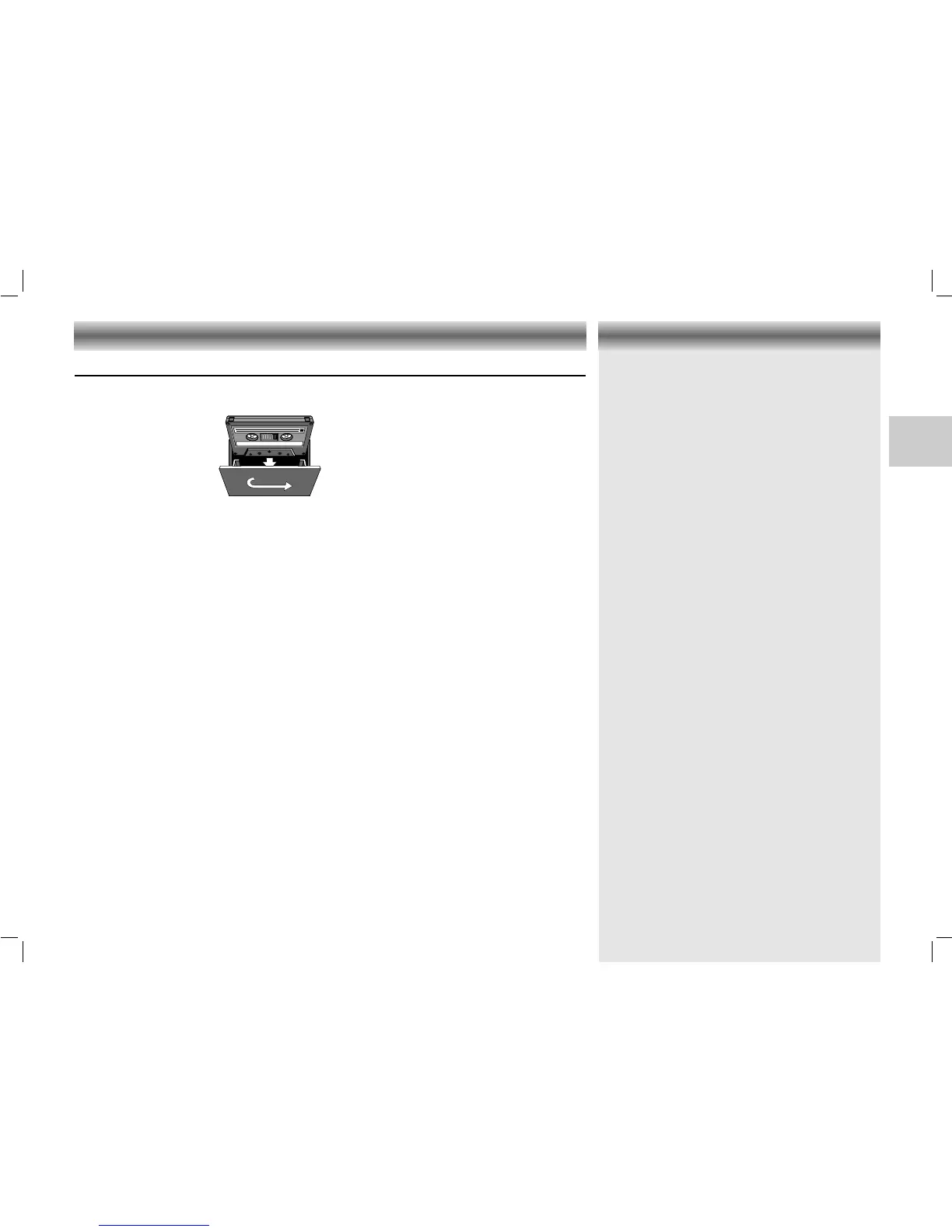
• Press 9// STOP/EJECT to open the cassette
holder.
• Insert the cassette.
• When monitoring during
recording, adjust the
sound using the controls
VOLUME and UBS.
These controls do not
affect the recording.
Starting and stopping the recording
• Start recording by pressing
0 RECORD (the B
PLAY button
is automatically also pressed).
– The REC 6 indicator lights up.
• When the end of the tape is reached, the
recorder buttons are released.
• To interrupt recording, press
; PAUSE.
• To continue recording, press
; PAUSE again.
• Press 9// STOP/EJECT if you want to stop
recording before the end of the tape.
– The REC 6 indicator goes out.
• On pressing 9// STOP/EJECT again, the
cassette holder will open.
CASSETTE DECK TECHNICAL DATA
25
CDM 700 page 25
GB
Cassette recording





 To Next Page