Selecting ‘TUNER’
• Press the ON/OFF button to switch the unit on.
• Press the TUNER button on the unit or on the remote
control.
– The TUNER indicator
6 lights up.
Radio aerials
–
For FM, pull out the telescopic aerial. To improve FM-
reception, incline and turn the aerial. Reduce its length
if the FM-signal is too strong (very close to a transmitter).
– For AM, the set is provided with a built-in aerial, so
the telescopic aerial is not needed. Direct the aerial
by turning the whole set.
Radio reception
•
Adjust the sound with the VOLUME and UBS controls.
• Select the waveband using the BAND button on the
unit or on the remote control.
• Start the automatic station search by holding the
UP/§ or ∞/DOWN button (on the unit or on the
remote control) down for one or two seconds, and
then releasing it.
– The tuner automatically searches for the first station
with sufficient signal strength.
• Repeat this step to search for other stations.
• To tune to a weak station, briefly press the UP/§ or
∞/DOWN buttons several times until the correct fre-
quency is displayed, or until reception is best.
– When 'ST' appears on the display, you are
receiving an FM stereo transmitter.
• A disturbing noise, due to a weak FM stereo signal,
can be suppressed by setting FM MONO/STEREO
to FM MONO.
– The 'ST' indication goes out and you will hear the
FM station in mono.
Storing stations
You can store a maximum of 40 stations
(20 x FM and 20 x AM).
• Select the waveband using the BAND button.
•
Select the desired station with the UP/§/∞/DOWN
buttons on the unit or on the remote control.
• Press the PROGRAM/TIME button on the unit or on
the remote control.
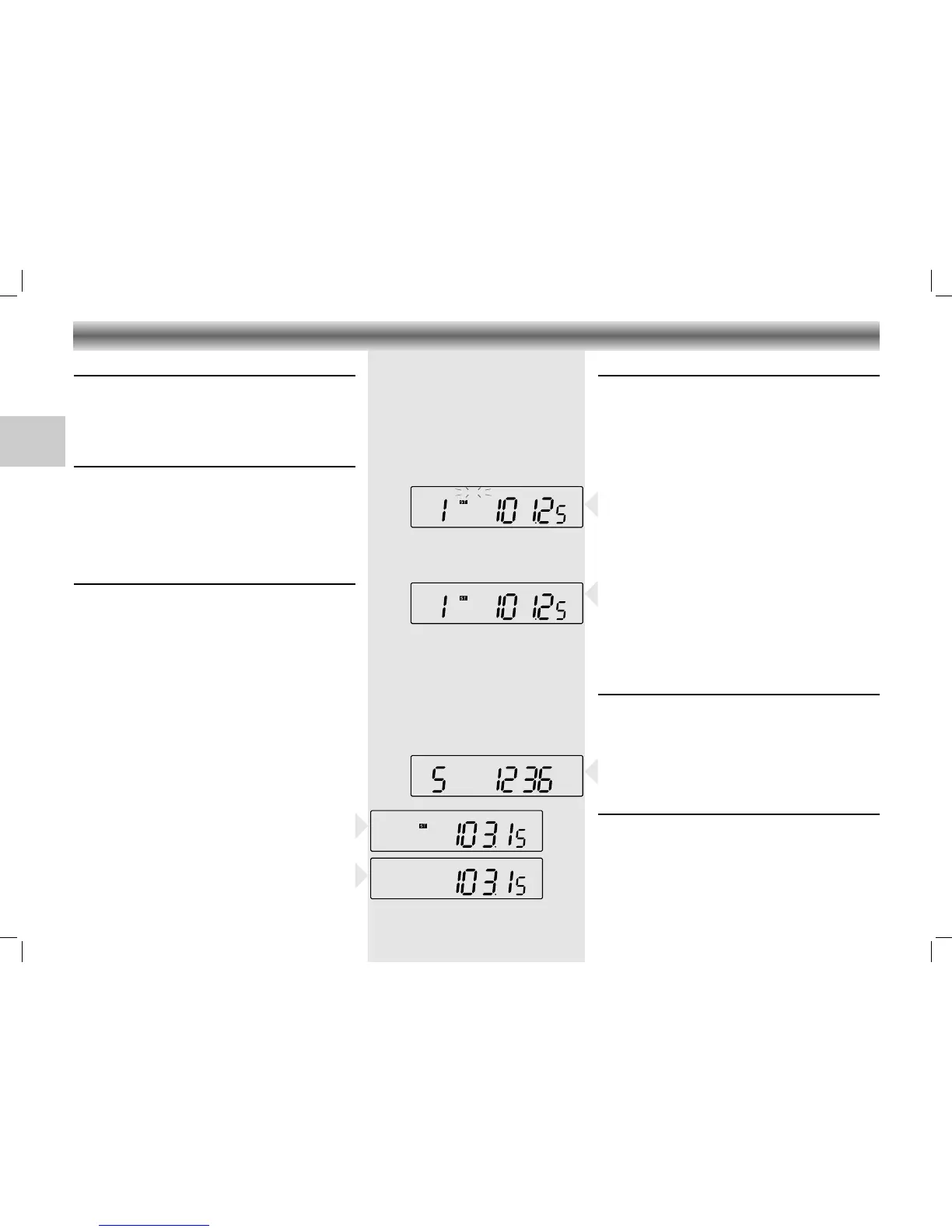
– 'MEMORY' starts flashing on the display.
• While 'MEMORY' is flashing, select the channel you
wish to assign to this station by repeatedly pressing
the REPEAT/SCAN button or directly with the 1-0 /
+10 buttons on the remote control.
• Press PROGRAM/TIME to store this station.
– 'MEMORY' disappears from the display. The display
now indicates the station's assigned channel, its
frequency and waveband.
• If you assign a station to a channel that had been
previously assigned to a different station, the old
station is deleted and replaced by the new one.
Calling up a stored station
• Select the waveband using the BAND button.
• Select the desired memory channel by repeatedly
pressing the REPEAT/SCAN button or directly with
the 1-0 / +10 buttons on the remote control.
– The display indicates the selected channel, the
station frequency and waveband.
Last station memory
LAST STATION MEMORY means that the unit 'remembers'
the last station that was tuned to.
This function ensures that the station which was selec-
ted before the tuner was switched off is automatically
selected again when your tuner is switched back on.






 To Next Page