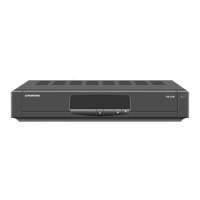
- 11 - DSI 400
uniCable
If the satellite reception system consists of an Unicable LNB or a Quattro LNB
with downstreamed Unicable multiswitch, only one connection must be estab-
lished.
• Connect input 1 of the DSI 400 to the "unicable signal" via a suitable SAT
antenna cable.
—> The reception signals for the 4 tuners are converted to 4 fixed fre-
quencies.
After that the antenna configuration (page 18) must be set to "unicable".
4.2 it infrastruCture
In order to transmit the TV stations which are converted to IPTV signals to the
client devices, the DSI 400 must be integrated in your IT Infrastructure.
• Connect the LAN socket 7 of the DSI 400 to a LAN connector of your
network (e.g. the LAN socket of your router) via a LAN cable.
—> An DHCP server must be activated in your network (normally in-
tegrated in the router and active). The DHCP server must not be
deactivated, so that an IP address can be assigned to the DSI 400.
The DSI 400 must be within in the same network/subnet as the client
devices (same IP address range).
—> If all LAN sockets of the router are used, in addition you have to use
a so called "switch", in order to get free connectors.
For a smooth video playback we recommend for the LAN connection a
1000Mbit/s network, for the WLAN connection to the clients a 300Mbit/s
WLAN network.
A PC, intended for the video playback, must have corresponding computing
performance and graphic controller.


 To Next Page
 Loading...