6
SEEN - SEEN A
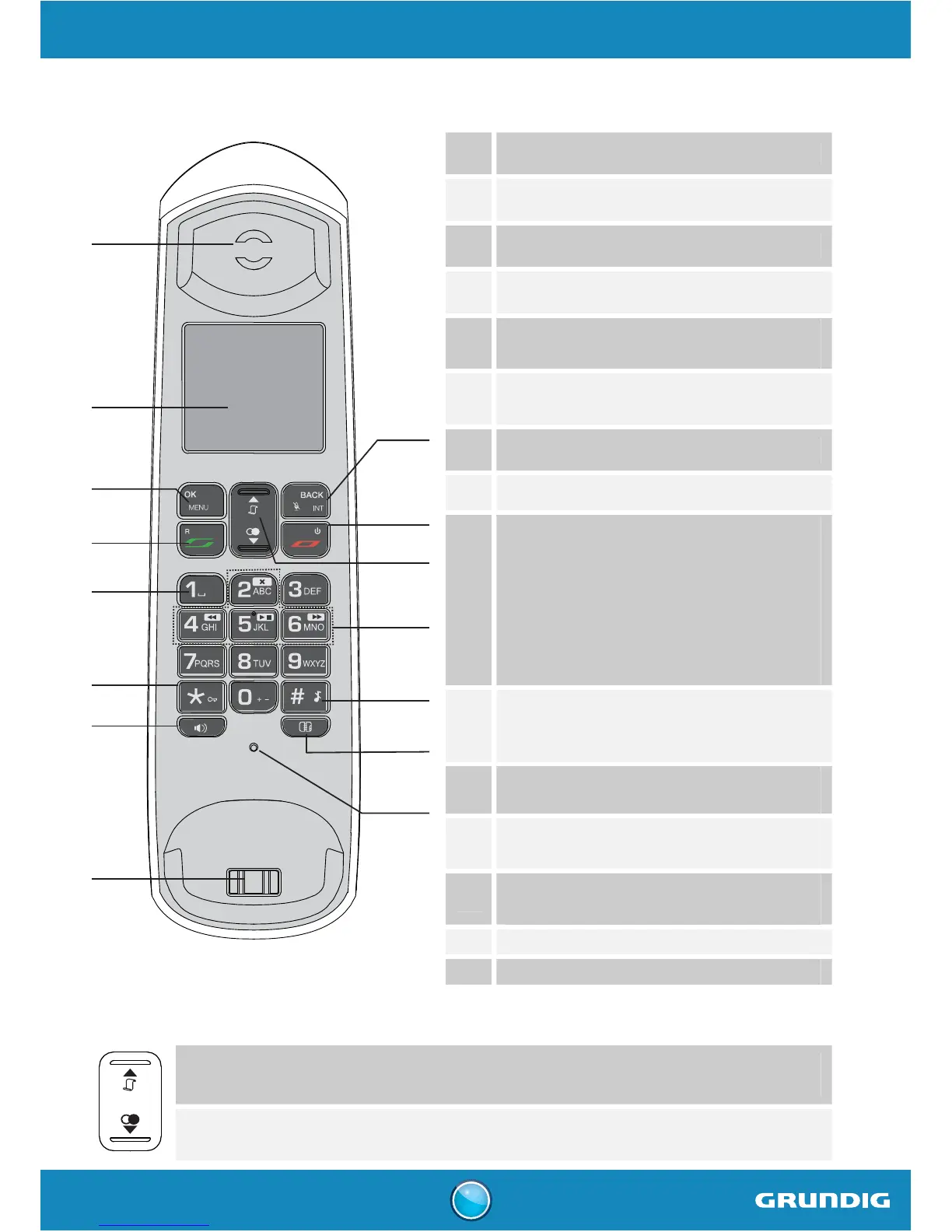
Handset keys
1
2
9
10
11
13
14
15
3
4
5
6
7
8
12
1
Earpiece
2 Screen
3 Access to main menu / Validation key
4 Pick-up / R key: manage multiple calls
5
Access to voice messaging service
(long press from home screen)
6
Activate / Deactivate keypad lock
(long press from home screen)
7 Activate / Deactivate handsfree mode
8 Handset charging contacts
9
BACK / Mute / INT Key :
- Cancel the action
- Return to previous menu
- Activate / Deactivate the microphone
(during a call)
- Call an additional handset
(from the home screen)
10
Hang up (during a call) /
Return to previous menu /
Switch handset on/off (press and hold)
11
Browsing through the menus /
Access to the call log (from home screen)
12
Answering machine control keys
(Model Seen A only)
13
Activate / Deactivate the silent mode
(long press from home screen)
14 Access phonebook
15 Microphone
Navigator
- From the Home screen: access to the caller list.
- On the menu: navigation key up.
- From the Home screen: access to outgoing call list (Bis).
- On the menu: navigation key down.



 To Next Page