1. Getting Started
1.1 Your Phone
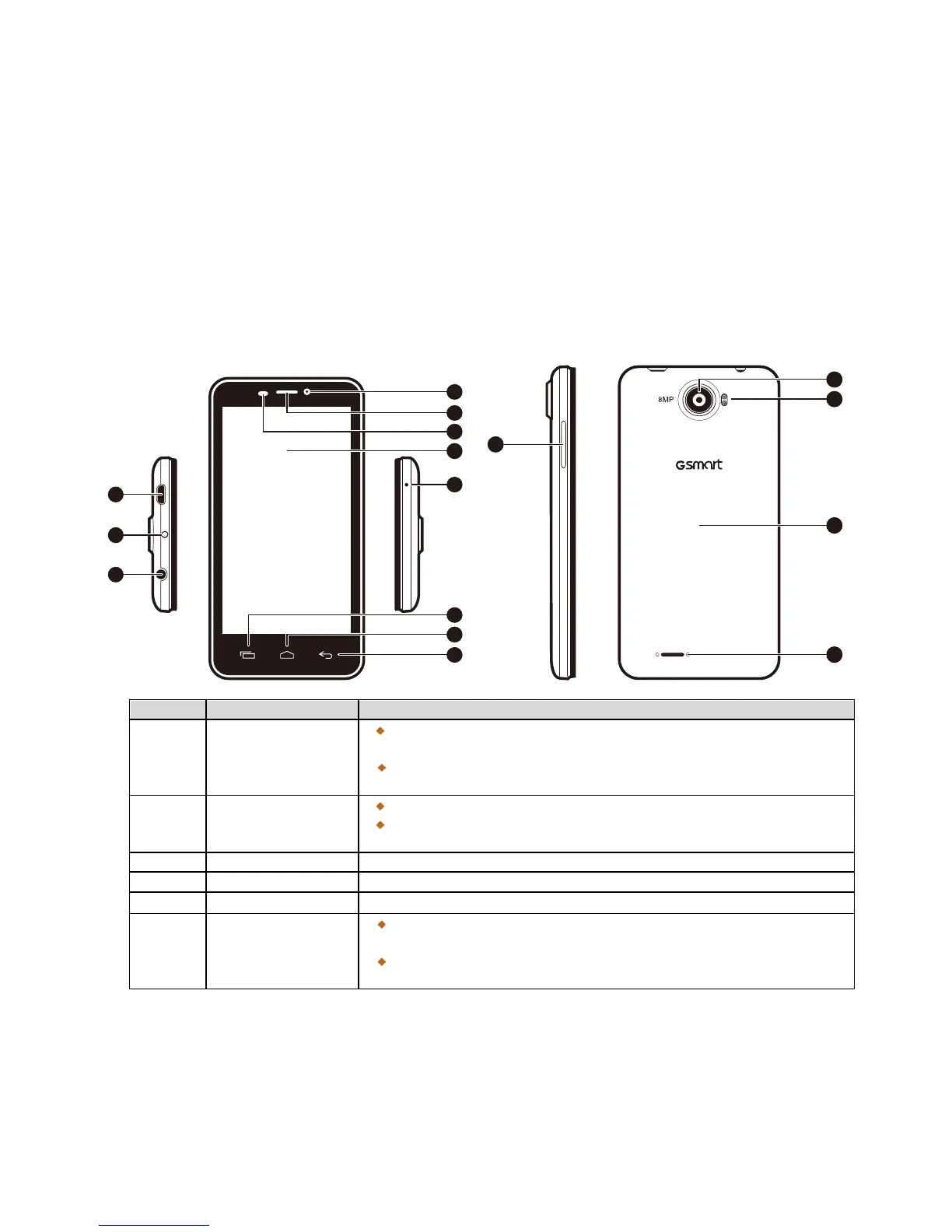
This section introduces you to the hardware of the device.
Connect USB cable and the AC adapter to charge the battery
mildly.
USB tethering: Share your phone’s mobile data connection via
Press and hold for several seconds to turn the phone on or off.
To set your phone to the sleep mode, press the power button
briefly. Press again to turn the display back on.
Use a headset for hands-free conversation or listening to music.
Use this front Camera to take pictures or record video.
P Sensor: The screen will turn off automatically when the
device is close to the face during a phone call.
Light Sensor: Adjust the brightness of the screen according to



 To Next Page