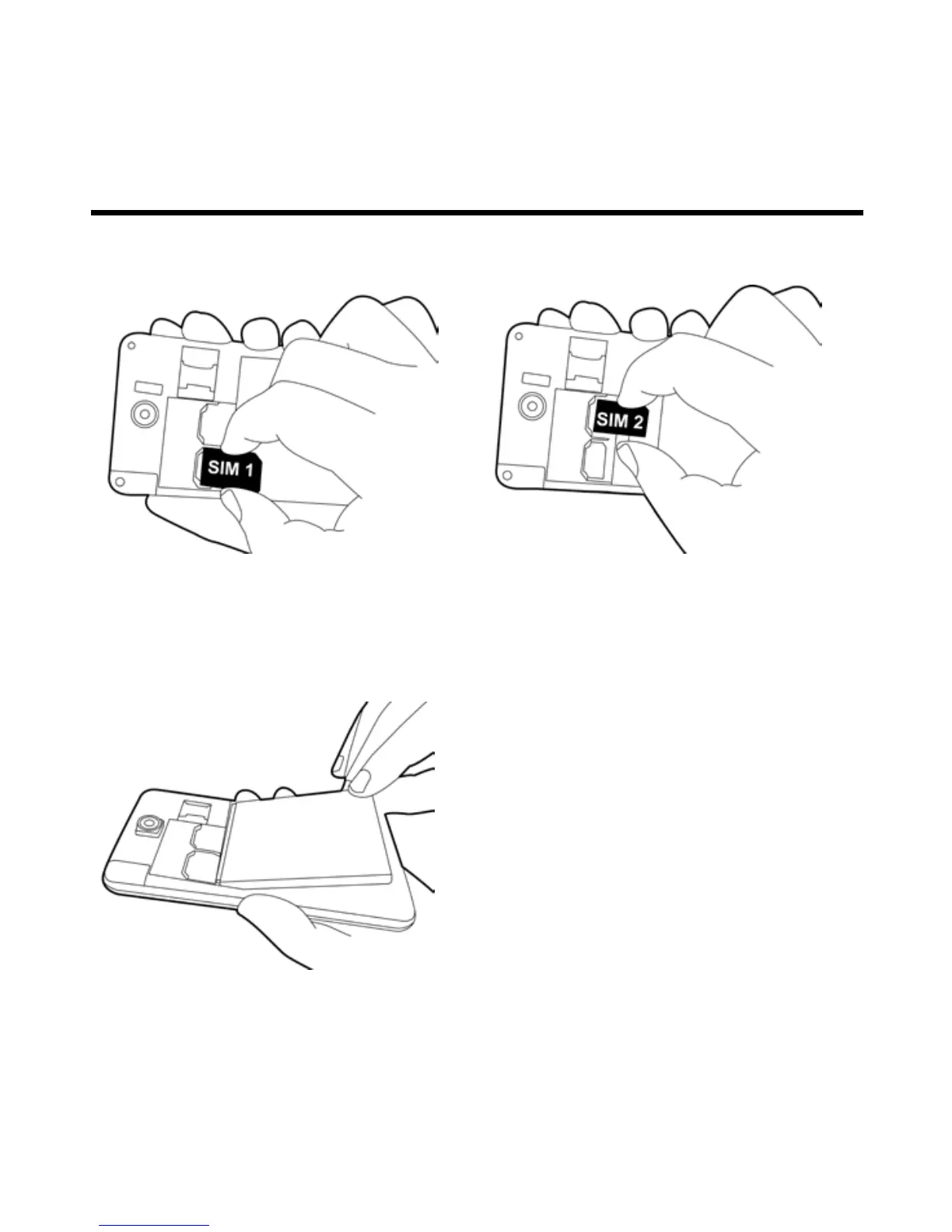
To install the SIM card
There are two slots for SIM cards. Left slot is for SIM1(WCDMA+GSM) and right slot is for SIM2(GSM).
The gold contacts are facing down. And the cut-off corner is facing toward the outside.
To install the SIM1 card To install the SIM2 card
To remove the SIM card
Remove the battery and use your finger to slide the SIM card out of card slot.
To install the battery
Make sure the contact of the battery is close to connectors in the battery slot.



 To Next Page