EasyManua.ls Logo

Gsmart Maya M1 v2 - Multimedia Applications: Photo Operations; Taking and Reviewing Photos

Gsmart Maya M1 v2
56 pages
Print Icon
To Next Page IconTo Next Page
To Previous Page IconTo Previous Page
Loading...
Maya M1 v2
5-1
5. Multimedia Applications
5.1 Photos and Videos
Taking a photo
Swiping your finger to the right anywhere on the lock screen takes you directly to the Camera app.
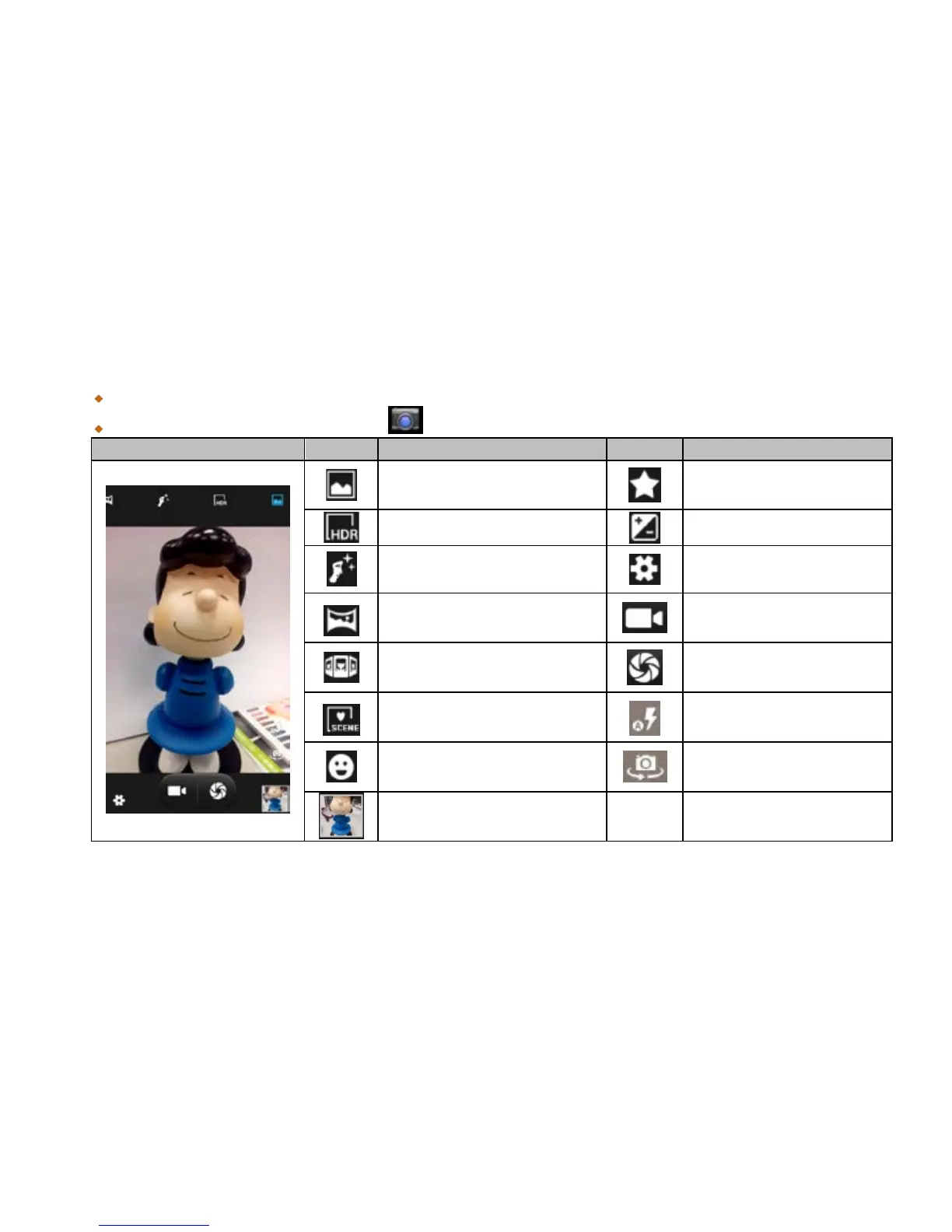
Tap Application Drawer > APPS tab > .
拍照
圖示
功能
圖示
功能
Normal mode
Best shot mode
HDR mode
EV bracket shot mode
Face beauty mode
Configure camera
settings.
Panorama mode
Tap to record a video
Multi angle view mode
Tap to take a photo
Auto scene detection mode
Display the flash mode
Smile shot mode
Switch between rear and
front camera
Displays the last image
NOTE:
Drag your finger to zoom in/out on the screen while you are taking a photo or recording a video.
Reviewing a photo
After taking a photo, you can review a photo and share it by Messaging, Bluetooth, Gmail, Email, Google+,
Picasa, Dropbox, etc.

Related product manuals