_________________________________________________________
Maya M1 v2│
Press to view the options of the menu.
Go back to Home Screen.
Press and hold to bring up recent activities.
Return to the previous page.
Press upward or downward to turn louder or down volume. Press
down key fully to enter vibration mode.
The camera on the back of the device supports 8.0MP photo and
high-quality video.
You need to open the cover to install or uninstall the battery, SIM
card and microSD card.
The source of music and voice.
1.2 Installing or uninstalling the SIM Card, Battery, and Memory Card
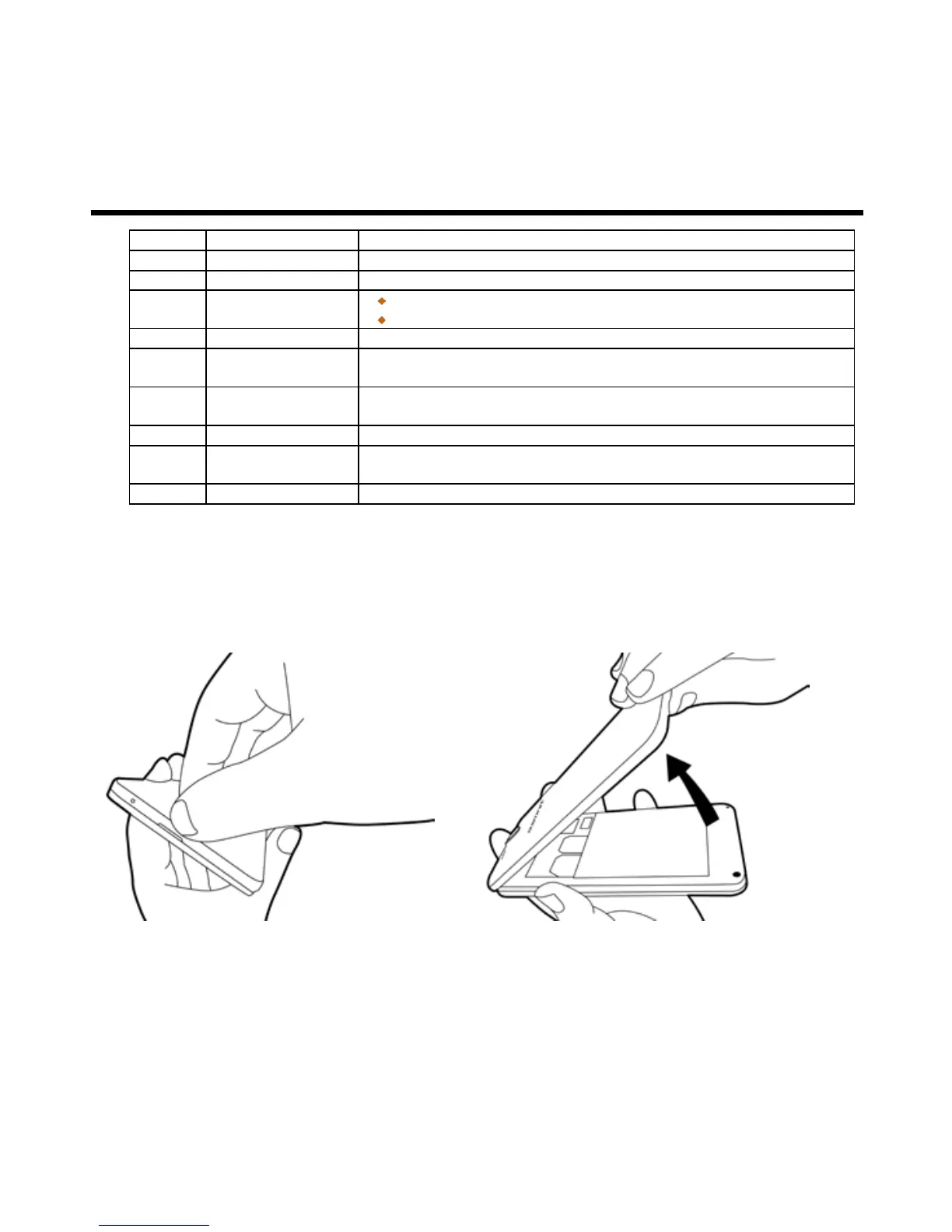
To remove the back cover
Please turn over your phone with the back cover facing up. Pull the back cover with your fingertip and
remove it.
To replace the back cover
Please insert the cover into the slot from the top. Press two point on the left and right of back cover fully until
hearing clicks.



 To Next Page