HTTP://WWW.HOMBI.RU
C-9105R
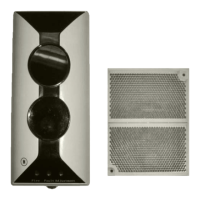
Conventional Reflective Beam Detector
Installation and Operation Manual The Intelligent Solution
18
VIII Operation
Device type and sensitivity level of the detector can be set with
P-9910B Hand Held Programmer. Open the detector’s top cover,
connect I
2
C cable of hand held programmer(PS/2 cable)with XT3
of the detector. Turn on the power of hand held programmer, input 2,
5, 9 and Function key to enter I
2
C programming mode, the screen
shows a “0”. After carrying out operations needed, input 2, 5, 9 and
Function key to exit I
2
C programming mode and return to power-on
state.
1 Reading Information
The handheld programmer can conveniently get original information
like sensitivity level and device type. Refer to details below:
Enter I
2
C programming mode, the screen shows a “0”.
Press Test, the screen shows the address code of the detector
(factory-set number, meaningless for actual use).
Press Up, the screen shows the sensitivity level and device type
in sequence.
Press Down, the screen shows the above contents in opposite
way.
2 Setting Sensitivity Level
Handheld programmer can set two sensitivity levels to the detector. 2
is sensitivity level one. 3 is sensitivity level two. Refer to the details
below:
Enter I
2
C programming mode of handheld programmer, the
screen shows a “0”.
Input unlock password and press Clear key, the lock is opened.
Press Function, and then the figure “3”, the screen shows a “-”.
Input sensitivity level to be set, and press Program to begin
HTTP://GSTRU.RUE-MAIL: hombi@hombi.ru


 To Next Page