16
ZY120 6-20kVA (11) User Manual EN rev.04.doc
ZY120-20K-KS: 125A-2P curve C
For safety, please cut off the mains power switch before installation. Open the battery breaker for
long backup time model (“KS” model).
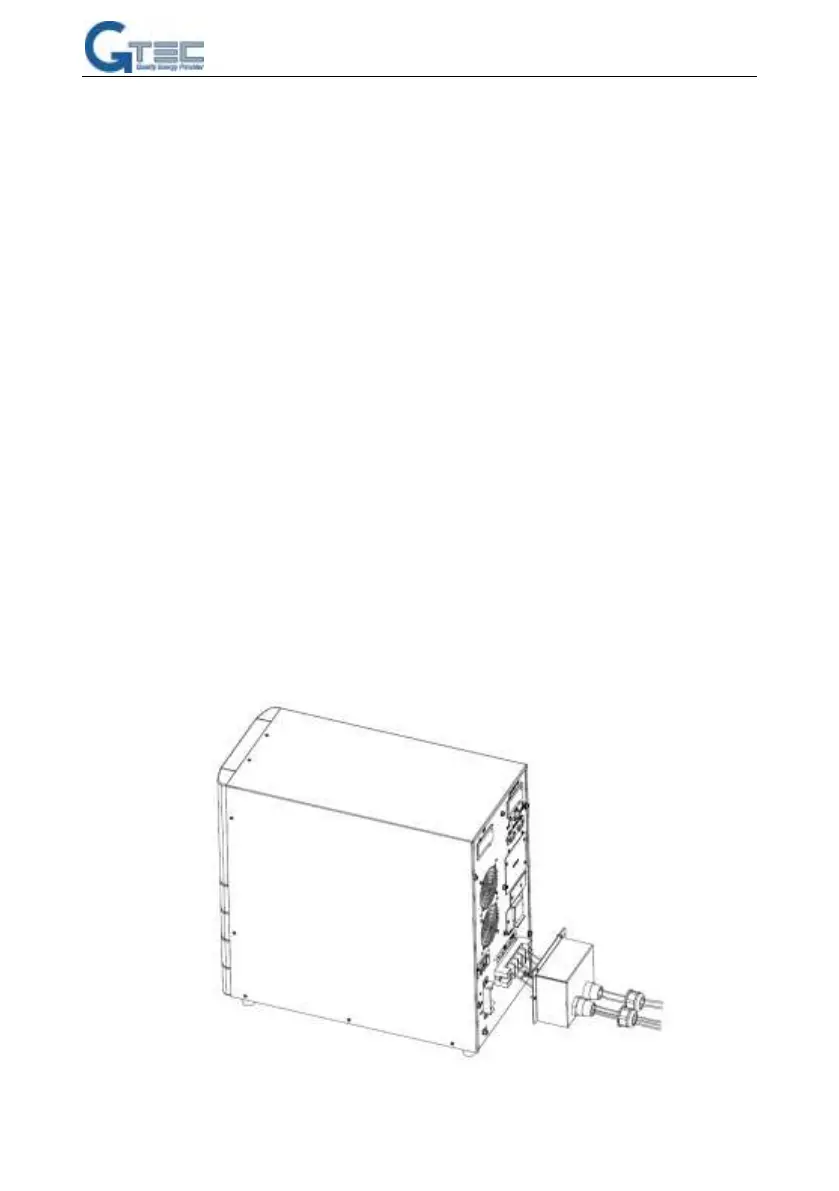
1) Open the terminal block cover located on the rear panel of the UPS, please refer to the
appearance diagram.
2) For 6k(KS) UPS, it is recommended to select the UL1015 10AWG(6mm
2
) wire or other
insulated wire which complies with AWG Standard for the UPS input and output wirings.
3) For 10k(KS) UPS, it is recommended to select the UL1015 8AWG(10mm
2
) wire or other
insulated wire which complies with AWG Standard for the UPS input and output wirings.
4) For 20k(KS) UPS, it is recommended to select the UL1015 6AWG(25mm
2
) wire or other
insulated wire which complies with AWG Standard for the UPS input wires and output
wirings. It is better to use 3 wires (UL1015 10AWG) connecting input A/B/C separately from
same source as fig.4.
NOTICE:Do not use the wall receptacle as the input power source for the UPS, as its rated current is
less than the UPS’s maximum input current. Otherwise the receptacle may be burned and destroyed.
For the long backup time modes, make sure that the capacity of batteries is larger than 24AH to avoid
over charging.
5) For 6-10K, connect the input and output wires to the corresponding input and output
terminals according to the fig.3. Make sure that wires be connected to terminals through
cable entry protector shown as fig.3:



 To Next Page