24
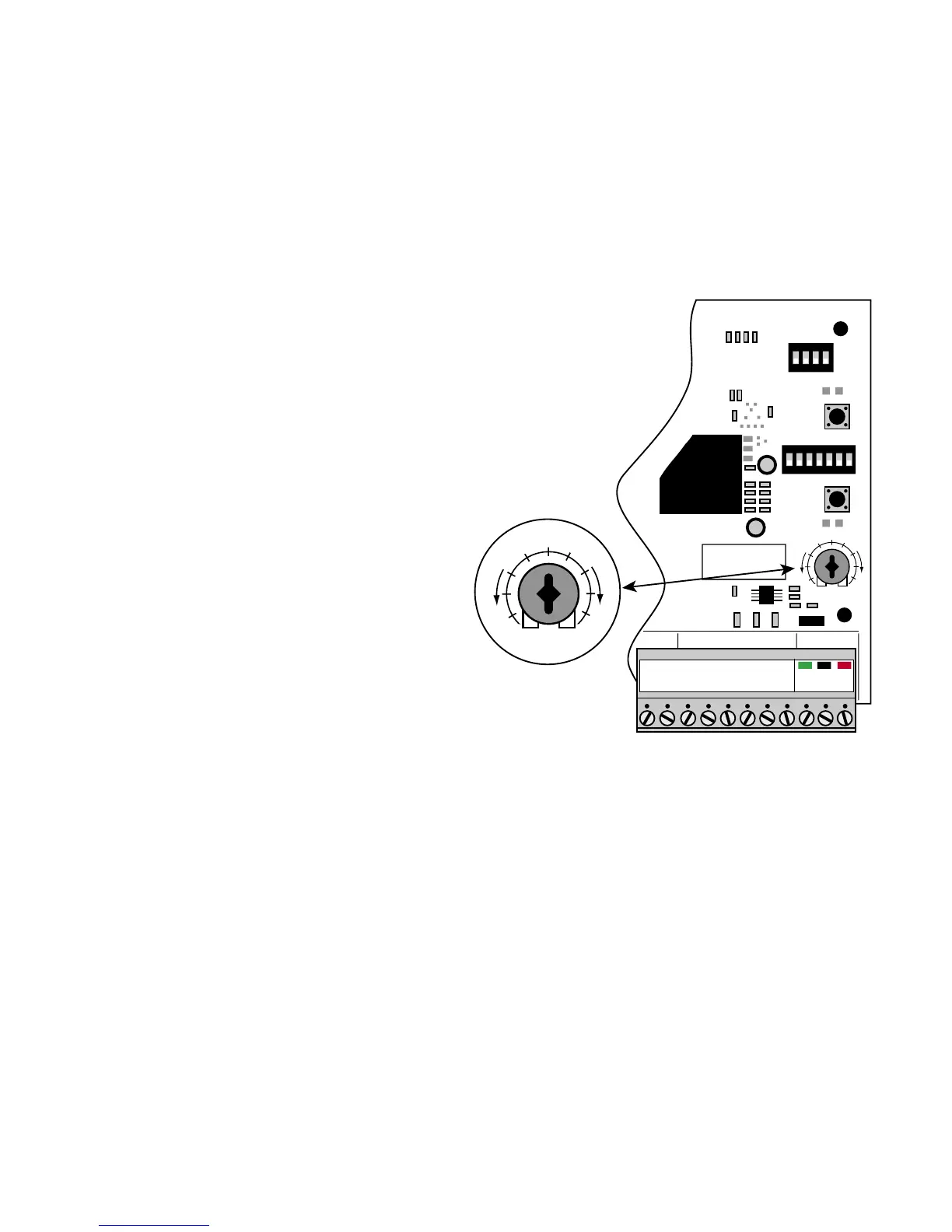
Obstruction Sensitivity Potentiometer
ALWAYS KEEP SAFETY AT THE TOP OF YOUR LIST WHEN ADJUSTING OR
SERVICING YOUR AUTOMATIC GATE OPERATOR!
IMPORTANT: For safety reasons the obstruc-
tion setting or Stall Force on the GTO/PRO®
3000 control board comes from the factory set at
MIN (minimum). In many gate installations this
setting will need to be adjusted to overcome the
weight and size of the gates.
The Stall Force potentiometer on the control
board operates like a volume control on a radio. It
controls the obstruction sensitivity (or the amount
of force the operator will apply to an obstruction)
before it automatically stops and reverses direc-
tion for approximately 2 seconds.
Use a small slotted screwdriver to turn the arrow
in the center of the potentiometer. Adjust the sen-
sitivity from the MINIMUM position where the
gates operate without obstructing from there own
weight or the wind conditions in your area.
NOTE: You may need to increase the
stall force in cold weather due to increased
resistance from gate hinges.
STALL FORCE
M
I
N
M
A
X
SET
LIMIT
LEARN
TRANSMITTER
1
ON
2 3 4 5 6 7
MODES
ON
OFF
1 2 3 4 5 6 7
1
ON
2 3 4
DUAL
MODES
ON
OFF
1 2 3 4
STALL FORCE
M
I
N
M
A
X
GRN
BLK
RED
RECEIVER
COM COM
CYCLE
CLOSE
SAFETY
EXI
T
OPEN
SHADOW
LOOP
CLOSE
EDGE
OPEN
EDGE
J11
J8
J12



 To Next Page