7
3
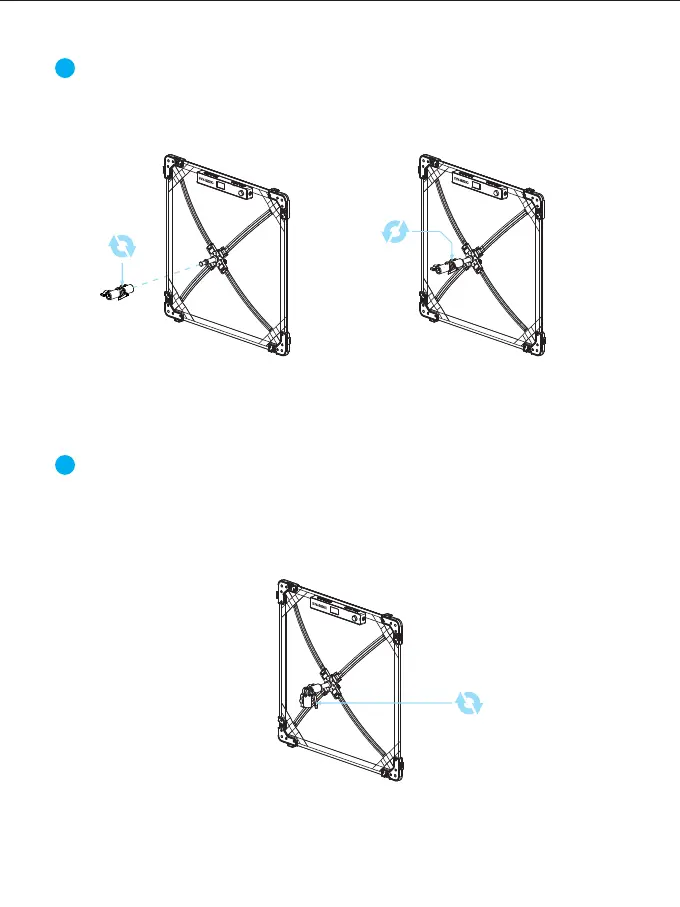
The Installation of Locking Bracket:
Loosen the knob on the locking bracket → Attach the locking bracket to the
supporting frame → Tighten the knob to fix the locking bracket to the supporting
frame.
4
The Adjustment of locking bracket:
Loosen the angle fixing handle on the locking bracket → Adjust the light to the
desired angle → Tighten the angle fixing handle on the locking bracket to fix it in
place.



 To Next Page