14
APP download method
Register Account
Adding Devices
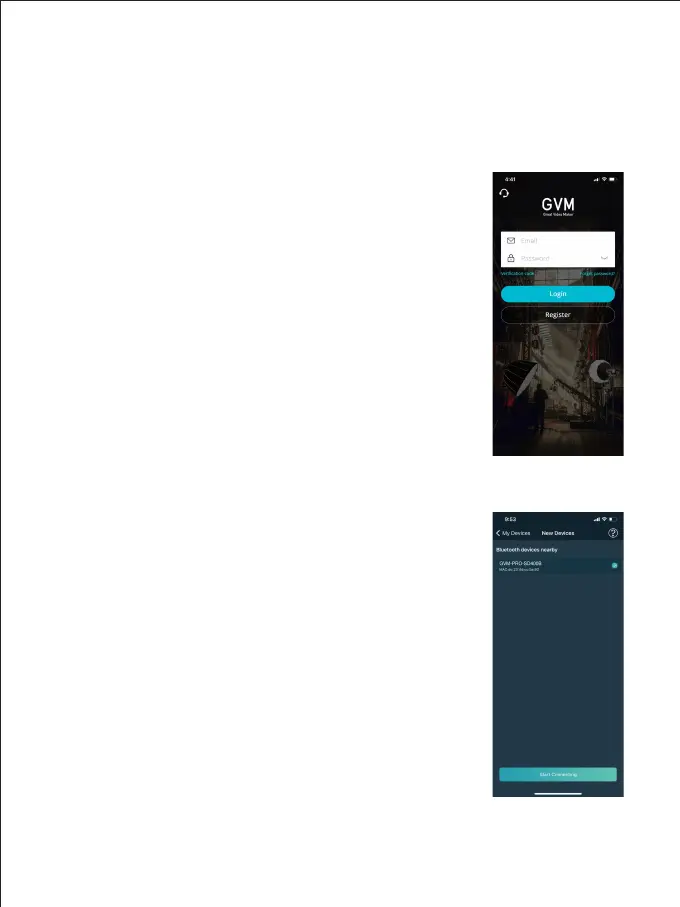
Figure 1
Figure 2
APP CONTROL
(Scan the QR code on the back of the manual to download the APP)
Android version : Official website QR code, Google Play,
Huawei Store, etc.
iOS version : App Store
Register and sign in with your email address. (Figure 1)
There may be a delay in sending the verification code, and
the delivery speed depends on the email server you are
using.
Some email servers may recognize our verification emails as
advertising Please check your blocked email inbox.
① Before adding devices, please make sure you have turned
on the Bluetooth and network data function of your
phone, and reset the Bluetooth of your lighting device.
② Click the "Add Device" button on the "My Devices" page to
find the nearby Bluetooth lighting devices that have been
opened, and select the device to be connected to the
network. (Figure 2)
* Android devices need to open the location permission to
connect the device with Mesh technology, we will not
collect any of your location information in this process.



 To Next Page