9
Stop [Stop]
Digital Zoon
Drag by Left Click
1~8Single Channel Display [1~8 Channel] Select Channel [Double left click]
8split Display [8split]
Under single channel [Double left
click]
Auto Switching
1. Auto switch starts from order CH1~CH8, 8 split channel.
2. Press the button again to stop the function.
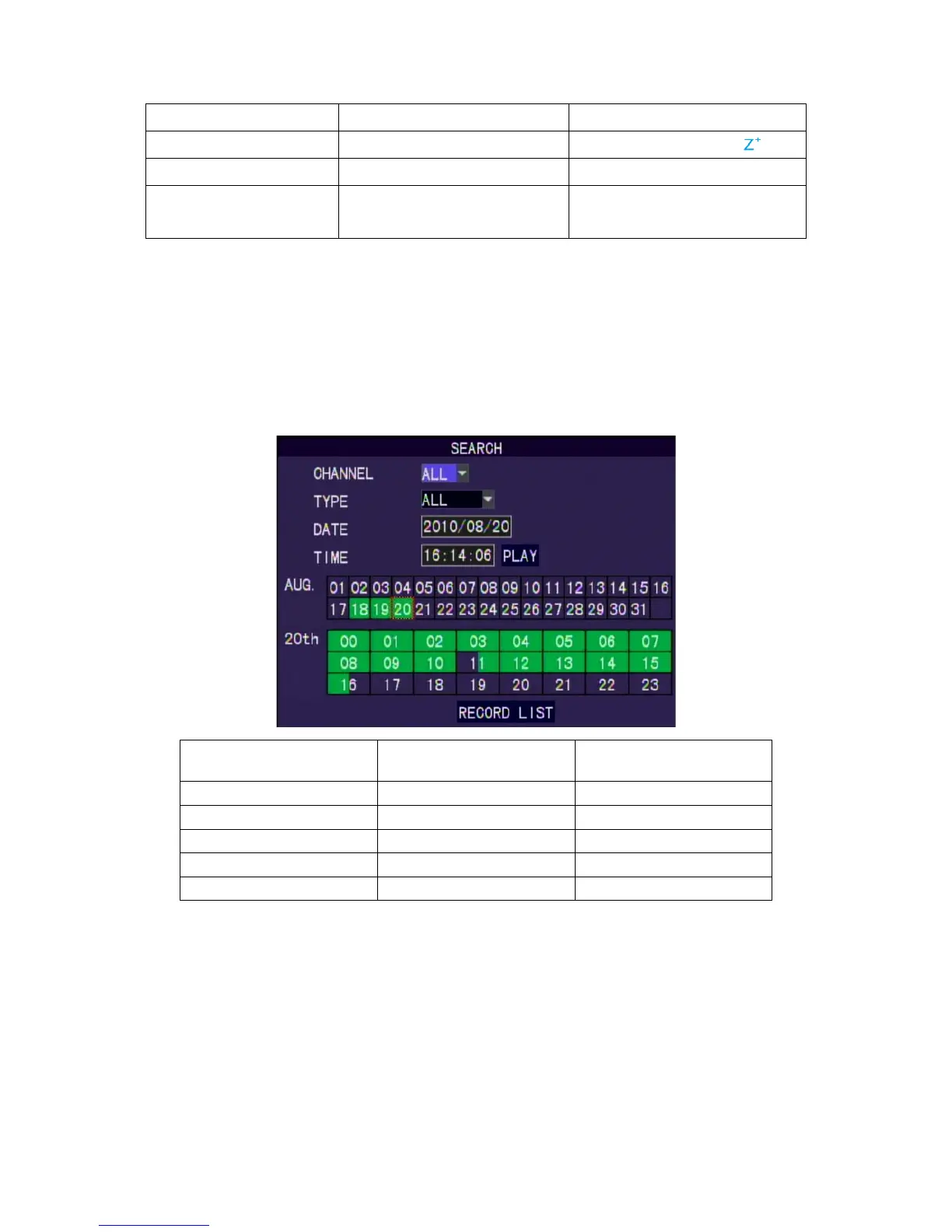
7. Search
In Live mode, use Play button in the front panel/remote controller or right clicking the
mouse to switch to the Search function.
Setup Operation
Front Panel & Remote
Controller
USB Mouse
Search [Enter] [Left Click]
Select Channel [Up/Down] [Moving Cursor]
Select Dates [Up/Down/Left/Right] [Moving Cursor]
Playback [Enter] [Left Click]
Return to Upper Menu [MENU] [Right Click
No data: no color, data of alarm trigger: red color, normal record data: green
color.
Select the first half of hour frame under the date, the playback will start from
00 mins:00 sec. Select the second half of hour frame under the date, the
playback will start from 30mins:00sec. If there is no data on the date, please
try to search from record list.



 To Next Page