15
Channel
Select the channel to set. COPY icon can copy the present setting to other
channels.
Mode
Enable/disable alarm trigger. Set: On/Off.
Post REC
The duration of the recording after triggered: 10, 20,…, 60 sec. or off.
Buzzer Duration
The duration of the buzzer beeping after being triggered: 1~30 sec or off.
Alarm Duration
Alarm out after alarm triggered: 1~30 sec or off.
Event Display Duration
The Duration of single channel display after being triggered: 1~30 sec or off.
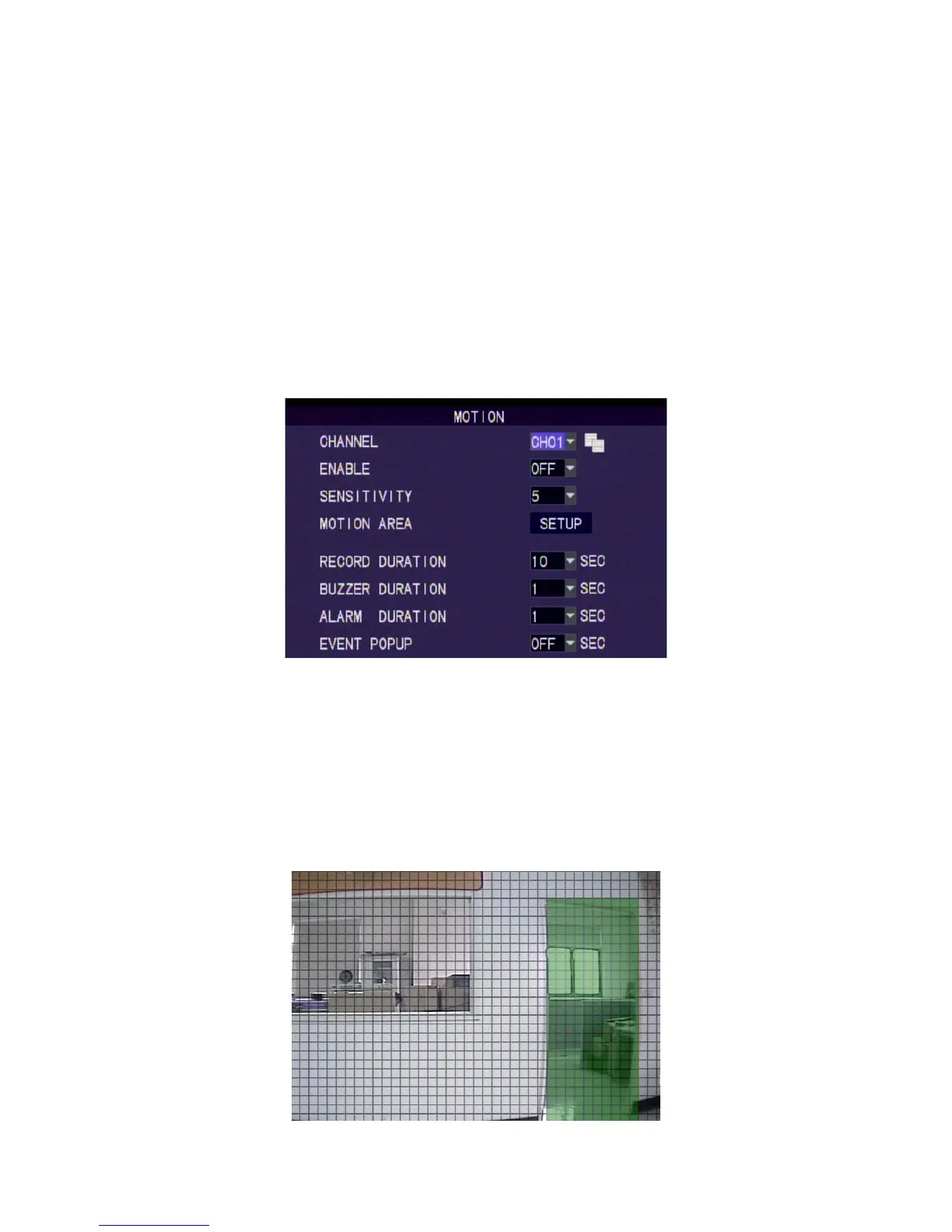
8.4 Motion Detection
Motion Detection
Select the channel to set. COPY icon can copy the present setting to other
channels.
Channel Status
Enable/disable motion detection for each camera. Set: On/Off
Sensitivity
Sensitivity level of motion detection. Set: 1~10. Higher value equal more
sensitive.
Motion Area Setup
Setup by each small square.



 To Next Page