2
2. Front Panel
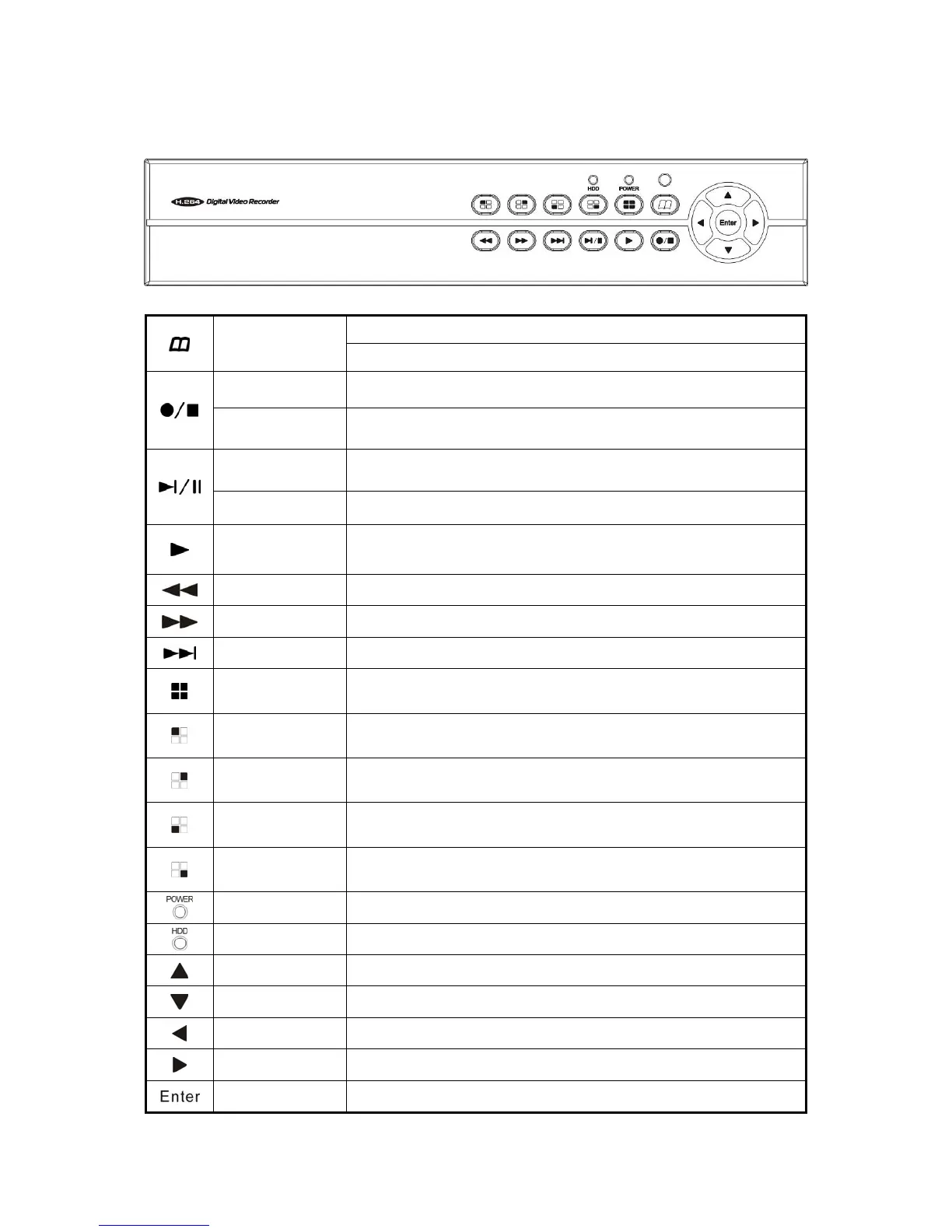
Menu
Under the live viewing mode, press MENU to enter the main menu.
Under the menu mode, press MENU to go to the upper menu.
Manual Record Press this button to start recording in live mode.
Stop
Under the playback mode, press the button to stop the operation or
go to upper menu.
Step
Under the playback mode, press Step button to enter Play Frame by
Frame mode.
Pause Under the playback mode, press the button to pause the playback.
Play
Under the live viewing mode, press the Play button to enter the
playback mode.
Fast Rewind Playback: x2 / x4 / x8 / x16 / x32 Multiple Speed.
Fast Forward Playback: x2 / x4 / x8 / x16 / x32 Multiple Speed.
Slow Forward Playback: 1/2 / 1/4 / 1/8 Multiple Speed.
Quad/
8 Division Display
Under the live viewing mode Quad/8 Channel display. Under
playback mode Quad display.
Channel 1/5
Under the live viewing mode channel 1/5 display. Under playback
mode channel 1 display.
Channel 2/6
Under the live viewing mode channel 2/6 display. Under playback
mode channel 2 display.
Channel 3/7
Under the live viewing mode channel 3/7 display. Under playback
mode channel 3 display.
Channel 4/8
Under the live viewing mode channel 4/8 display. Under playback
mode channel 4 display.
Power Indicator The LED lights on when power on.
HDD Indicator The LED lights on when the HDD is written.
Up To move up of the selection setting in menu.
Down To move down of the selection setting in menu.
Left To move left of the selection setting in menu.
Right To move right of the selection setting in menu.
Enter Press the Enter button to confirm the setup or go into sub-menu.



 To Next Page