16
Setup Operation Front Panel & Remote Controller USB Mouse
Area Selection [Up/Down/Left/Right] [Moving Cursor]
Set Detection Area: must set
on none detection
area(Transparent Area)
(1)Move to the area
(2)Press Enter to set the area
[Drag by Left Click]
Clear Detection Area: clear the
set detection area: must set on
detection area(Green Area)
(1)Move to the area
(2)Press Enter to set the area
[Drag by Left Click]
Return to Upper Menu [MENU] [Right Click]
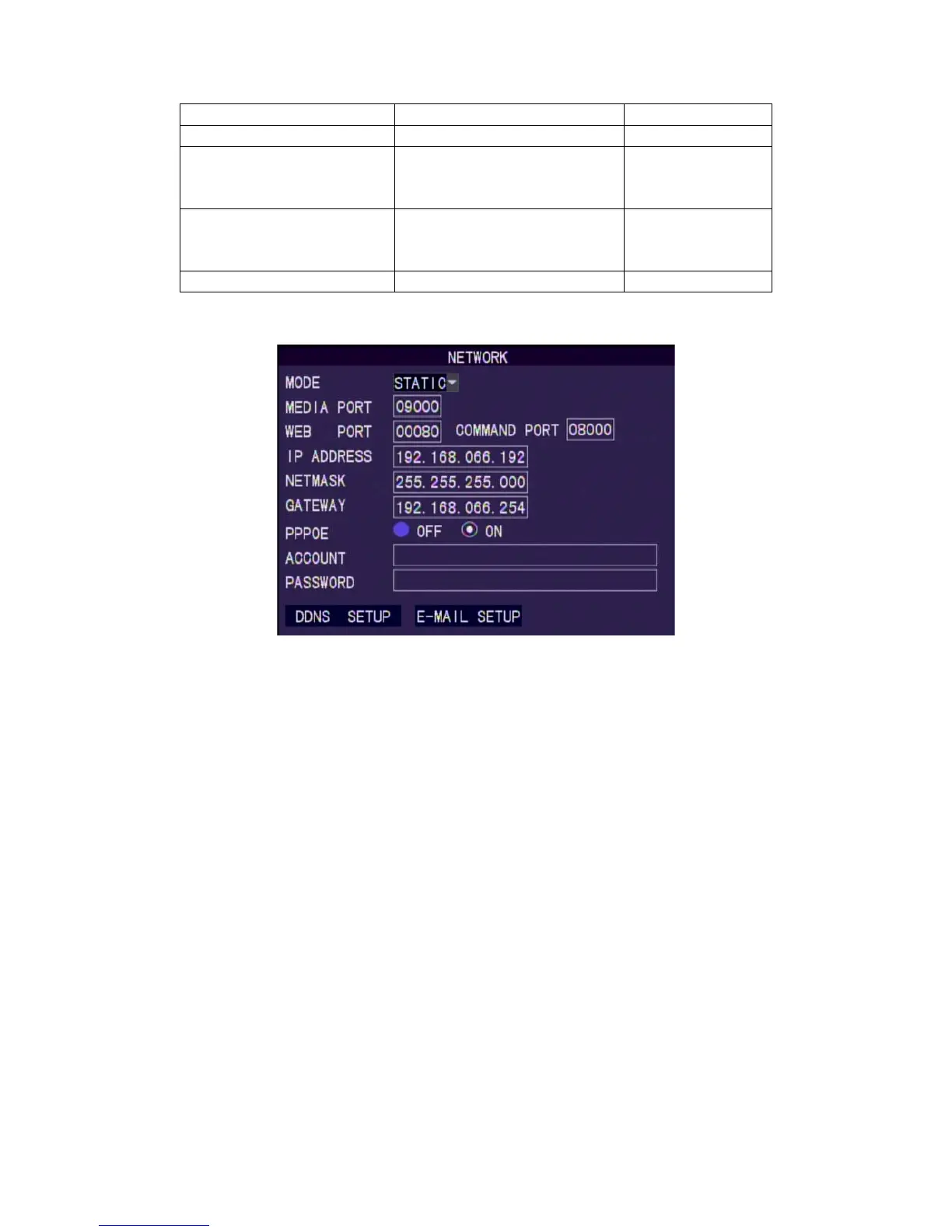
8.5 Network Setup
Mode
Set the connection method. Set: Static IP, DHCP, PPPoE.
Media port
Port used for stream media. Default is port 9000.
Webport
Port used for web access. Default is port 80.
Command Port
Port used for settings. Default is port 8000.
IP Address
Assigned IP address.
Net mask
Assigned net mask
Gateway
Assigned gateway
PPPOE
Need account and password for PPPoE.
DDNS setting



 To Next Page