5
Virtual Keyboard Operation
The text input of the virtual keyboard is as below:
Menu Operation
Front Panel & Remote
Control Operation
Mouse Operation
Select character from virtual keyboard [Up/Down/Left/Right] [Move Cursor]
Keyin the select character [Enter] [Left Click]
Exit the virtual keyboard [MENU] [Left Click]out of selection area
Key Description of Virtual Keyboard
Delete the previous character
Switch to text input
Enter key. Save and exit the virtual keyboard
Other Keys
Character Keyin
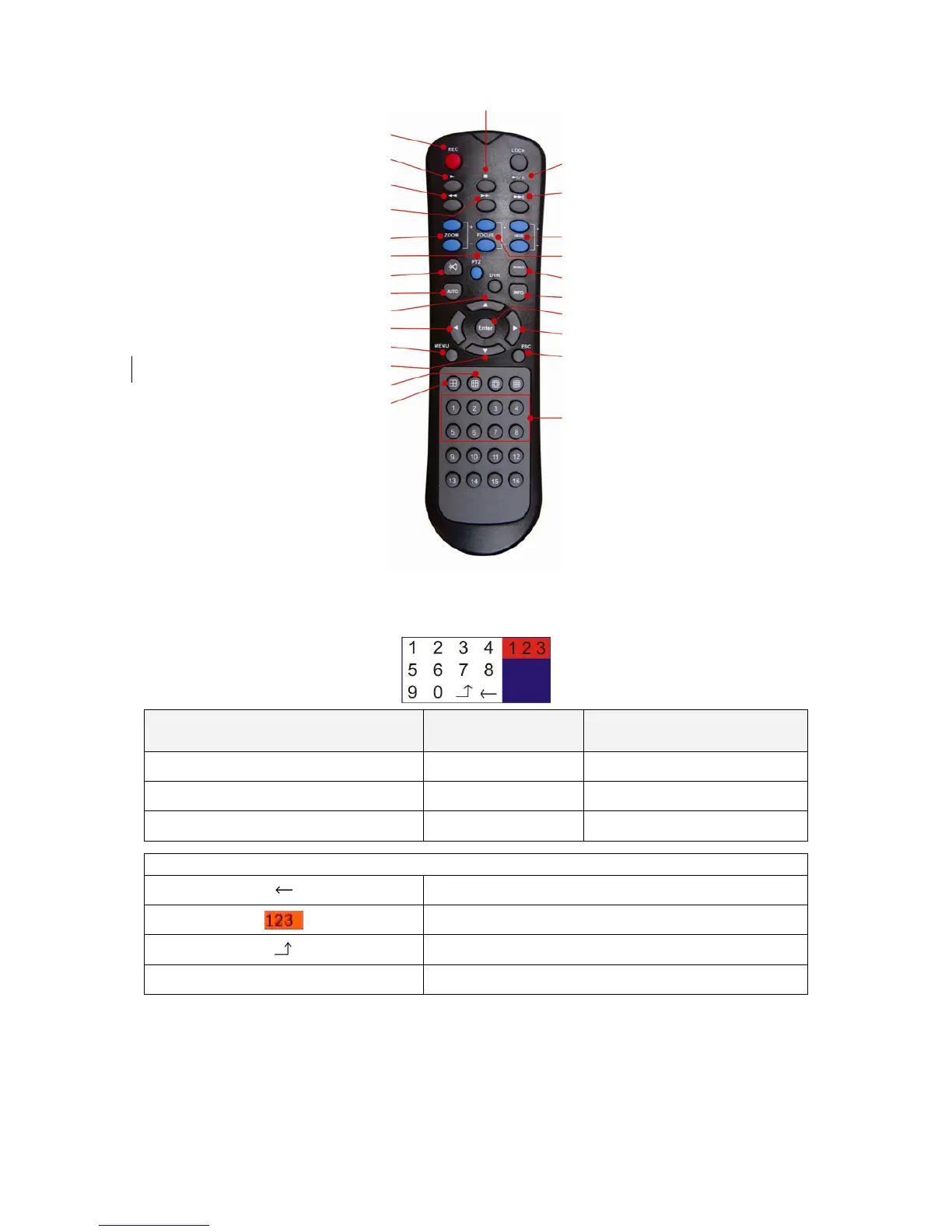
Stop
Record
Play
Fast Rewind
Fast Forward
Zoom in/out
PTZ Setup
Mute
Auto Switch
Up Selection
Left Selection
MENU
Down Selection
Split Windows displa



 To Next Page