EasyManua.ls Logo

Hach 2100N - User Manual

Hach 2100N
80 pages
Print Icon
To Next Page IconTo Next Page
Loading...
47000-88
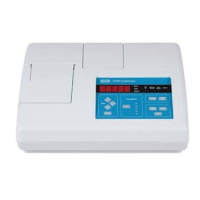
Model 2100N
Laboratory Turbidimeter
Instruction Manual
For Use With Software Version 1
© Hach Company, 1993, 1996–1999. All rights reserved. Printed in the U.S.A. hm/dh 6/99 2ed
Rev. 1, 10/99
Tài liệu sưu tầm của Trung Sơn - www.tschem.com.vn - 028.3811.9991 - info@tschem.com.vn

Table of Contents

Other manuals for Hach 2100N

Questions and Answers

  • T
    Taylor TaylorSep 10, 2025
    Why am I getting a low light error (Err03) on my Hach 2100N?
    • D
      Debra MooreSep 10, 2025
      An Err03 error on your Hach Measuring Instruments indicates a low light error. First, reinsert the sample. Then, check that the lamp is on and that there are no obstructions in the light path. If needed, dilute the sample.
  • T
    tbarkerAug 22, 2025
    What to do if Hach Laboratory Equipment shows ERR03?
    • K
      Kenneth HenryAug 23, 2025
      If the Hach Laboratory Equipment displays ERR03, which indicates a low light error, try the following: 1. Re-insert the sample into the instrument. 2. Verify that the lamp is illuminated. 3. Ensure there are no obstructions in the light path. 4. Dilute the sample if necessary. Note: If this error happens when using a filter assembly other than the USEPA filter assembly, you should not use the filter assembly for turbidity measurements.
  • G
    Gregory RodriguezAug 25, 2025
    What to do if Hach Laboratory Equipment shows ERR07?
    • F
      Franklin SmithAug 25, 2025
      If the Hach Laboratory Equipment displays ERR07, indicating a light leak, follow these steps: 1. Ensure that the cover for the sample cell compartment is securely closed. 2. Turn the instrument off and then back on.
  • D
    darlene63Aug 26, 2025
    What to do if Hach Laboratory Equipment shows ERR01?
    • T
      Tiffany HoffmanAug 26, 2025
      If the Hach Laboratory Equipment displays ERR01, it means the turbidity of the dilution water is greater than 0.5 NTU. To resolve this: Start the calibration again using dilution water with lower turbidity. Note: If the sample cell diameter is less than 25 mm, ignore ERR01. Press UNITS/Exit to return to measurement mode.
  • C
    Carla Sparks DDSAug 27, 2025
    What to do if Hach Laboratory Equipment shows ERR02?
    • R
      Robert PerkinsAug 27, 2025
      If the Hach Laboratory Equipment displays ERR02, it could be due to these reasons: * Two calibration standards have the same value. * The difference between two calibration standards is less than 60.0 NTU. * The turbidity of Standard 1 is too low (less than 10 NTU). To solve this problem: 1. Check the preparation of the standards. 2. Redo the calibration. Note: If the sample cell diameter is less than 25 mm, ignore ERR02. Press UNITS/Exit to return to measurement mode.
  • J
    james31Aug 29, 2025
    What to do if Hach Laboratory Equipment shows ERR05?
    • S
      Susan DaughertyAug 29, 2025
      If the Hach Laboratory Equipment displays ERR05, indicating that A/D is over the range, ensure that the light shield is closed.
  • K
    kimzacharySep 18, 2025
    What is a system loop test error (Err11) on Hach 2100N Measuring Instruments?
    • E
      Eric SchneiderSep 18, 2025
      An Err11 error indicates a system loop test error. Try switching the Hach Measuring Instruments off and back on using the I/O switch.
  • M
    mmannSep 12, 2025
    What causes a printer timeout error (Err09) on Hach 2100N Measuring Instruments, and how to fix it?
    • T
      Tara MooreSep 12, 2025
      If you're experiencing a printer timeout error (Err09) with your Hach Measuring Instruments, verify that the external printer is correctly connected. Also, ensure that the external printer is selected and online.
  • A
    Alvin JohnsonSep 8, 2025
    What to do if there's a light leak (Err07) in Hach 2100N Measuring Instruments?
    • A
      Anna SnyderSep 8, 2025
      If you are getting an Err07 error, it indicates a light leak. Make sure that the sample cell cover is closed properly. If the issue persists, use the I/O switch to turn the Hach Measuring Instruments off and then back on.
  • C
    Chad HallSep 5, 2025
    What to do if Hach Laboratory Equipment shows ERR11?
    • A
      Angela CarpenterSep 5, 2025
      If the Hach Laboratory Equipment displays ERR11 on Hach Laboratory Equipment, which indicates a system loop test error, turn the instrument off and then back on.

Summary

SAFETY PRECAUTIONS

Use of Hazard Information

Guidance on understanding and using hazard signal words like DANGER and CAUTION.

Precautionary Labels

Instruction to read all labels and tags attached to the instrument for safety.

SPECIFICATIONS

OPERATION

SECTION 1 GENERAL DESCRIPTION

1.1 Instrument Description

Overview of the Hach Model 2100N Laboratory Turbidimeter's design and capabilities.

1.3 Principle of Operation

Explanation of the nephelometric measurement principle and optical system.

SECTION 2 TURBIDITY MEASUREMENT

2.3 Measuring Turbidity

General guidelines for performing turbidity measurements.

2.4 Nephelometric Measurement Procedure

Detailed procedure for conducting nephelometric turbidity measurements.

2.5 Measurement Techniques

Key techniques for achieving accurate and repeatable turbidity measurements.

2.6.4 Removing Air Bubbles (Degassing)

Methods for removing air or entrained gases from samples.

2.8 Measuring Over-Range Samples

Procedures for measuring samples that exceed the instrument's range.

2.8.1 Sample Dilution

Guidance on diluting samples to measure over-range turbidity.

2.11 Calibration Check

Using secondary standards to check instrument calibration.

SECTION 3 OPERATION

3.1 Operational Controls and Indicators

Overview of the instrument's operational controls and indicators.

3.1.6 Using the CAL Key

Initiating calibration or reviewing calibration data.

3.2 Calibration

Overview of the turbidimeter calibration process.

3.2.3 Preparing Recommended Formazin Dilutions

Steps for preparing standard Formazin dilutions.

3.2.4 Calibrating the 2100 N (with Formazin standard)

Detailed procedure for calibrating the instrument with Formazin.

INSTALLATION;MAINTENANCE

SECTION 4 AIR PURGE SYSTEM

4.1 Air Purge Connection

Connecting the air purge system to prevent optical compartment condensation.

SECTION 5 USING FLOW-CELL SYSTEM APPARATUS

5.4 Flow-Cell Maintenance

Procedures for cleaning and maintaining flow cells.

SECTION 6 DATA OUTPUT

6.1 RS232 Connection

Connecting the instrument to external devices via RS232.

6.3 Using A Computer (RS232 Operating Commands)

Commands for operating the instrument with a computer via RS232.

SECTION 7 MAINTENANCE

7.1 Cleaning

Instructions for cleaning the turbidimeter and its accessories.

7.2 Lamp Replacement

Procedure for replacing the instrument lamp.

SECTION 8 TROUBLESHOOTING

8.1 Introduction

Overview of self-diagnostic functions and error codes.

8.2 Error Messages

List and explanation of instrument error codes.

8.3 Diagnostic Functions

Accessing and using system diagnostic functions.

Hach 2100N Specifications

General IconGeneral
Range0 to 1000 NTU
Light SourceTungsten filament lamp
DetectorSilicon Photodiode
Resolution0.01 NTU
Operating ModeRatio
DisplayLCD
Power Supply100-240 VAC, 50/60 Hz
Operating Temperature0 to 50 °C

Related product manuals