EasyManua.ls Logo

Hach 2100Q - User Manual

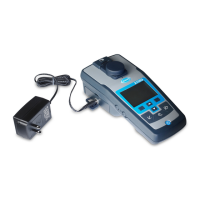
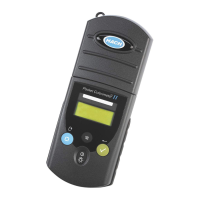
Hach 2100Q
34 pages
Print Icon
To Next Page IconTo Next Page
Loading...
DOC022.53.80041
2100Q and 2100Qis
03/2021, Edition 5
User Manual

Other manuals for Hach 2100Q

Questions and Answers

  • K
    Kerry RosalesSep 10, 2025
    Why does Hach 2100Q show 'RST: Average value'?
    • C
      cbarrySep 10, 2025
      If the Hach Measuring Instruments displays 'RST: Average value!', it means solids are settling too slowly, and the reading mode isn't suitable for the sample. Select 'Normal' or 'Signal Average' reading mode.
  • J
    Jordan McintyreAug 22, 2025
    What to do if Hach 2100Q Measuring Instruments shows 'Low Battery'?
    • C
      Carrie DuranAug 22, 2025
      If the Hach Measuring Instruments displays 'Low Battery!', replace the batteries with new ones. Alternatively, if you're using rechargeable batteries, connect the USB/power module.
  • R
    Robert HigginsAug 25, 2025
    Why does my Hach Measuring Instruments say 'Overrange'?
    • S
      Stephanie SmithAug 25, 2025
      If the Hach Measuring Instruments displays 'Overrange!', it means the turbidity is too high, likely from calibrating with RapidCal only. To fix this, calibrate the upper range or dilute the sample.
  • J
    Jennifer LamAug 26, 2025
    What to do if Hach Measuring Instruments says 'Close lid and push Read'?
    • M
      Michael KochAug 26, 2025
      If the Hach Measuring Instruments shows 'Close lid and push Read', it means the lid is open or the lid detection failed. Ensure the lid is closed during reading and re-read.
  • B
    brownjackAug 27, 2025
    How to fix 'USB module memory full' error on Hach Measuring Instruments?
    • S
      Sean ParkerAug 28, 2025
      If the Hach Measuring Instruments displays 'USB module memory full. Delete data and try again', it means the data storage is full. Here's how to resolve it: 1. Connect the USB/power module to your computer. 2. Download the stored data to your computer. 3. Delete the Data Log on the module.
  • S
    sarahgrahamAug 29, 2025
    What to do if Hach 2100Q prompts to disconnect the USB cable?
    • J
      Jacob TurnerAug 29, 2025
      If the Hach Measuring Instruments displays 'Please disconnect the USB cable from your computer', it means the data storage isn't responding while connected to both the meter and the computer. Disconnect the USB cable from the meter and try sending the data again.
  • K
    Kristin EdwardsSep 18, 2025
    What to do if Hach 2100Q says 'Please enter at least one character'?
    • L
      Lisa SmithSep 18, 2025
      If the Hach Measuring Instruments displays 'Please enter at least one character', it means the password must contain at least one character. Create a password with at least one character.
  • Z
    Zachary MartinezSep 12, 2025
    What to do if Hach 2100Q Measuring Instruments says 'Delete Last Reading Failed'?
    • M
      Matthew JohnsonSep 12, 2025
      If the Hach Measuring Instruments displays 'Delete Last Reading Failed!', it indicates an error in the data storage. Turn the meter off and on. If the error persists, contact technical support.
  • G
    Glenda MosesSep 8, 2025
    What to do if Hach Measuring Instruments says 'Password incorrect'?
    • D
      Dave BrownSep 8, 2025
      If the Hach Measuring Instruments displays 'Password incorrect. Please retry', it means the wrong password was entered. Enter the correct password.
  • R
    Russell Kidd MDSep 5, 2025
    What does 'ADC Failure!' mean on Hach 2100Q?
    • J
      John StricklandSep 5, 2025
      If the Hach Measuring Instruments displays 'ADC Failure!', it indicates a hardware error causing the reading to fail. Try repeating the reading.

Summary

General Information and Safety

Safety Information

Manufacturer's disclaimer and essential safety precautions for users.

Hazard Information Symbols

Explanation of hazard symbols (DANGER, WARNING, CAUTION, NOTICE) used in the manual.

Precautionary Labels

Guidance on understanding instrument labels and safety alert symbols for injury prevention.

Installation

Install the Battery

Step-by-step instructions for safely installing AA alkaline or NiMH batteries.

Startup Procedures

Turn Meter On and Off

Instructions for powering the meter on and off, including auto-shutoff.

Standard Operation

Calibrate with StablCal Standards

Detailed procedure for calibrating the turbidimeter using StablCal standards.

Turbidity Measurement

Guide to performing turbidity measurements, including sample preparation and precautions.

Turbidity Measurement Procedure

Step-by-step guide for conducting a turbidity measurement with the instrument.

Data Management

Advanced Operation

StablCal RapidCal Calibration

Step-by-step guide for performing a StablCal RapidCal calibration.

Calibration Verification (Verify Cal)

Procedure for verifying the calibration status of the turbidimeter.

Calibration Verification Procedure

Procedure for verifying the calibration status of the turbidimeter.

Reading Modes and Cell Handling

Maintenance

Troubleshooting

Common Error Messages and Solutions

Table listing common error/warning messages, causes, and solutions.

Hach 2100Q Specifications

General IconGeneral
Range0 - 1000 NTU
Resolution0.01 NTU on lowest range
DetectorSilicon photodiode
Stray Light< 0.02 NTU
Measurement MethodNephelometry
Power Supply4 AA alkaline batteries
Operating Temperature0 to 50 °C
Storage Temperature-20-60°C
Measurement ModesSignal Averaging, Rapidly Settling Turbidity
DisplayLCD
Accuracy±2% of reading plus stray light from 0 to 1000 NTU
Light SourceTungsten filament lamp

Related product manuals