TX100 USB 35 6T7639a
5.7.1 Setting the parameters which appear when creating a link.
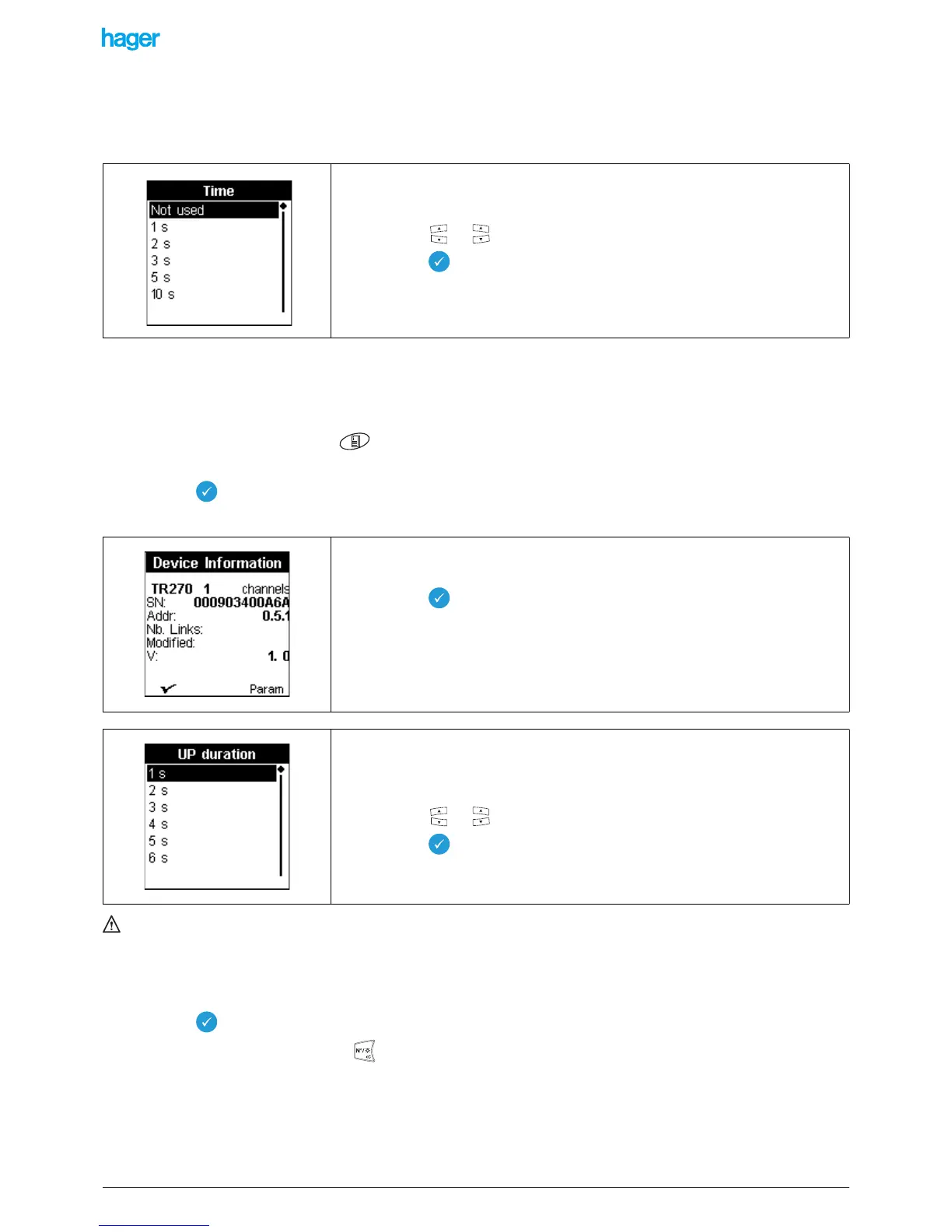
For some functions, a parameterizing screen is displayed when the link is confirmed.
For example, for a link with a timer function, the following screen is displayed.
5.7.2 Setting of the application-specific parameters
Some applications require setting additional parameters. (Duration of the stroke of a shutter, operation of the indicator of a
pushbutton).
- Press the menu key of the keypad or the "menu access" key located on the right side of the TX100.
- Select Menu / Device management / Device information / "Product reference".
- Select the reference of the product to be parameterized in the list.
- Press the key to confirm your selection.
A product information screen is displayed:
The parameter is now set, but not downloaded to the product.
The change is shown in the screen Menu / Device management / Device information: the symbol "!" is displayed in front of the
product reference.
To download the parameter to the product:
• In Menu / Product management, select Doxnload.
• Select the reference of the product to be downloaded.
• Press the key to confirm the download.
• When downloading is finished, press to return to the initial mode.
This screen asks to set the duration of the timer.
• Press the or key to select a value.
• Press the key to confirm your selection.
! Refer to the start-up manuals of the products for a detailed description.
This screen displays information about the product.
• Press the screen key to return to the previous screen.
• Press the Param screen key to have access to the parameters.
! Refer to the start-up manuals of the products for a detailed description.
This screen allows for example choosing the closing duration of the contacts controlling
the up move of a shutter.
• Press the or key to select a value.
• Press the key to confirm your selection.


 To Next Page