TX100 USB 37 6T7639a
A KNX installation is made up of 3 elements.
- A physical installation: pushbuttons, output modules, wires, ...
- A configuration, which is memorised in the products of the installation.
- A project file.
These 3 elements must be consistent. Thus any modification must be made maintaining this consistency.
The TX100 tool has two main functions to manage the installation modifications.
- The Factory reset (Reset): this function allows resetting a product. It can then be recognised again by the TX100.
- The Download, which allows restoring the consistency between the configuration of the installation and the project file of
the TX100.
It is important to make the difference between the physical modifications of the installation and the configuration modifications.
After any configuration modification in Prog mode, the TX100 downloads the modification to the installation.
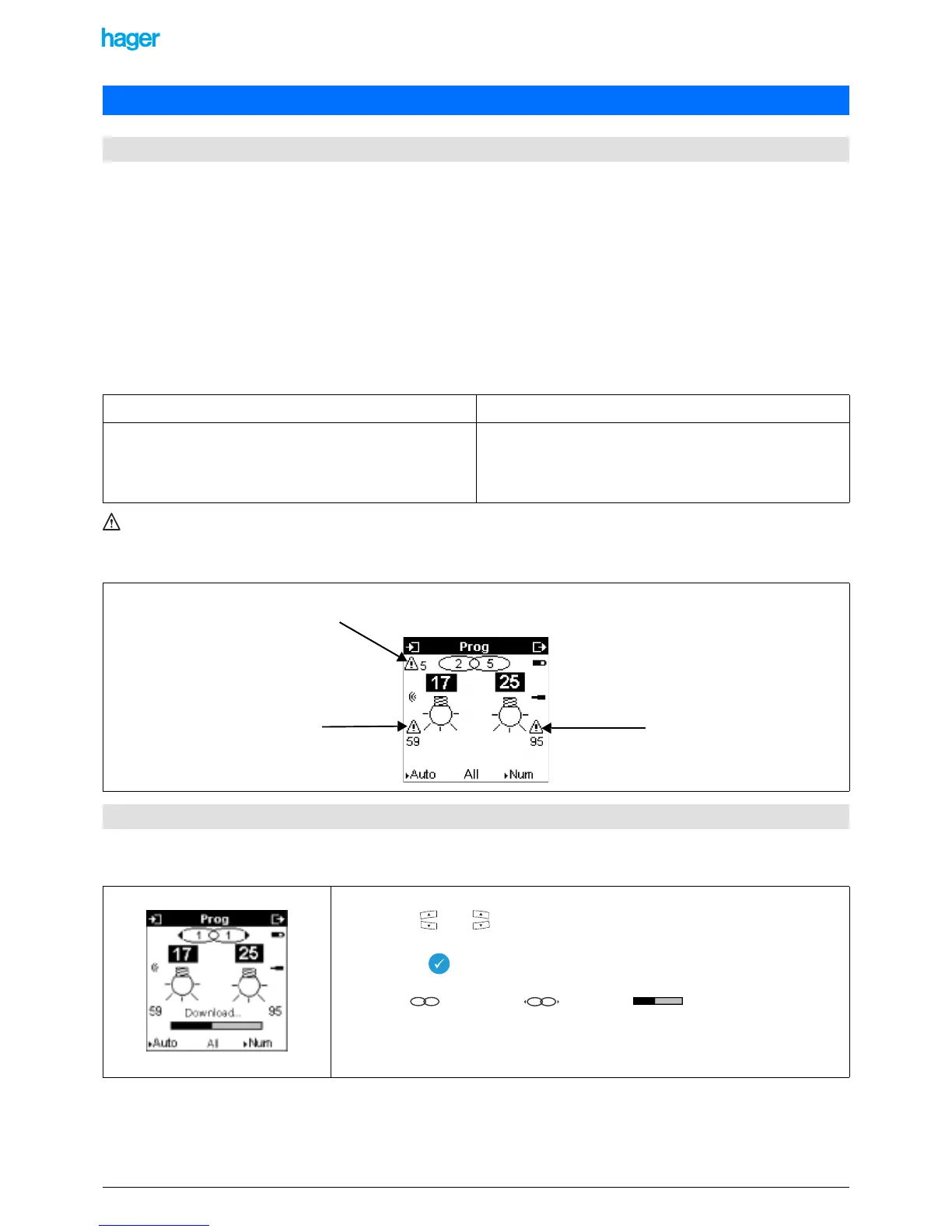
In case of a download fault, the Prog screen indicates faults. A download must then be re-started to make the modification
effective in the installation.
7.2.1 Removing a simple link or a multiple link
7. Modifying the configuration of an installation
7.1 General indications about the modifications of a KNX installation
Physical modification Configuration modification
Adding a product.
Removing a product.
Replacing a product.
Creating or removing a link.
Modifying a parameter.
Removing or modifying a function.
Removing or modifying an input or an output.
External memory lost or defective.
Example of a screen showing download faults:
7.2 Removing links
• Select the Prog mode.
• Use the and keys to select the concerned input and output.
• The link is displayed.
• Press the key for a long time to remove the link.
The symbol changes into and the bar appears to indicate that the
removal of the link is downloaded to the products.
! To remove a multiple link, remove the links of each output.
This symbol indicates that
output 25 is faulty
This symbol indicates that there are a
total of 5 faults
This symbol indicates that input 17
is faulty
11
11


 To Next Page