TX100 USB 40 6T7639a
8.2.1 Activation and access to the Expert mode
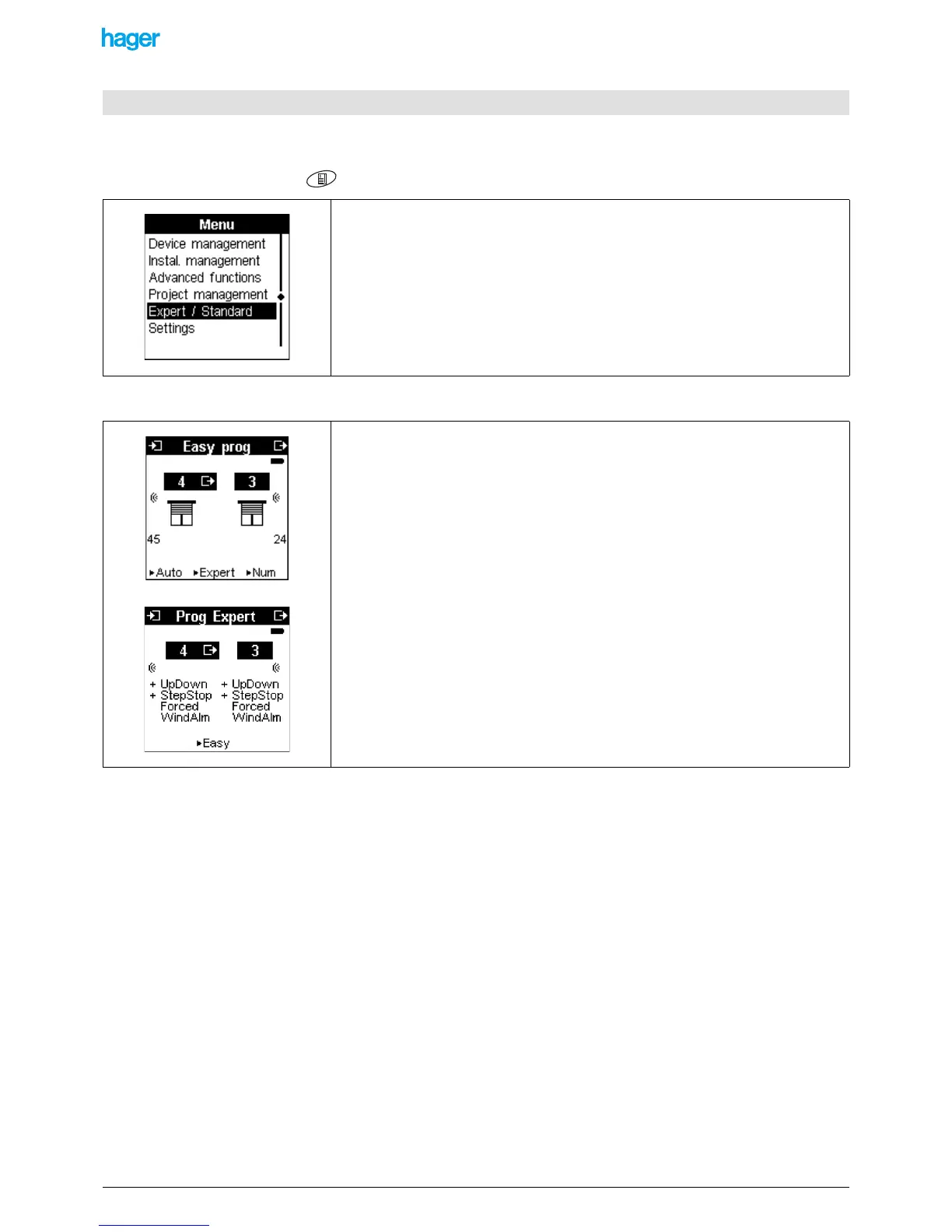
Press the menu key of the keypad or the "menu access" key located on the right side of the TX100.
When switching to the Prog mode, the Easy Prog screen is displayed:
8.2 Description of the Expert mode
• Select Expert / Standard to activate the Expert mode.
• Press the YES screen key to confirm.
! The central screen key Expert allows switching between the Prog Easy screen and
the Prog Expert screen.
The Prog Expert screen displays a list of KNX communication objects underneath the
numbers of the inputs and outputs.
The designation of the selected object is displayed at the centre of the bottom line of the
screen.


 To Next Page