CALL
CH+
CH-
VOL
-
VOL
+
MENU
TUNE
Searching channel
This TV set has three methods to set the channels, which are respectively full
automatic, semi automatic and manual fine tune.
-
In this section, how to use the remote control to set the channel is explained. You
can also use the buttons on the TV set to set channel.
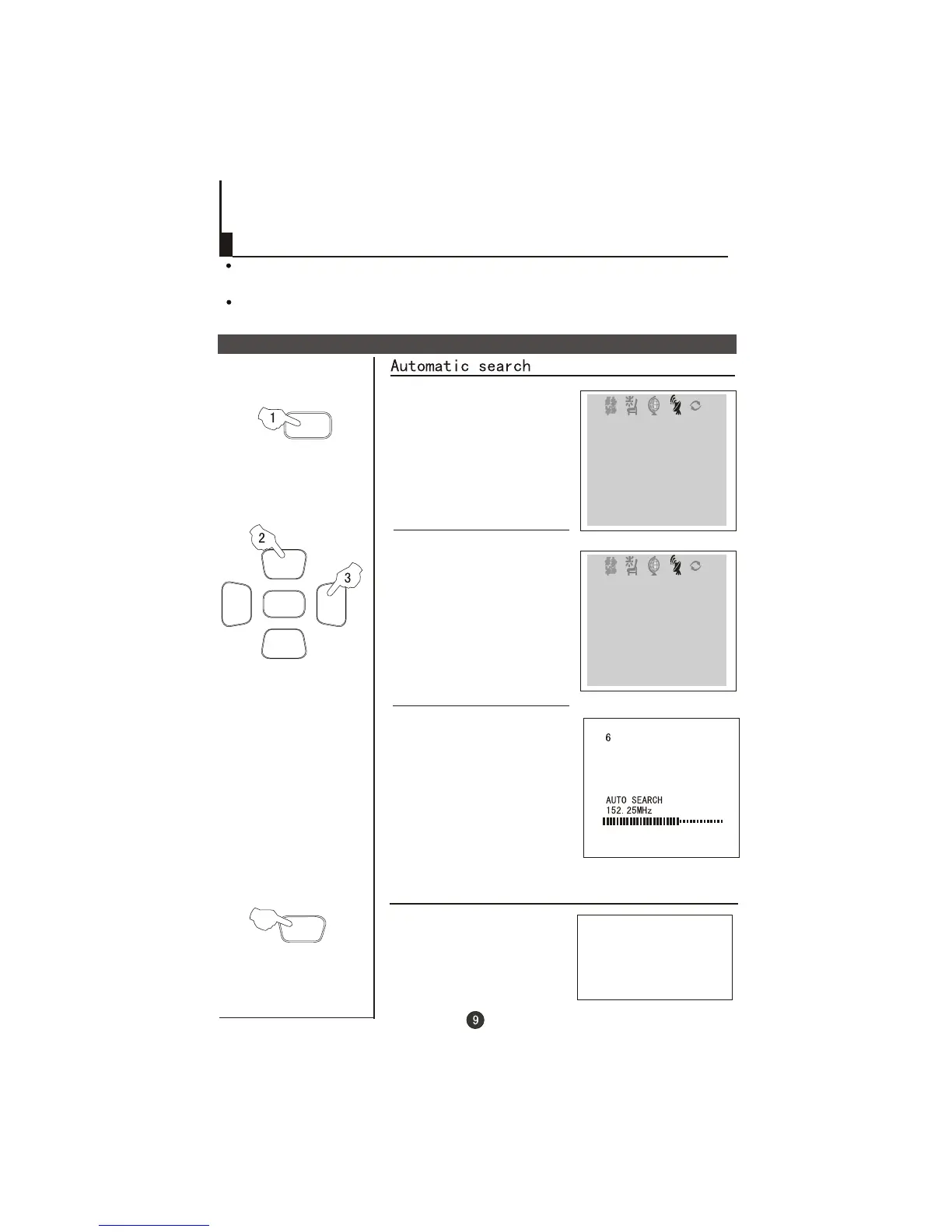
Full automatic mode
1 Press the TUNE menu button ,
till the TUNING menu shown on
the right display on the screen.
2 buttons to
select "AUTO SEARCH".
Press the CH+/-
3 Press the VOL+ button to
ensure automatic search
function operates. All channels
now playing program will be
automatically preset in order .
,
the first program number will
display on the screen.
After the search has finished
Display function
Press the CALL button, then
the channel number and the
systems will be displayed on
the screen.
4
AUTO
BG
TUNE
SOUND BG
BAND VHFL
SKIP OFF
PROGRAM 0
SEARCH
FINE TUNE
AUTO SEARCH
COLOUR AUTO
TUNE
COLOUR AUTO
SOUND BG
BAND VHFL
SKIP OFF
PROGRAM 0
SEARCH
FINE TUNE
AUTO SEARCH



 To Next Page