CH+
CH-
VOL
-
VOL
+
MENU
CH+
CH-
VOL
-
VOL
+
MENU
CH+
CH-
VOL
-
VOL
+
MENU
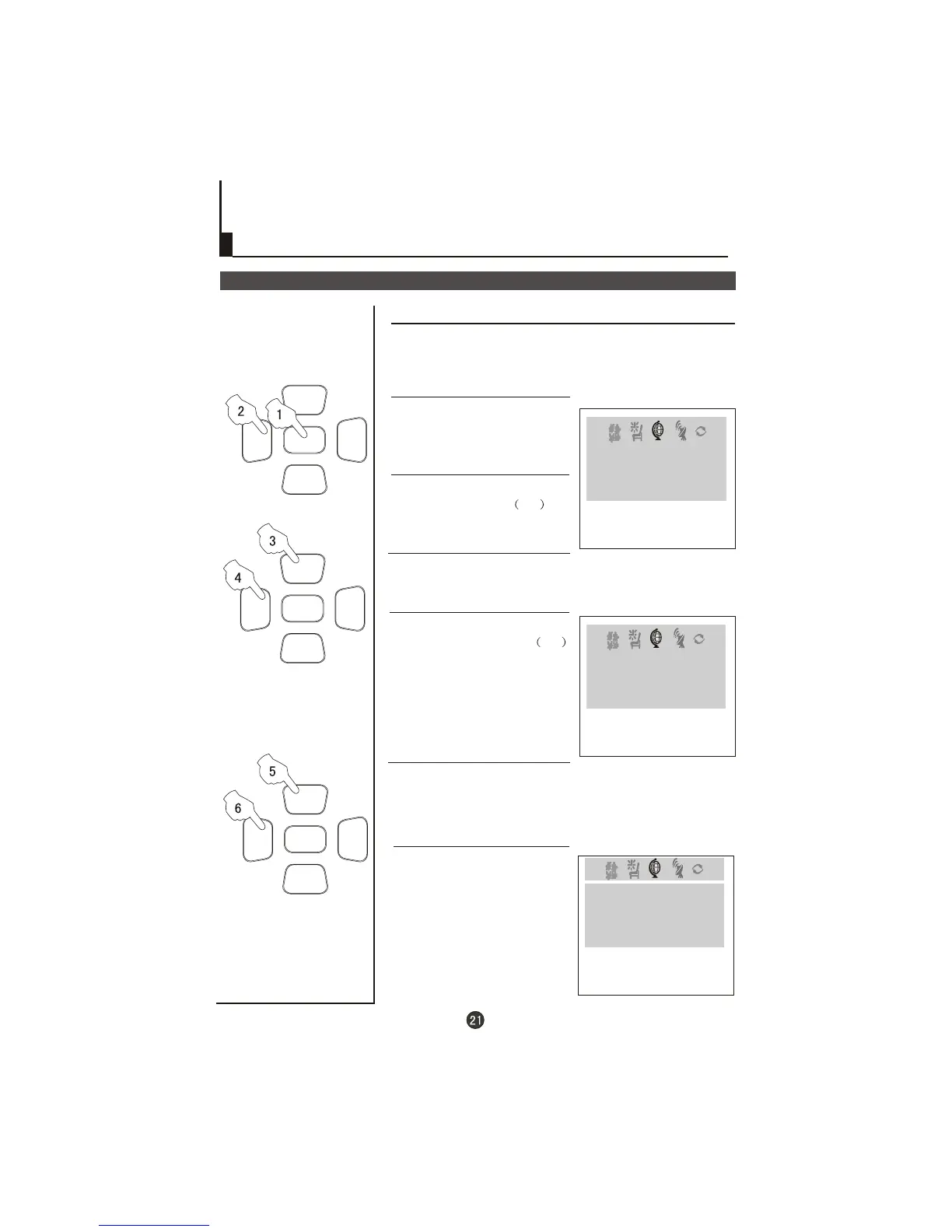
Position exchange functions
Exchange
Exchange
EXCHANGE
PROGRAM 1 6
PROGRAM 2 9
EXCHANGE
1 Press the MENU button till the
,
EXCHANGE menu display on
the screen.
2 Press the VOL / buttons or the
PROGRAM NUMBER 0-9
buttons to set PROGRAM 1 TO 6.
-+
4 Press the VOL / buttons or
the PROGRAM NUMBER 0-9
buttons to set PROGRAM 2 TO 9.
-+
3 buttons to
select " PROGRAM 2".
Press the CH-/+
5 buttons to
select "EXCHANGE".
Press the CH+/-
6 Press the VOL-/+ buttons to set
"EXCHANGE".
EXCHANGE
PROGRAM 2 2
EXCHANGE
PROGRAM 1 6
EXCHANGE
PROGRAM 1 6
EXCHANGE
PROGRAM 2 9
This feature enables TV programs that may be on a wrong TV
channel number to be swapped/exchanged. This feature is
very useful when Automatic Search Tuning has been used, to
reallocate the found programs to the correct channel numbers.



 To Next Page