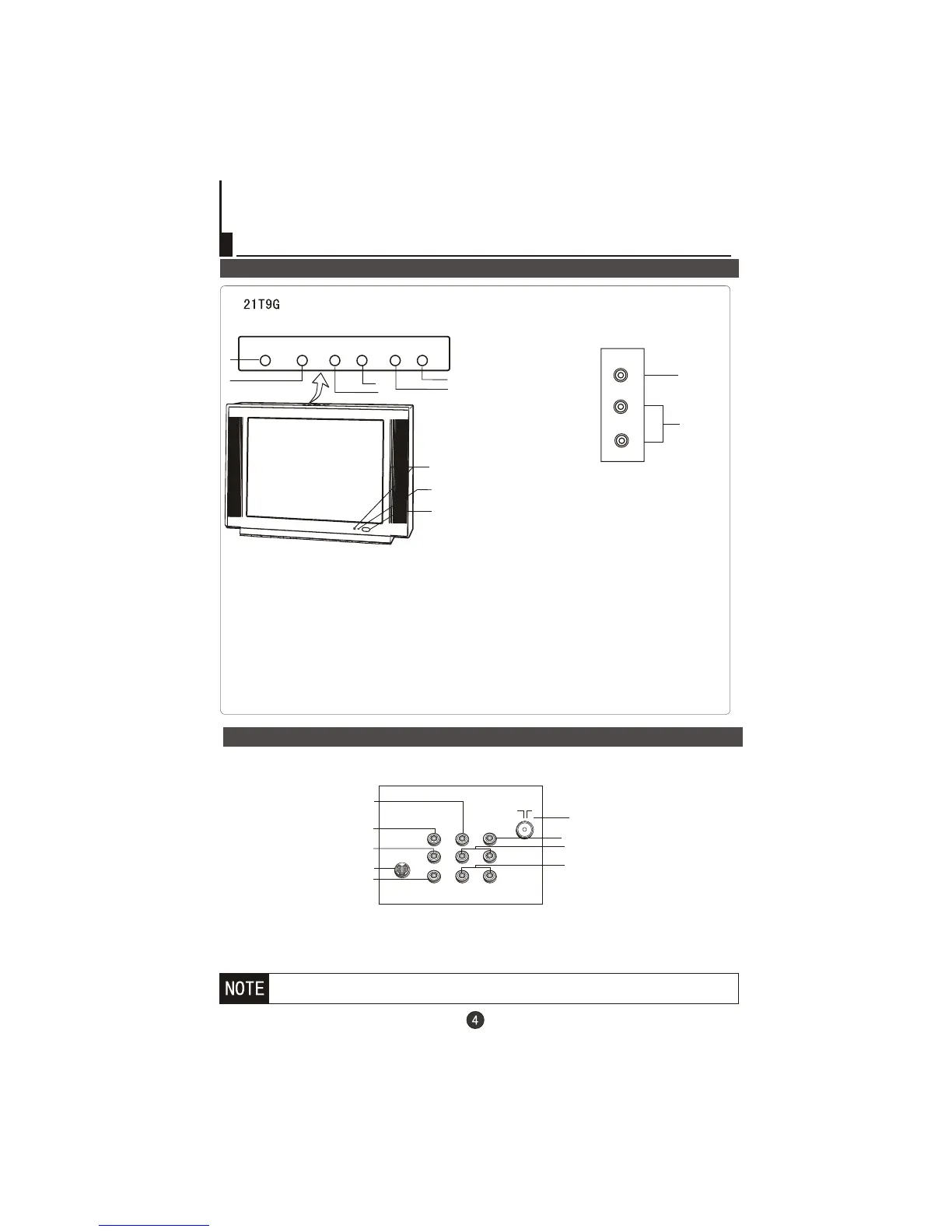
Rear panel of the TV set
If you want to connect the TV set to the other audio/video equipment, please
refer to P22.
VIDEO
YCb Cr
L-AUDIO-R
Video C Input terminal
b
Video Y Input terminal
Video Input terminal
Antenna Input socket
r
Video C Input terminal
Audio Input terminal
S-VIDEO
S-VIDEO input terminal
OUT
IN
Video Output terminal
Audio Output terminal
Note: Please do not use the S-video input and the video input terminal together.
S-video is not available for some model .
Front
1. Menu: Access/Exit Main M (Menu)
2. TV/AV:TV/AV selection
3. VOL-: Decrease sound
4. VOL+: Increase sound
5.CH-: Select next lower channel
6.CH+: Select next higher channel
7.Power: Power on/off
8. Power Indicator
9.Sensor Windows
1
2
3
4
5
6
7
8
9
M
E
N
U



 To Next Page