RF IN
COAX
VIDEO
AV IN
AUDIO OUT
Connection
Connection
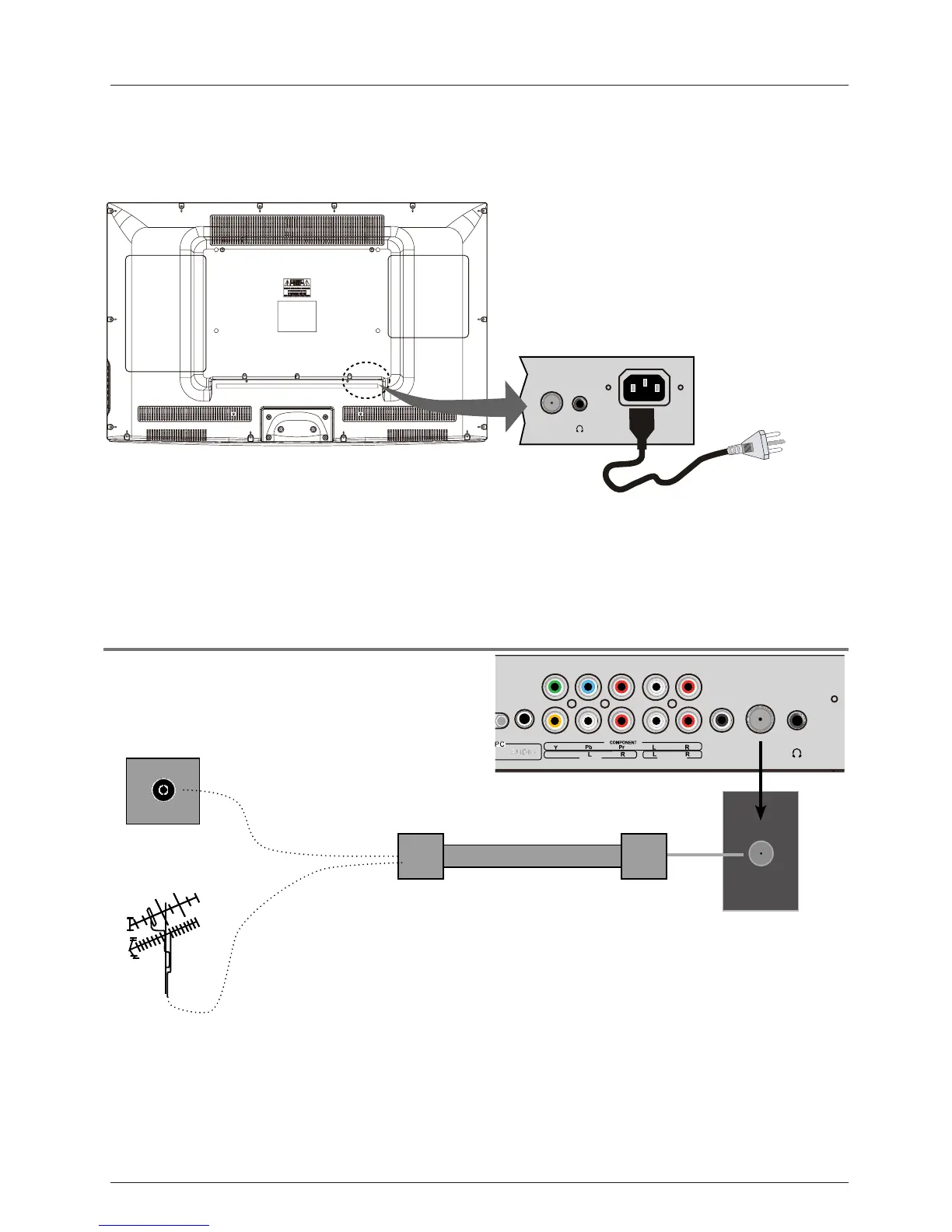
Antenna (RF) Connection
Power Cord Connection
RF
Coaxial Antenna Cable
Press the INPUT button on the remote control to display the input source menu, use the
Ĥ
ĥ
buttons
to select
TVˈ
and then press the ENTER
- Connect the TV to a wall outlet using the included AC power cord.
- When you connect the power cord, the TV
enters
into standby mode and the LED indicator
on the front of the TV will be is red.
- Turn on the TV by pressing the POWER roVTn theonottub
remote control, and the LED
indicator will become green.
Wall jack with F-Connector
External Antenna
11
RF IN
AC POWER IN
Note: It is recommended to unplug the TV if it will not be used for a long time, such as
during a vacation.
button to confirm.You will need to perform a
channel scan to be able to view TV channels. Please see the auto scan section on page 20.



 To Next Page