OSD Menu
OSD Menu
1. Picture menu
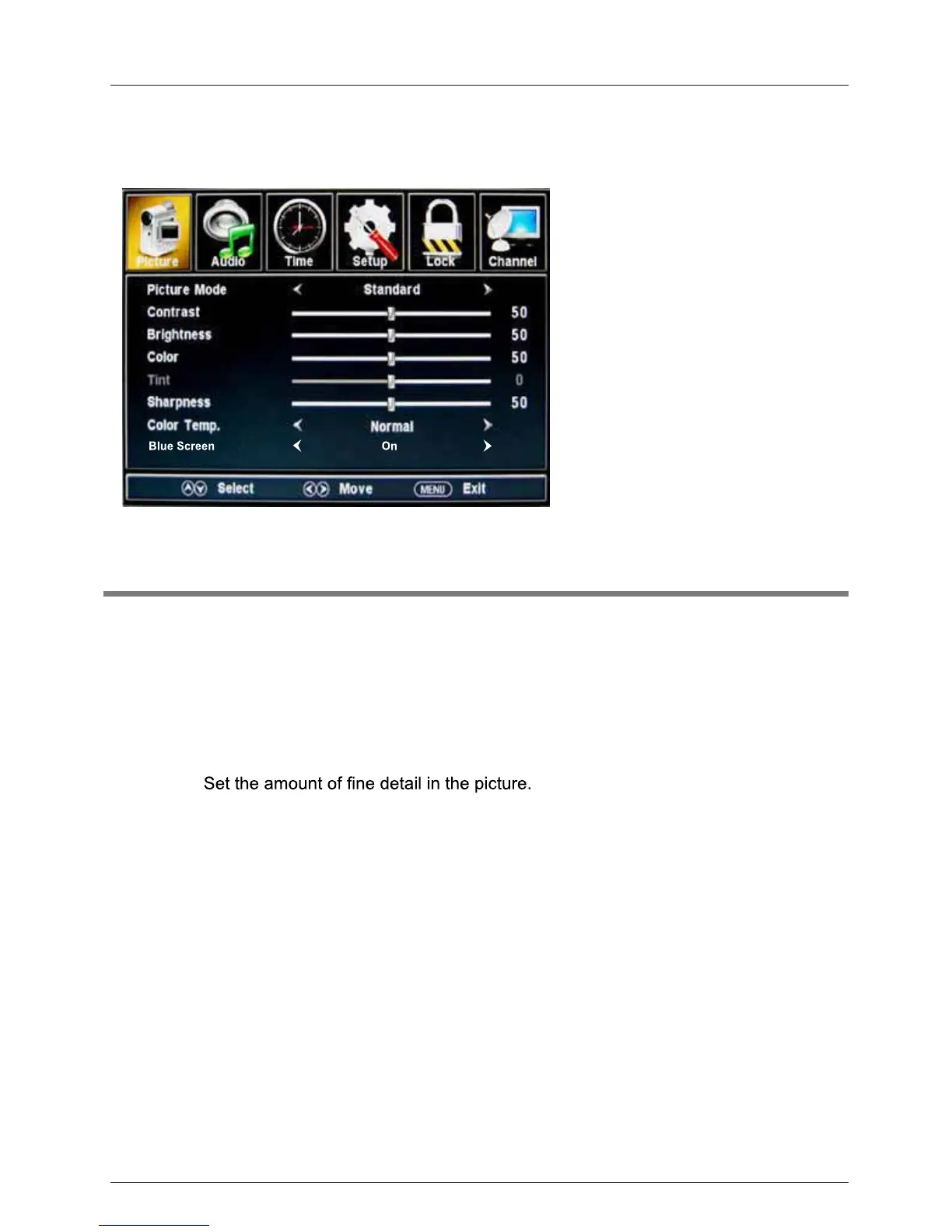
Picture mode: Select between Standard, Mild, Custom, Vivid and Power saving.
You may select the picture mode directly by pressing the PICTURE button on the remote
control.
Contrast: Control the difference between the bright and dark regions of the picture.
Brightness: Adjust brightness of the picture.
Color: Adjust the amount of color in the picture.
Tint: Adjust the tint (color tone) of the picture.
Sharpness:
Color Temp.: Select between Normal, Cool and Warm.
Description
15
When the TV is no signal,You can the backgroundto blue or others .Blue Screen:



 To Next Page