6. Channel menu
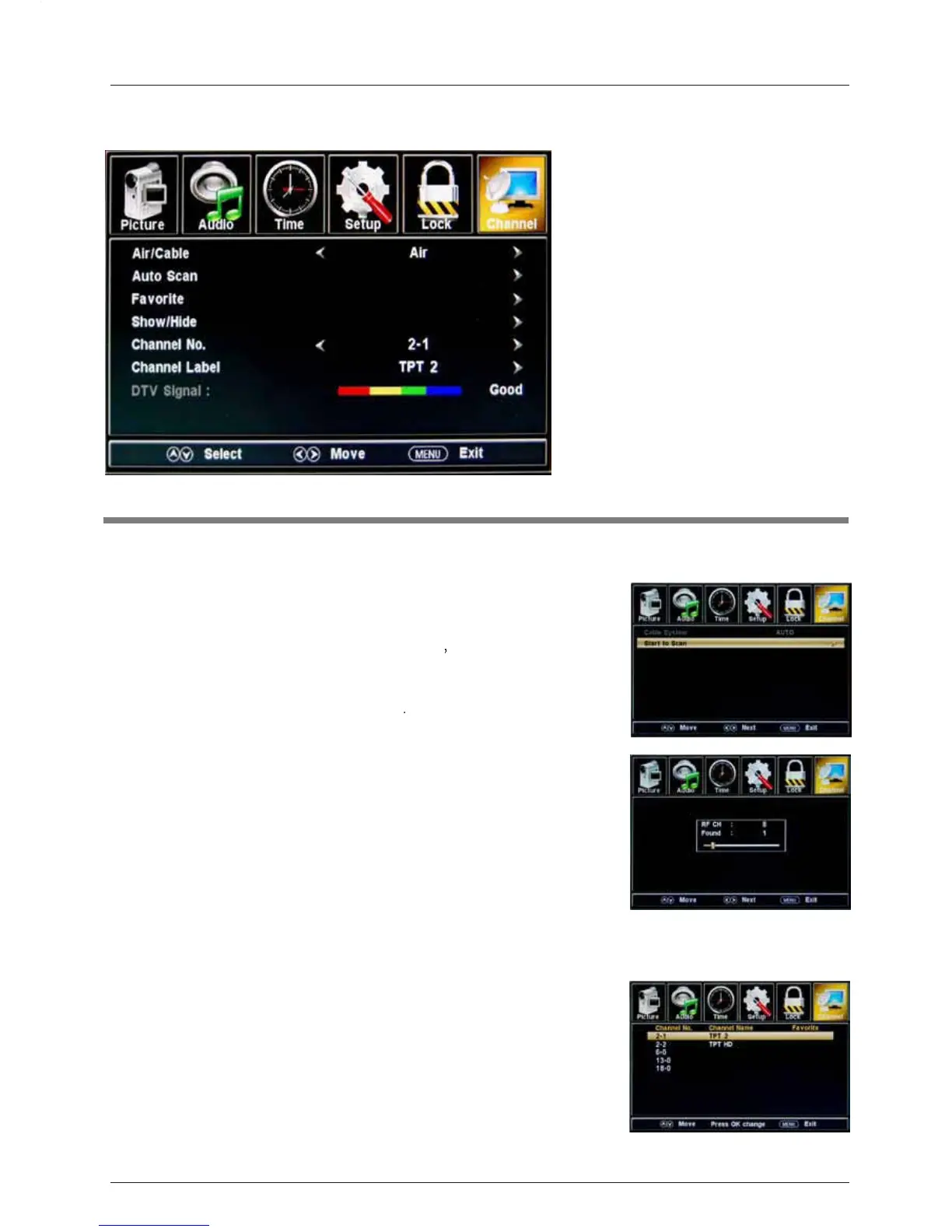
Air/Cable: Select Air or Cable.
If you selet “Cable”, the following items(Favorite, Show/Hide, Channel NO, Channel Label
and DTV Signal) will be unavailable.
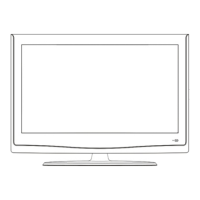
Auto Scan: Enter the Auto Scan menu to start auto scan. See
µ
If you select “Cable” as the input signal
you can also select
Auto, STD, IRC and HRC.
Use the
ĥ
button to highlight “Start to Scan”, then press the
?
button to
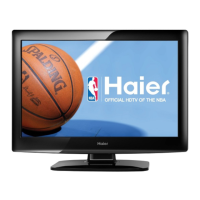
The receivable channels will be stored automatically.
When searching channels, press MENU to stop.
µ
If you select “Air” as the input signal,
you
can press the
?
button to search the channels automatically.
The receivable channels will be stored automatically.
When searching channels, press MENU to stop.
NOTE: It may take a while to auto scan in "Air" mode,
please wait patiently.
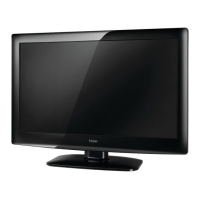
Favorite: Add/remove channels to/from the favorite channels list.
Use the
Ĥ0ĥ
button to highlight the desired item, then press
the ENTER button to add or remove the highlighted channel as
a favorite. See image on the right.
Description
OSD Menu
20
the Cable System:
search the channels automatically
image on the right.



 To Next Page