7. USB mode
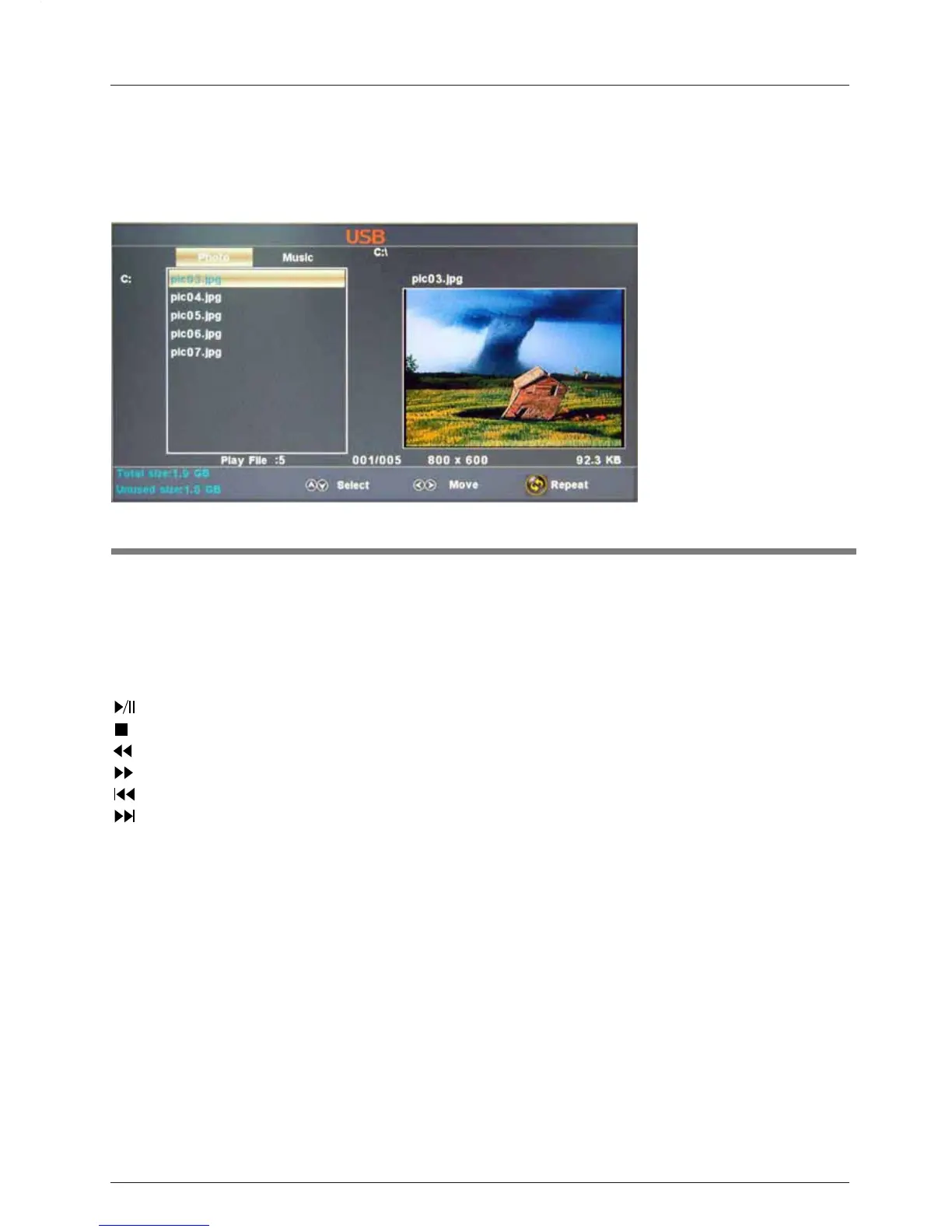
Description
OSD Menu
22
1). Insert a USB device.
2). Press the USB button on the remote control, the
TV will search for the device automatically,
and
display the menu shown below.
Note: You could enter the USB menu by selecting the USB source in the input source menu.
Operation:
1. Press the < > buttons
to select Photo files or Music files.
2. Press the ġĢ buttons to select a file or folder, and press the ENTER button to play the file
Operation buttons
: Play or pause.
: Stop.
: Next chapter
: Previous chapter
: Fast forword
: Reverse
REPEAT: Press to change the programing mode.
or open the folder.



 To Next Page