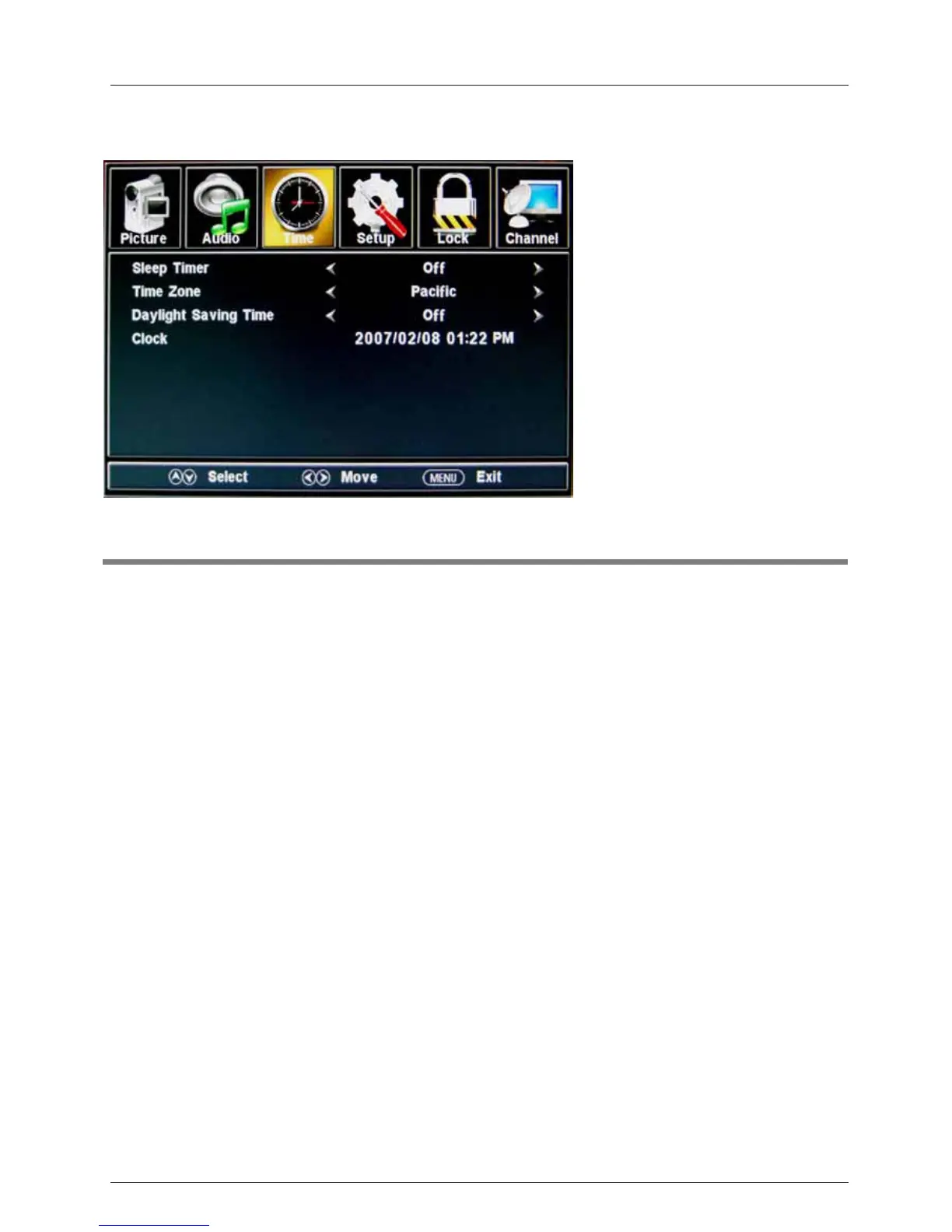
3. Time menu
Description
Sleep timer: Set the sleep timer: (off / 5 / 10 / 15 / 30 / 45 / 60 / 90 / 120 / 180 / 240 mins). The
TV will automatically turn off (standby mode) after the selected period of time passes.
Time zone:
Clock: The time is set automatically, and you cannot manually adjust the time.
OSD Menu
17
Daylight Saving Time (Could only be activated in DTV mode): Turn on/off daylight saving time.
Select your time zone: Eastern, Central, Mountain, Pacific, Alaska, or Hawaii.



 To Next Page