Introduction
Introduction
1. Front View
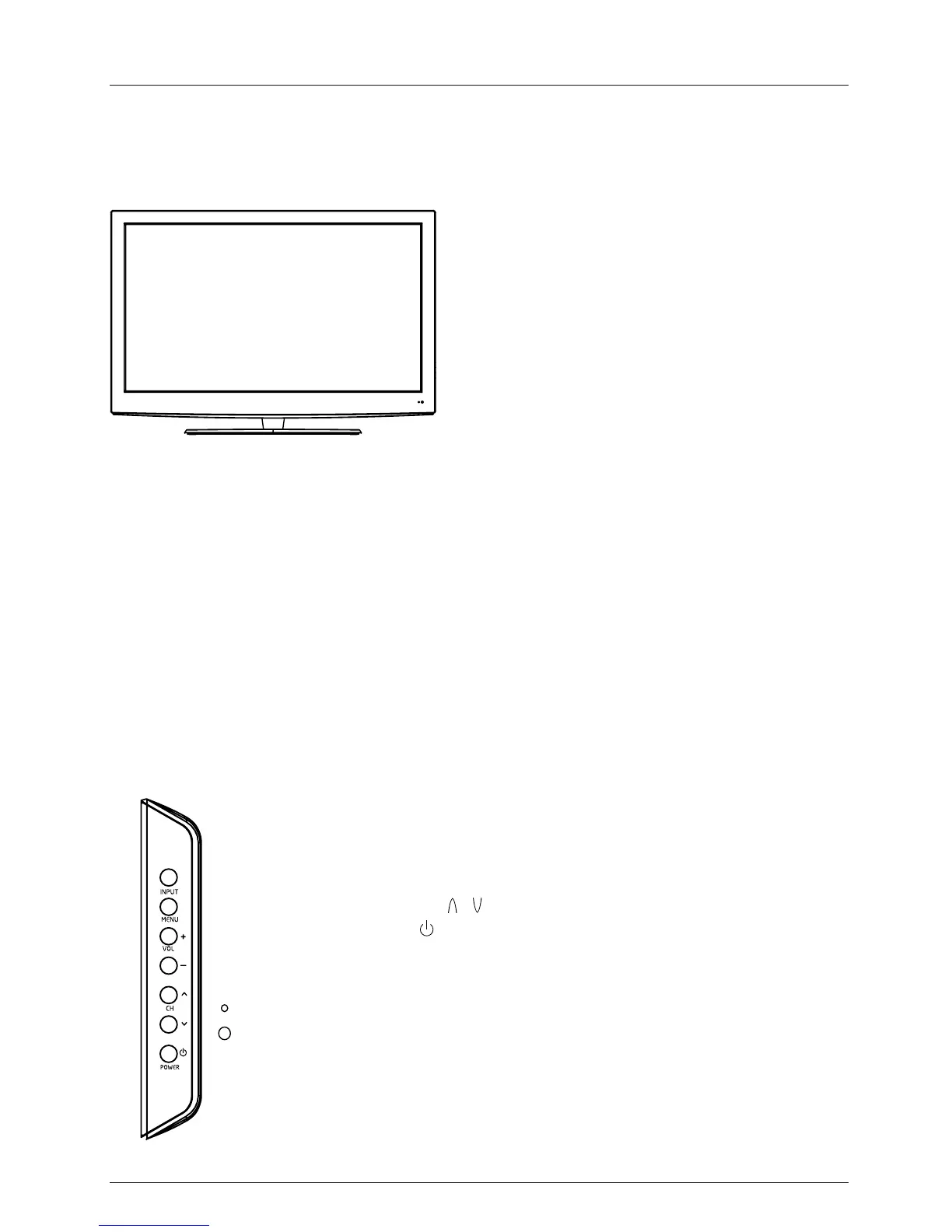
1). (IR) Infrared Receiver: Receives IR signals from the remote control.
(Power on/Standby)LED Indicator: Press POWER to turn on and off.
Indicator on(Red) Standby mode
Indicator on(Green) Power on mode
2). The functions of the buttons:
INPUT: Press to change the input source.
MENU: Press to display the OSD (on screen display) menu,
press again to exit the menu.
VOL+/-: Press to adjust the volume.
The effective receiving range for the signal is up to 30 feet from the front of the remote
control window, and 30
0
to the left or right side and 20
0
above or below the remote control
window.
Led Indicator
Remote Control window
(Keep clear)
POWER/STANDBY:Turn on/off (standby) the
TV set.
CH / : Press to scan through channels.
6



 To Next Page