APP STORE
3.Apps
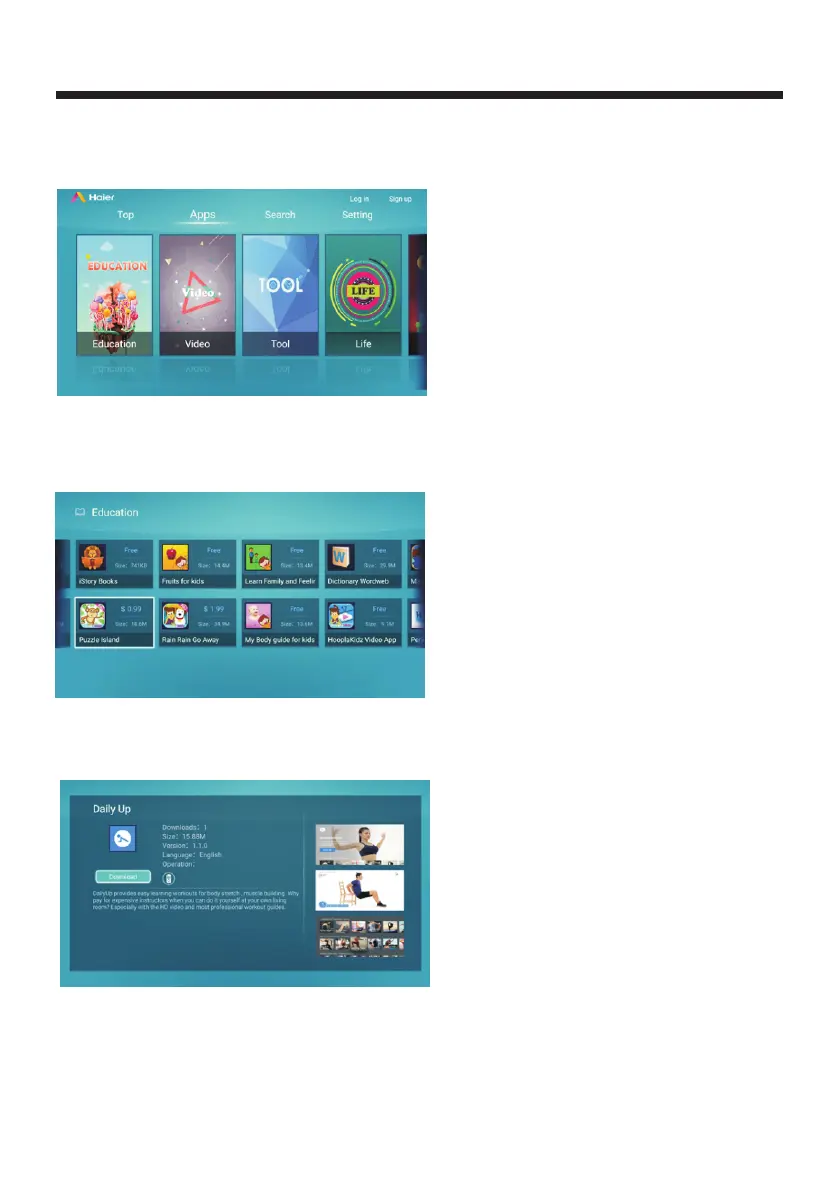
Put remote controller cursor on apps columns and click confirm to enter
into lists to check categories as "Video, Life, Education, Tool, Game".
Check each category app list
Use remote control to put cursor in one item and click confirm to enter into lists of
apps in one category, it will present app icon, application name, application size,
free app, paid app as following screenshot:
4.Free app detail page
Use remote controller to select an app icon and press OK button to enter into details page,
as shown in Figure 3.1:
(3.1)
The right page shows app screenshot , press the up and down arrow keys move to review;
-27-



 To Next Page