APP STORE
The left area shows the application name, version, application size,download, application description,
control and language:
Action button:
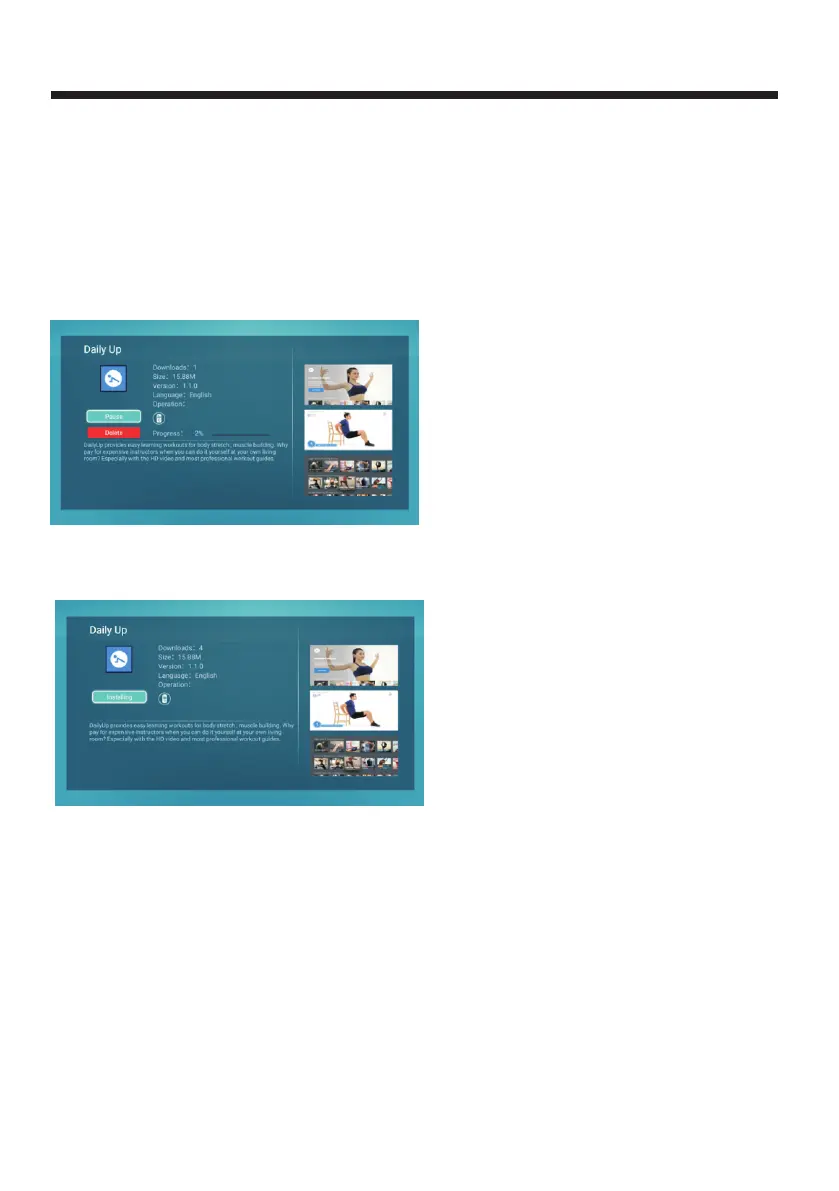
Download: When the application was not downloaded, the button will display as "Download", user can
click the button to download app;
If "Pause" is selected, the current download progress is tentative.
Click "Continue" to continue download.
If you select "Delete", will cancel the current download process and delete downloaded file, if need
continue should restart.
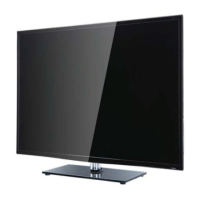
Install: When the download is complete, the operation button becomes "Installing", the system
is being installed by default, as shown in Figure 3.3;
(3.2)
Open:After the installation completed, the button becomes "Open" and "Uninstall", and the
user can click "Open" to start the application directly as shown in Figure 3.4.
If the application has an update, the update button is also displayed, see the "Installation"
procedure.
(3.3)
-28-



 To Next Page