APP STORE
(3.4)
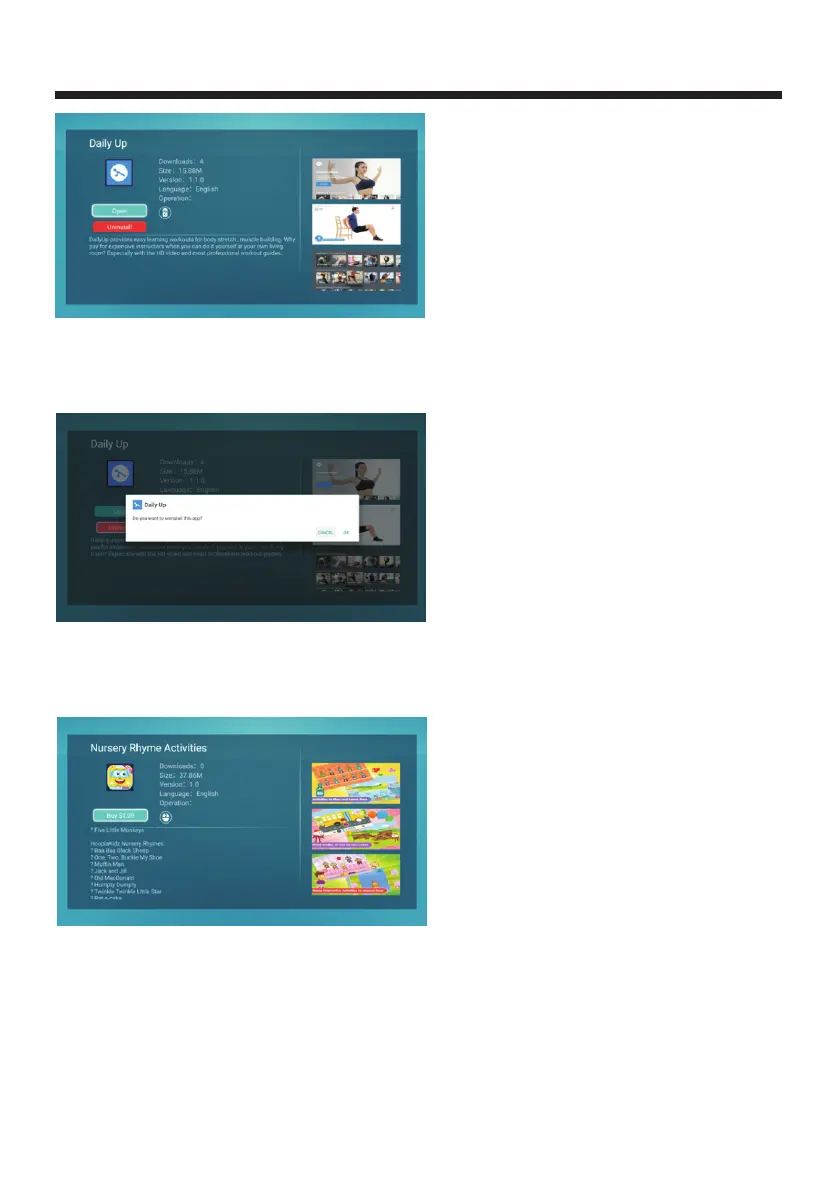
Uninstall:If you need to uninstall the application, you can click the "Uninstall"button and
will popup "Do you want to Uninstall this app?", Click OK will load of app successfully as
shown in Figure 3.5;
(3.5)
5.Buy application
Use the remote control to select an application icon Press the OK key to enter the
appropriate application details.
The right page shows the screenshot of the application, press the up and down arrow keys to
move to review;The left area shows the application name, version, application size,
download, application description, control, language;
-29-



 To Next Page