APP STORE
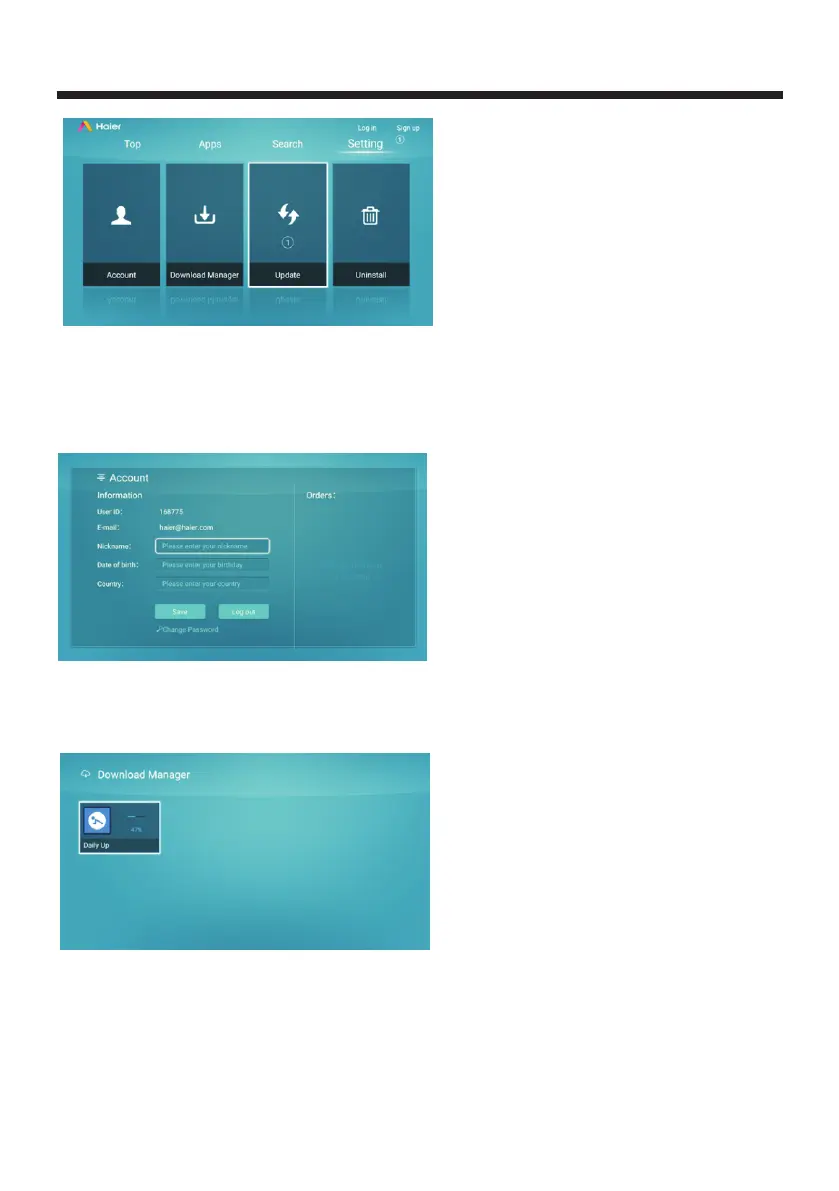
Account:Use the remote controller to select Account and click OK will lead to account interface,
you can set Nickname, Date of birth and Country.
Click "log out" will pop up "click on the current account?", please Click OK to exit.Click
"Change password" with the remote control to change login password.
Download Manager:Use the remote controller to select Download Manager and click OK, enter
into the Download Manager page to check the app was downloaded or process downloading to
finish installation;
Update
When navigation bar Setting shows number, it proves how many of local application should
be updated.
:
-32-



 To Next Page