17
2.3 How to Connect
Connecting Equipment
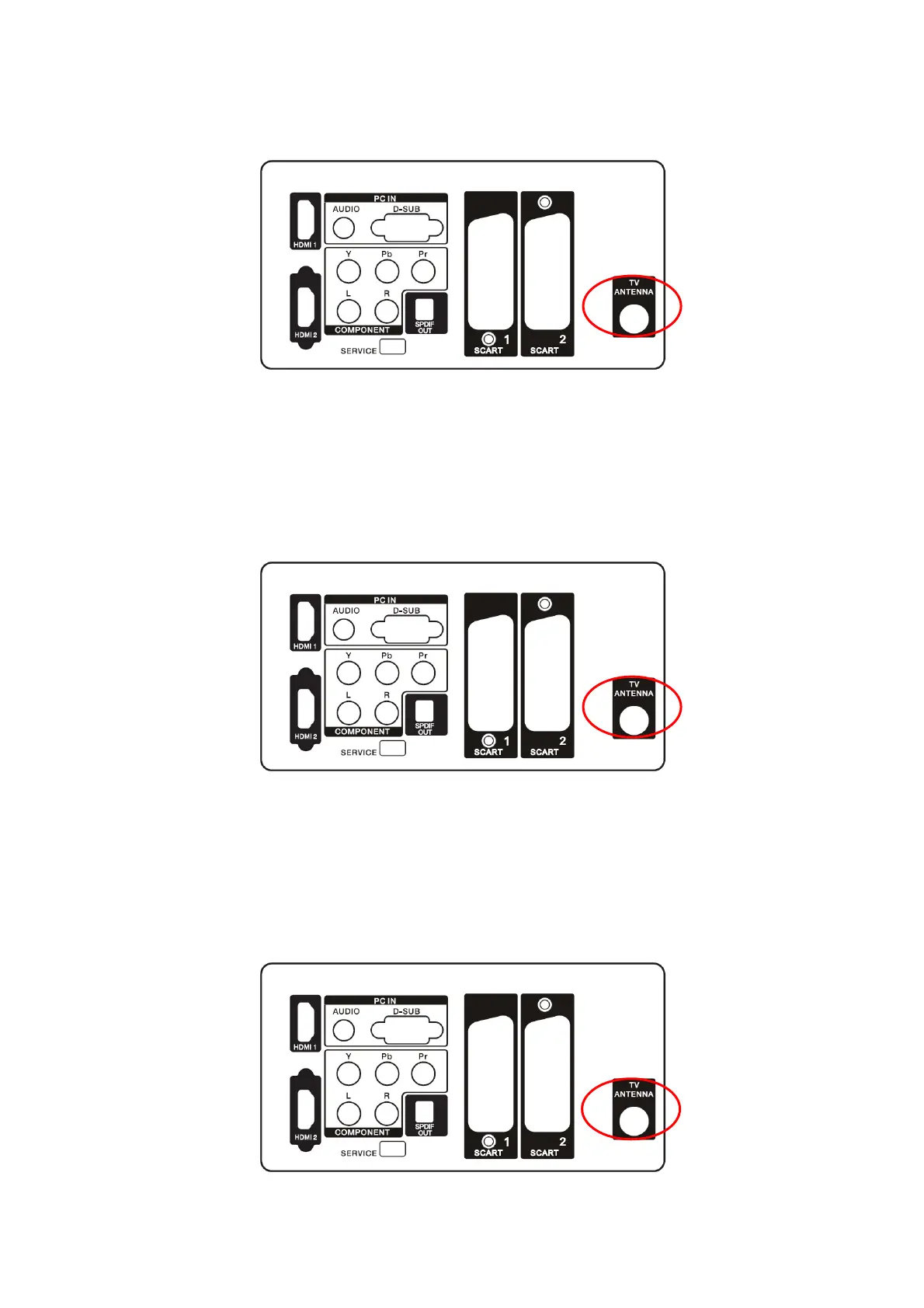
Coaxial (RF)
Using Your Antena or Digital Cable for DTV
1. Turn off the HDTV.
2. Connect the coaxial (RF) connector from your antenna or digital cable (out-of-the wall, not from the Cable Box) to
the TV ANTENA connector.
3. Turn on the HDTV.
4. Select ATV/DTV using the SOURCE button on the remote control or the control key on the side of the TV.
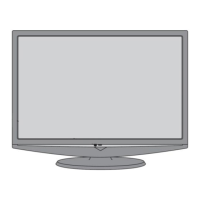
Using Your Antena or Cable for DTV
1. Turn off the HDTV.
2. Connect the coaxial (RF) connector from your antenna or cable (out-of-the-wall, not from the Cable Box) to the TV
ANTENA connector at the rear of the HDTV
3. Turn on the HDTV.
4. Select ATV/DTV using the SOURCE button on the remote control or the control key on the side of the TV.
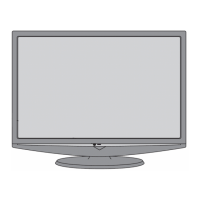
Using the Antena or Cable for your VCR
1. Turn off the HDTV and VCR.
2. Connect the “Output to TV”, “RF Out” or “Antenna Out” connector on the rear of your VCR to the TV ANTENA



 To Next Page