16
12. INITIAL SETUP (Desoldering Tool)
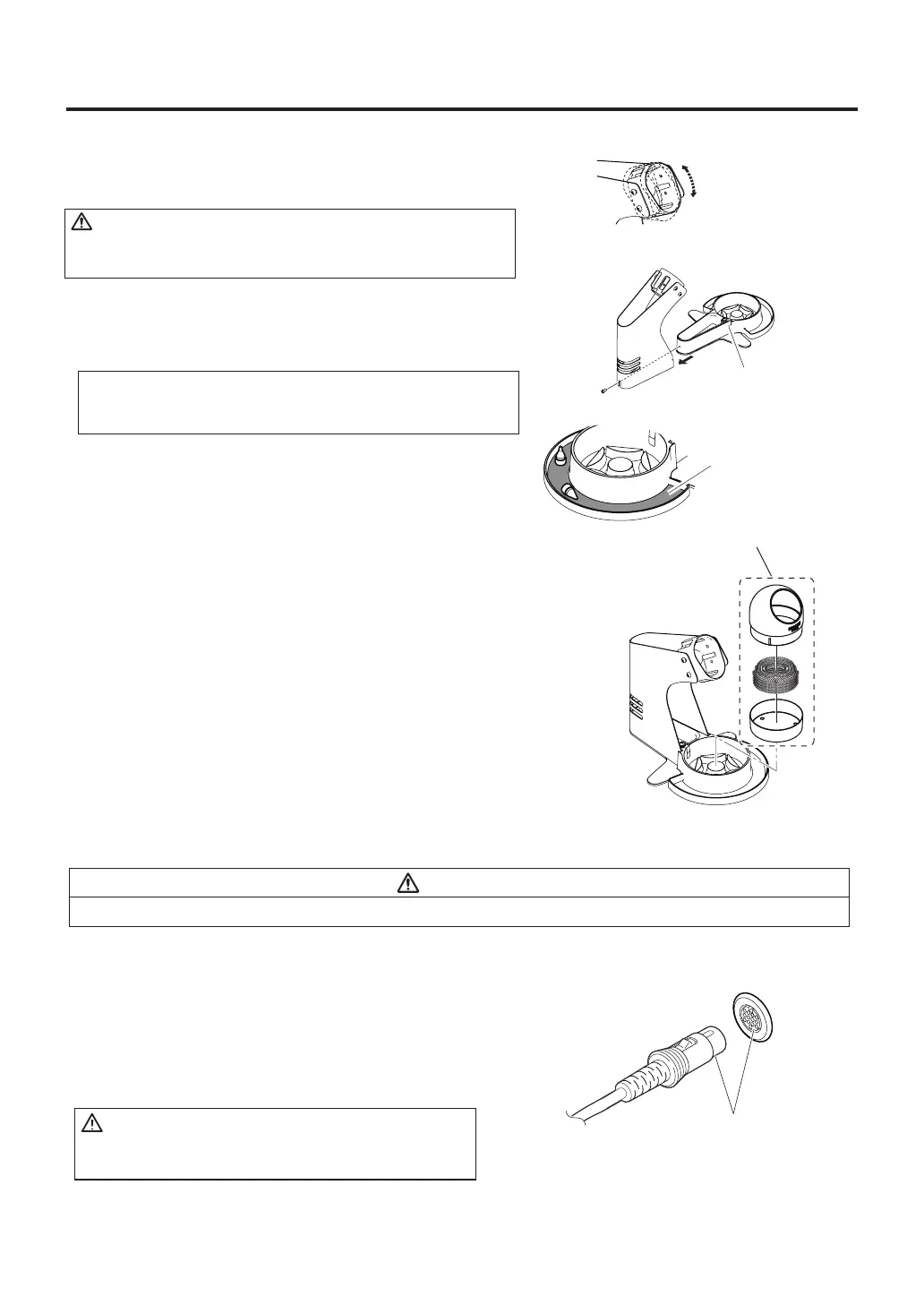
A. Handpiece holder
CAUTION
Increasing the angle of the handpiece receptacle will
cause an increase in the handpiece temperature.
NOTE :
You can put nozzles that are not in use on the radial tray
of the handpiece holder base.
Loosen the adjusting screws to change the angle of the handpiece
receptacle as you like, then tighten the screws.
● Setup the handpiece holder
Following the instructions given in the illustration on the right,
assemble the handpiece holder.
Handpiece
holder base
Radial tray
● Cleaning wire
Following the instructions given in the illustration on the right,
put the cleaning wire on the handpiece holder base.
Operation:
First, remove any excess solder from the nozzle by thrusting
the nozzle into the cleaning wire.
(Do not wipe the nozzle against the wire. This may cause
molten solder to spatter.)
When the wire becomes dirty or loaded with solder, reposition
the wire until a clean surface is presented. When changing the
cleaning wire, lift the case top vertically to prevent solder debris
from falling out.
Cleaning wire
CAUTION
Be sure to hold the plug when inserting or removing the handpiece cord.
B. Station
● Connection
1. Connect the power cord to the receptacle on the
rear of the station.
2. Connect the plug from the HAKKO FR-4101 to the
receptacle on the HAKKO FR-702 (Desoldering tool).
CAUTION
Connect the plug to the receptacle, aligning the tab
on the plug with the opening on the receptacle.
Insert the plug into
the receptacle until
it seats.
To disconnect, pull the plug
from the receptacle while
pressing down the tab on
the plug.



 To Next Page