5
5. INITIAL SETUP (Soldering iron)
Small sponge
pieces
Large sponge
CAUTION
Be sure the sponge is moistened with water
before use to avoid damaging the tip.
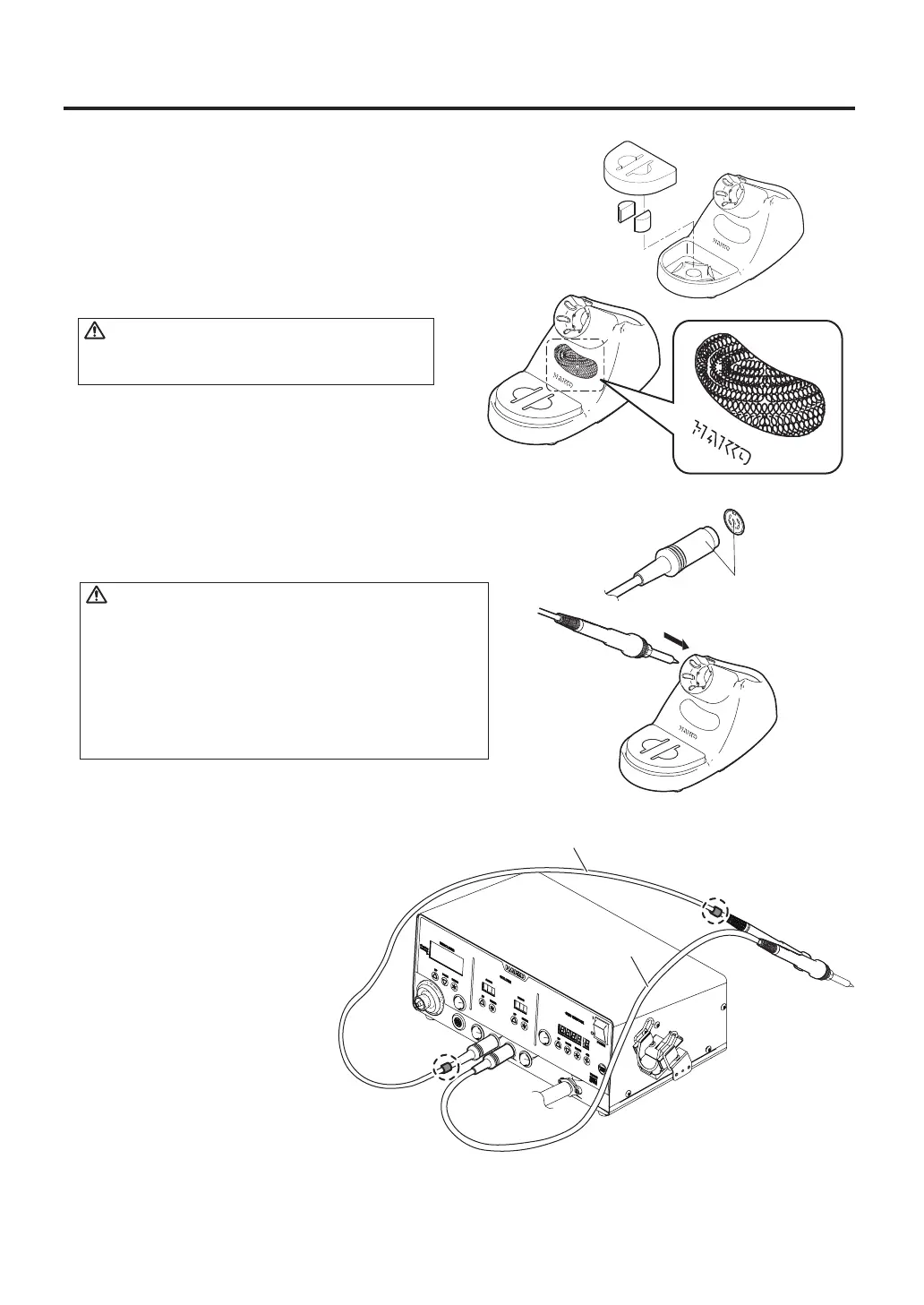
A. Setup the iron holder
1. Fit the small sponge pieces into the hollows of the iron
holder base.
2. Add an appropriate amount of water into the iron
holder base. The small sponge will absorb water
and help keep the large sponge damp at all times.
3. Dampen the large sponge and place it on the
iron holder base.
*When using a Cleaning Wire
Place it in the iron holder as shown on the right.
Push on the plug until
it stops, making sure it is
securely connected.
Receptacle
To disconnect, hold
the plug and pull it out
of the receptacle.
B. Connect the iron to the station
1. Connect the cord assembly to the receptacle.
2. Place the iron into the iron holder.
3. Plug the power cord into an appropriate power supply.
CAUTION
· Be sure to turn off the power before connecting or
disconnecting the cord assembly for the iron to and from
the receptacle to avoid damaging the circuit board.
· Do not use any iron other than those listed in Section
1 of this manual. Doing so may result in inadequate
performance and / or possible damage to the unit.
· The unit is protected against electrostatic discharge and
must be grounded for full efficiency.
※When using two soldering
irons simultaneously
Attachment of the color
bands to one of the soldering
irons will help identify which
soldering iron is connected
to receptacle "A.IRON" and
"B.IRON".
With color bands
Without color band



 To Next Page