19
If you wish to exit the
PRESET SELECTION
screen, simply use the
DOWN button to scroll
to the bottom of the list,
and select <EXIT>.
<↓> <ENT>
350℃
400℃
450℃
If you wish to exit the PRESET SELECTION screen...
• Select <EXIT> and press the <ENT> button. You will return to the normal display
screen without making any changes.
• If the device is left alone without making any operation for 10 seconds, you will return
to the normal display screen.
When changing the current set temperature or the preset temperature, follow the
operation of “
●
Changing various setting (other than preset selections)”.
<↓> <ENT>
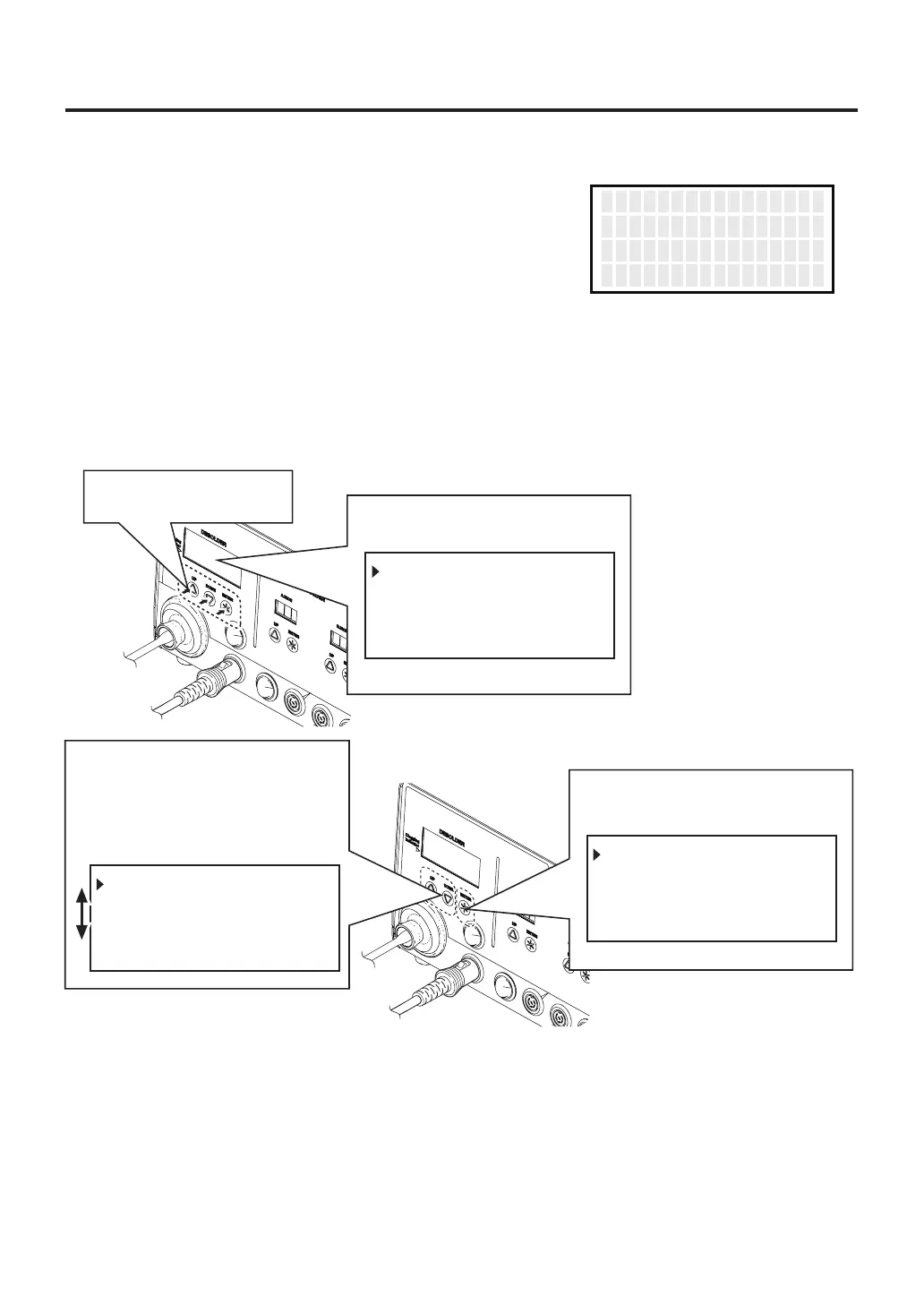
4. Press the <ENT> button to
finalize your selection.
<↑>
350℃
400℃
450℃
PRESET1
PRESET2
PRESET3
●
When triggering before the heater reaches set temperature
HEAT I NG...
PLEASE
W
A I T
When triggering before the heater reaches
set temperature, the display screen shows
“HEATING PLEASE WAIT” and the vacuum
does not work.
Please wait for the heater to reach the set
temperature.
B.Making Changes to Settings
●
Selecting the preset number
The HAKKO FR-702 (Desoldering Tool) has a preset mode.
1. Press any of the
three control buttons.
<↑> <↓> <ENT>
PRESET1
PRESET2
PRESET3
350℃
400℃
450℃
2. The preset selection screen
appears.
3. Make your SELECTION by
moving the cursor UP or DOWN
by pressing the corresponding
buttons.
<↓> <ENT>
350℃
400℃
450℃
<↑>
PRESET1
PRESET2
PRESET3



 To Next Page