temperature. You can set
a Password to “Partial” mode and then select if you want to control access to
Temperature Setting Mode, P
reset Selection Mode and/or Adjust Mode. If you select Restricted Mode
then Temperature Setting Mode, Preset Selection Mode and Adjust Mode will all require a password.
There are very few instances where it makes sense to change to either Partial or Restri
setting. I would leave the station in Open Password mode.
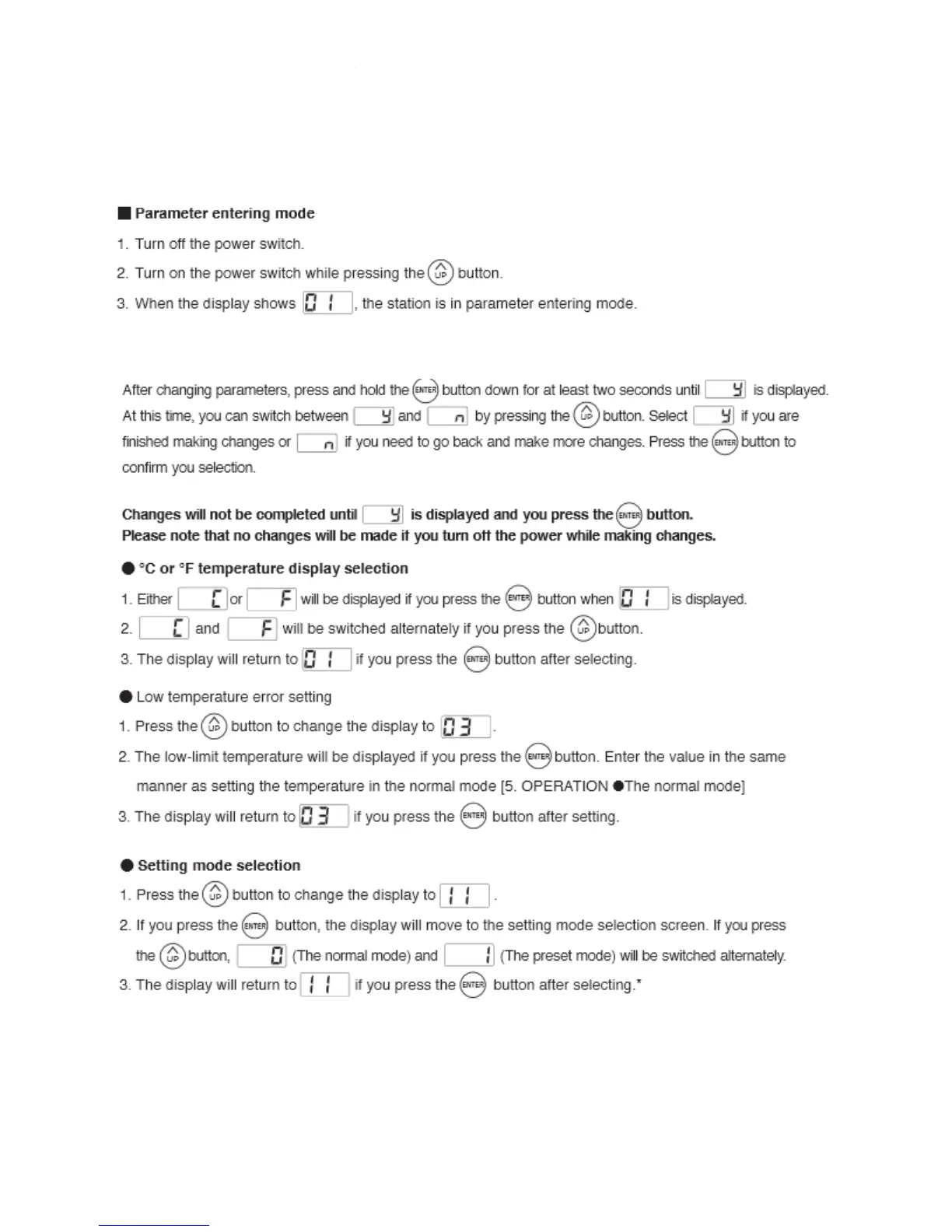
To change a parameter you must first enter the parameter entering mode. Here is how you do it,
Once you enter Parameter entering mode you can change any or all 4 parameters.
parameter 01.
a Password to “Partial” mode and then select if you want to control access to
reset Selection Mode and/or Adjust Mode. If you select Restricted Mode
then Temperature Setting Mode, Preset Selection Mode and Adjust Mode will all require a password.
There are very few instances where it makes sense to change to either Partial or Restri
setting. I would leave the station in Open Password mode.
To change a parameter you must first enter the parameter entering mode. Here is how you do it,
Once you enter Parameter entering mode you can change any or all 4 parameters.
a Password to “Partial” mode and then select if you want to control access to
reset Selection Mode and/or Adjust Mode. If you select Restricted Mode
then Temperature Setting Mode, Preset Selection Mode and Adjust Mode will all require a password.
There are very few instances where it makes sense to change to either Partial or Restri
cted password
To change a parameter you must first enter the parameter entering mode. Here is how you do it,
rt with















 To Next Page