18
2
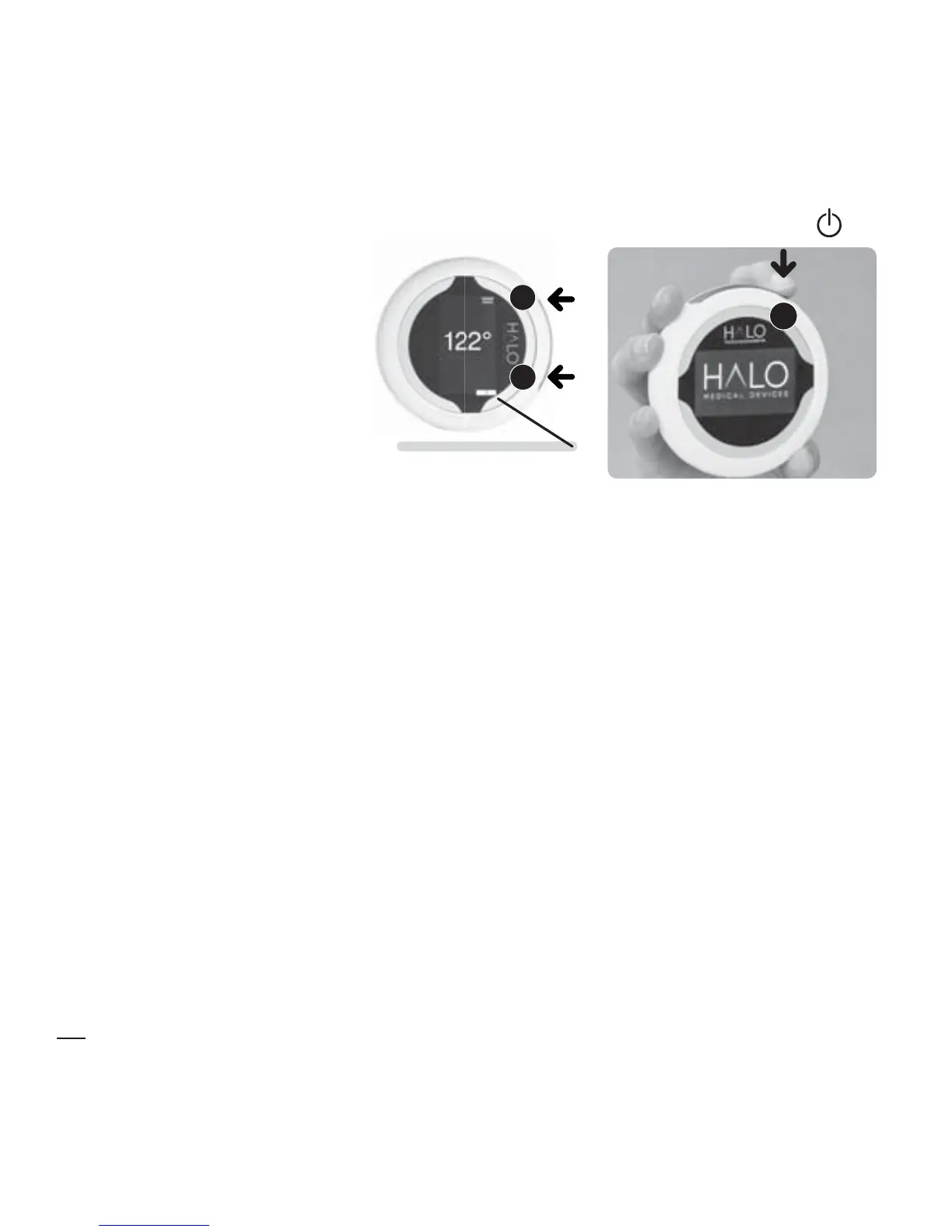
4 SECS
STANDBY/OFF
2
1
or
STEP 3
Step Indicator 3
Automatic Vertical mode
Automatic Vertical mode is a short-cut method used when multiple,
repetitive measurements (such as shoulder range of motion) are required. In
Automatic Vertical mode, measurement is a two-step process.
To change to Automatic Vertical mode, see Mode in Using the menus.
With the HALO on, position the HALO over the limb to be measured.
Rotate the HALO until the indicator lines on the case are pointing upwards,
marking the origin of the measurement angle (zero degrees), then:
1. Press any button once to activate the lasers. The Step Indicator (now
in the centre of the display) shows 1.
2. Turn the HALO Digital Goniometer to the second position and
press any button again. The Step Indicator moves to 2. Your result is
displayed on the screen.
If, for any reason, the
lasers are still on, advance
to measurement Step3,
or put the device into
STANDBY MODE by
pressing and holding
Button 2
until the HALO
logo appears and the
display goes blank.


 To Next Page